CREATING & ANIMATING
SIMPLE 3D OBJECTS
By Shane Brumback · · Updated · Free Three.js tutorial · Level 1
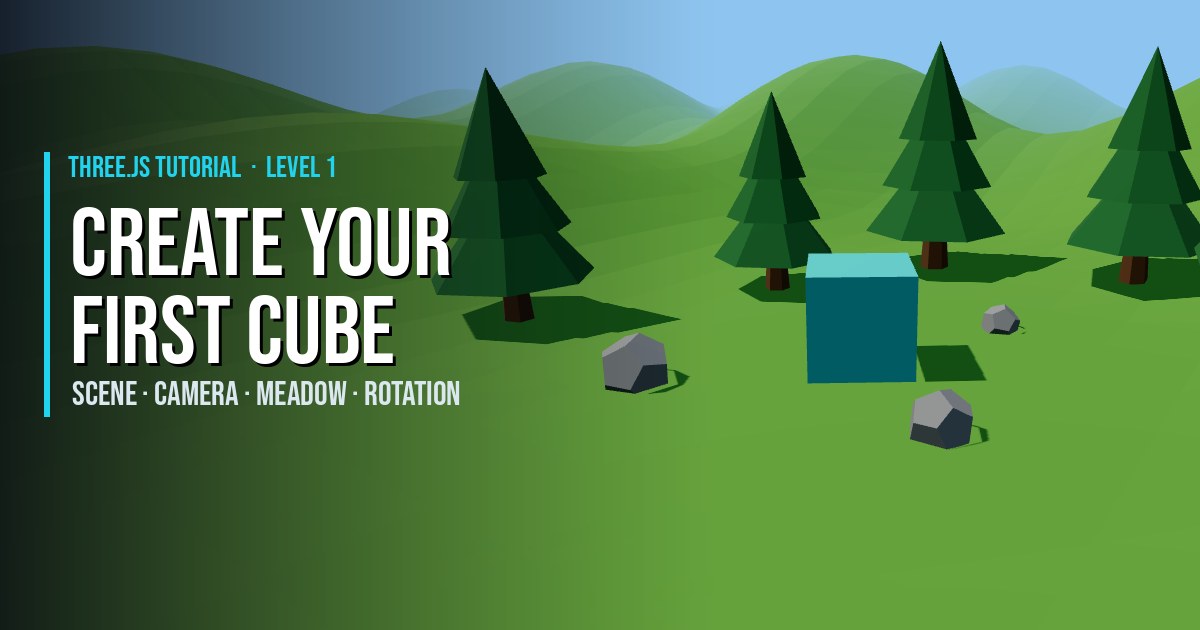
To animate a simple 3D object in Three.js, put a Mesh in the scene and change its position, rotation and scale every frame from a render loop. This glossy blue cube cycles through a hop, a spin jump and three flips, with eased rotation and squash and stretch on every landing.
A beginner walkthrough of MeshPhysicalMaterial, a gradient sky dome, soft shadows and instanced wind-blown grass in Three.js. The scene behind this page is the live demo, and the full copy-paste source is below.
LIVE DEMO
The cube jumping behind this page is a live Three.js scene. Launch the full-screen demo to drag to orbit and scroll to zoom while it hops, spins and flips over the swaying grass. Launch asks for a free Google sign-in first. Press Esc or Exit to return.
Free Google sign-in · Orbit: drag · Zoom: scroll · Esc to exit
READY FOR ENDLESS TERRAIN?
This Level 1 meadow is a small circle of grass. The Level 3 premium Terrain LOD tutorial streams endless hills with sand, grass, rock and snow blended in an onBeforeCompile shader, with LOD skirts, worker chunks and grass that follows you. Members unlock the full code; sign in to reveal it.
How Animation Works in Three.js
Three.js is a JavaScript library that wraps WebGL, the browser API for GPU graphics. An animation is just a picture redrawn about 60 times a second, with an object a tiny bit different each time. You move a Mesh by changing its position, rotation and scale before each draw.
To make motion feel alive, this demo borrows two cartoon tricks: easing, so turns start and stop softly, and squash and stretch, so the cube flattens when it lands. New to Three.js? Start with the spinning cube starter or rendering a 3D cube. The grass comes from the endless procedural grass tutorial.
Step-by-Step Code Breakdown
Every excerpt below is copied exactly from the full code further down.
1. Set up the scene, camera and renderer
In plain words: we make an empty 3D world, a camera to look at it, and a renderer that draws it with soft shadows and filmic color. Create a Scene, a PerspectiveCamera and a WebGLRenderer, turn on PCF soft shadow maps and ACES tone mapping, and cap the pixel ratio on phones.
const scene = new THREE.Scene();
const camera = new THREE.PerspectiveCamera(55, innerWidth / innerHeight, 0.1, 2000);
camera.position.set(0, 3.2, 10);

const renderer = new THREE.WebGLRenderer({ antialias: true });
renderer.setPixelRatio(Math.min(devicePixelRatio, isMobile ? 1.5 : 2));
renderer.setSize(innerWidth, innerHeight);
renderer.shadowMap.enabled = true;
renderer.shadowMap.type = THREE.PCFSoftShadowMap;
renderer.toneMapping = THREE.ACESFilmicToneMapping;
renderer.toneMappingExposure = 0.75;
document.body.style.margin = '0';
document.body.appendChild(renderer.domElement);
2. Paint a gradient sky dome with a sun glow
In plain words: we wrap the world in a giant inside-out ball and color it blue at the top, pale near the horizon, with a bright spot where the sun is. Build a BackSide SphereGeometry with a small ShaderMaterial that mixes a horizon and top color by height and adds a sun disc and halo, then match the fog color to the horizon.
const sunDir = new THREE.Vector3().setFromSphericalCoords(1, THREE.MathUtils.degToRad(55), THREE.MathUtils.degToRad(35));
const sky = new THREE.Mesh(
  new THREE.SphereGeometry(900, 32, 16),
  new THREE.ShaderMaterial({
    side: THREE.BackSide,
    depthWrite: false,
    fog: false,
    uniforms: {
      uTop: { value: new THREE.Color(0x2f86e8) },
      uHorizon: { value: new THREE.Color(0xcfe6f8) },
      uSunDir: { value: sunDir }
    },
    vertexShader: `
      varying vec3 vDir;
      void main() {
        vDir = normalize(position);
        gl_Position = projectionMatrix * modelViewMatrix * vec4(position, 1.0);
      }`,
    fragmentShader: `
      uniform vec3 uTop; uniform vec3 uHorizon; uniform vec3 uSunDir;
      varying vec3 vDir;
      void main() {
        float h = max(vDir.y, 0.0);
        vec3 col = mix(uHorizon, uTop, pow(h, 0.55));
        float sun = max(dot(normalize(vDir), uSunDir), 0.0);
        col += vec3(1.0, 0.92, 0.75) * (pow(sun, 600.0) * 2.0 + pow(sun, 12.0) * 0.25);
        gl_FragColor = vec4(col, 1.0);
      }`,
    toneMapped: false
  })
);
scene.add(sky);
scene.fog = new THREE.Fog(0xcfe6f8, 24, 80);
3. Float soft sprite clouds
In plain words: we draw a few fuzzy white blobs on a little canvas and hang copies of it high in the sky. Paint overlapping radial gradients onto a 128 pixel canvas, turn it into a CanvasTexture, and place sixteen Sprites far away in a slowly turning group.
function makeCloudTexture() {
  const c = document.createElement('canvas');
  c.width = c.height = 128;
  const g = c.getContext('2d');
  for (let i = 0; i < 9; i++) {
    const x = 24 + Math.random() * 80, y = 50 + Math.random() * 28, r = 18 + Math.random() * 22;
    const grad = g.createRadialGradient(x, y, 0, x, y, r);
    grad.addColorStop(0, 'rgba(255,255,255,0.9)');
    grad.addColorStop(1, 'rgba(255,255,255,0)');
    g.fillStyle = grad;
    g.fillRect(0, 0, 128, 128);
  }
  return new THREE.CanvasTexture(c);
}
const clouds = new THREE.Group();
const cloudTex = makeCloudTexture();
for (let i = 0; i < 16; i++) {
  const cloud = new THREE.Sprite(new THREE.SpriteMaterial({ map: cloudTex, transparent: true, opacity: 0.85, depthWrite: false, fog: false, toneMapped: false }));
  const a = Math.random() * Math.PI * 2, d = 180 + Math.random() * 200;
  cloud.position.set(Math.cos(a) * d, 45 + Math.random() * 70, Math.sin(a) * d);
  cloud.scale.set(90 + Math.random() * 80, 45 + Math.random() * 30, 1);
  clouds.add(cloud);
}
scene.add(clouds);
4. Light it with a shadow-casting sun
In plain words: we add a sky light for soft fill and one strong sun light that casts the cube shadow onto the grass. Add a PMREM RoomEnvironment for reflections, a HemisphereLight for fill, and a DirectionalLight with castShadow, a fitted shadow camera, and a smaller shadow map on mobile.
const pmrem = new THREE.PMREMGenerator(renderer);
scene.environment = pmrem.fromScene(new RoomEnvironment(), 0.04).texture;

scene.add(new THREE.HemisphereLight(0xcfe6ff, 0x3d5c22, 1.1));
const sun = new THREE.DirectionalLight(0xfff0d6, 2.6);
sun.position.copy(sunDir).multiplyScalar(30);
sun.castShadow = true;
sun.shadow.mapSize.set(isMobile ? 1024 : 2048, isMobile ? 1024 : 2048);
sun.shadow.camera.left = sun.shadow.camera.bottom = -14;
sun.shadow.camera.right = sun.shadow.camera.top = 14;
sun.shadow.camera.near = 1;
sun.shadow.camera.far = 80;
sun.shadow.bias = -0.0005;
sun.shadow.normalBias = 0.02;
scene.add(sun);
5. Build a pretty blue physical cube
In plain words: we make a rounded cube out of shiny blue car-paint style material and nest it in two groups so it can squash and flip separately. Use MeshPhysicalMaterial with metalness, clearcoat and sheen on a RoundedBoxGeometry, put it in a spinner group at its center, and put that in a rig group at the ground.
const cubeMaterial = new THREE.MeshPhysicalMaterial({
  color: 0x1f6cff,
  metalness: 0.3,
  roughness: 0.25,
  clearcoat: 1.0,
  clearcoatRoughness: 0.08,
  sheen: 0.4,
  sheenColor: new THREE.Color(0x9fd4ff)
});
const rig = new THREE.Group();
const spinner = new THREE.Group();
spinner.position.y = 1;
const cube = new THREE.Mesh(new RoundedBoxGeometry(2, 2, 2, 5, 0.22), cubeMaterial);
cube.castShadow = true;
spinner.add(cube);
rig.add(spinner);
scene.add(rig);
6. Write the grass wind shader
In plain words: we write a tiny piece of GPU code that bends the top of every grass blade with a slow wave so the field sways. Read each blade world position from instanceMatrix, push the tip sideways with a sine wave of position and time, and scale the bend by height squared so roots stay planted.
const uTime = { value: 0 };
const windGLSL = `
  uniform float uTime;
  attribute float aHeight;
  vec3 applyWind(vec3 pos, float hgt, mat4 iMat, float t) {
    vec4 wp = iMat * vec4(pos, 1.0);
    float h = hgt * hgt;
    float w = sin(wp.x * 0.35 + wp.z * 0.3 + t * 1.6) * 0.5 + 0.5;
    pos.x += w * h * 0.22;
    pos.y -= w * h * 0.05;
    return pos;
  }
`;
7. Plant grass with one InstancedMesh
In plain words: we stamp one small blade shape tens of thousands of times in a single draw call, and let it catch the cube shadow. Inject the wind function into a MeshLambertMaterial with onBeforeCompile, then fill an InstancedMesh with random positions, turns, sizes and tints, using fewer blades on phones.
const grassMaterial = new THREE.MeshLambertMaterial({ vertexColors: true, side: THREE.DoubleSide });
grassMaterial.onBeforeCompile = (shader) => {
  shader.uniforms.uTime = uTime;
  shader.vertexShader = windGLSL + shader.vertexShader.replace(
    '#include <begin_vertex>',
    'vec3 transformed = applyWind(position, aHeight, instanceMatrix, uTime);'
  );
};

const GRASS_COUNT = isMobile ? 14000 : 50000;
const GRASS_RADIUS = 18;
const grass = new THREE.InstancedMesh(makeBladeGeo(0.09, 0.55), grassMaterial, GRASS_COUNT);
grass.receiveShadow = true;
const dummy = new THREE.Object3D();
const tint = new THREE.Color();
for (let i = 0; i < GRASS_COUNT; i++) {
  const r = Math.sqrt(Math.random()) * GRASS_RADIUS, a = Math.random() * Math.PI * 2;
  dummy.position.set(Math.cos(a) * r, 0, Math.sin(a) * r);
  dummy.rotation.y = Math.random() * Math.PI * 2;
  dummy.scale.setScalar(0.6 + Math.random() * 0.8);
  dummy.updateMatrix();
  grass.setMatrixAt(i, dummy.matrix);
  grass.setColorAt(i, tint.setHSL(0.24 + Math.random() * 0.06, 0.55, 0.7 + Math.random() * 0.25));
}
scene.add(grass);
8. Choreograph jumps, spins and flips
In plain words: we write a short playlist of moves: a hop, a spin jump, a front flip, a side flip and a twisting flip. Describe each move with a lift height, an air time and a target rotation, and loop through the MOVES array with easing helpers.
const MOVES = [
  { lift: 1.4, air: 0.75, spin: [0, 0, 0] },
  { lift: 2.6, air: 1.05, spin: [0, Math.PI * 2, 0] },
  { lift: 3.2, air: 1.2, spin: [Math.PI * 2, 0, 0] },
  { lift: 3.0, air: 1.15, spin: [0, 0, -Math.PI * 2] },
  { lift: 3.8, air: 1.45, spin: [Math.PI * 2, Math.PI, 0] }
];
const CROUCH = 0.28, LAND = 0.6, REST = 0.3;
const easeInOutCubic = (x) => (x < 0.5 ? 4 * x * x * x : 1 - Math.pow(-2 * x + 2, 3) / 2);
const easeOutCubic = (x) => 1 - Math.pow(1 - x, 3);
let moveIndex = 0, moveTime = 0;
9. Add squash and stretch on landing
In plain words: the cube crouches before it jumps, stretches as it takes off, and wobbles flat when it lands, like a cartoon. Split each move into crouch, air and land phases, use a parabola for height, ease the rotation, and keep volume by scaling width by one over the square root of the squash.
function animateCube(dt) {
  const move = MOVES[moveIndex];
  moveTime += dt;
  let y = 0, squash = 1, p = 0;
  if (moveTime < CROUCH) {
    squash = 1 - 0.22 * easeOutCubic(moveTime / CROUCH);
  } else if (moveTime < CROUCH + move.air) {
    p = (moveTime - CROUCH) / move.air;
    y = move.lift * 4 * p * (1 - p);
    squash = 1 + 0.15 * Math.sin(Math.min(p * 3, 1) * Math.PI / 2) * (1 - p) - 0.22 * Math.max(0, 1 - p * 8);
  } else {
    p = 1;
    const k = Math.min((moveTime - CROUCH - move.air) / LAND, 1);
    squash = 1 - 0.28 * Math.sin(k * Math.PI * 2.5) * Math.exp(-4 * k);
  }
  const e = easeInOutCubic(p);
  spinner.rotation.set(move.spin[0] * e, move.spin[1] * e, move.spin[2] * e);
  rig.position.y = y;
  const wide = 1 / Math.sqrt(squash);
  rig.scale.set(wide, squash, wide);
  if (moveTime >= CROUCH + move.air + LAND + REST) {
    moveTime = 0;
    moveIndex = (moveIndex + 1) % MOVES.length;
  }
}
10. Run the render loop
In plain words: every frame we advance time, move the cube, sway the grass and draw the picture. Use a Clock with a capped delta, update the uTime uniform and the cube animation, turn the clouds, update the controls, and render.
const clock = new THREE.Clock();
function render() {
  requestAnimationFrame(render);
  const dt = Math.min(clock.getDelta(), 0.05);
  uTime.value += dt;
  animateCube(dt);
  clouds.rotation.y += dt * 0.004;
  controls.update();
  renderer.render(scene, camera);
}
render();
Want the cube to react to clicks? Try raycaster selection, or swap the blue paint for a custom shader in the GLSL gradient cube tutorial.
The Full Code
Paste this module into a page that has the same import map as this one (Three.js 0.160 from unpkg). No build tools needed.
import * as THREE from 'three';
import { OrbitControls } from 'three/addons/controls/OrbitControls.js';
import { RoundedBoxGeometry } from 'three/addons/geometries/RoundedBoxGeometry.js';
import { RoomEnvironment } from 'three/addons/environments/RoomEnvironment.js';

const isMobile = matchMedia('(max-width: 768px)').matches;

const scene = new THREE.Scene();
const camera = new THREE.PerspectiveCamera(55, innerWidth / innerHeight, 0.1, 2000);
camera.position.set(0, 3.2, 10);

const renderer = new THREE.WebGLRenderer({ antialias: true });
renderer.setPixelRatio(Math.min(devicePixelRatio, isMobile ? 1.5 : 2));
renderer.setSize(innerWidth, innerHeight);
renderer.shadowMap.enabled = true;
renderer.shadowMap.type = THREE.PCFSoftShadowMap;
renderer.toneMapping = THREE.ACESFilmicToneMapping;
renderer.toneMappingExposure = 0.75;
document.body.style.margin = '0';
document.body.appendChild(renderer.domElement);

const controls = new OrbitControls(camera, renderer.domElement);
controls.target.set(0, 1.6, 0);
controls.enableDamping = true;
controls.autoRotate = true;
controls.autoRotateSpeed = 0.6;
controls.maxPolarAngle = Math.PI * 0.48;
controls.minDistance = 5;
controls.maxDistance = 22;

const sunDir = new THREE.Vector3().setFromSphericalCoords(1, THREE.MathUtils.degToRad(55), THREE.MathUtils.degToRad(35));
const sky = new THREE.Mesh(
  new THREE.SphereGeometry(900, 32, 16),
  new THREE.ShaderMaterial({
    side: THREE.BackSide,
    depthWrite: false,
    fog: false,
    uniforms: {
      uTop: { value: new THREE.Color(0x2f86e8) },
      uHorizon: { value: new THREE.Color(0xcfe6f8) },
      uSunDir: { value: sunDir }
    },
    vertexShader: `
      varying vec3 vDir;
      void main() {
        vDir = normalize(position);
        gl_Position = projectionMatrix * modelViewMatrix * vec4(position, 1.0);
      }`,
    fragmentShader: `
      uniform vec3 uTop; uniform vec3 uHorizon; uniform vec3 uSunDir;
      varying vec3 vDir;
      void main() {
        float h = max(vDir.y, 0.0);
        vec3 col = mix(uHorizon, uTop, pow(h, 0.55));
        float sun = max(dot(normalize(vDir), uSunDir), 0.0);
        col += vec3(1.0, 0.92, 0.75) * (pow(sun, 600.0) * 2.0 + pow(sun, 12.0) * 0.25);
        gl_FragColor = vec4(col, 1.0);
      }`,
    toneMapped: false
  })
);
scene.add(sky);
scene.fog = new THREE.Fog(0xcfe6f8, 24, 80);

function makeCloudTexture() {
  const c = document.createElement('canvas');
  c.width = c.height = 128;
  const g = c.getContext('2d');
  for (let i = 0; i < 9; i++) {
    const x = 24 + Math.random() * 80, y = 50 + Math.random() * 28, r = 18 + Math.random() * 22;
    const grad = g.createRadialGradient(x, y, 0, x, y, r);
    grad.addColorStop(0, 'rgba(255,255,255,0.9)');
    grad.addColorStop(1, 'rgba(255,255,255,0)');
    g.fillStyle = grad;
    g.fillRect(0, 0, 128, 128);
  }
  return new THREE.CanvasTexture(c);
}
const clouds = new THREE.Group();
const cloudTex = makeCloudTexture();
for (let i = 0; i < 16; i++) {
  const cloud = new THREE.Sprite(new THREE.SpriteMaterial({ map: cloudTex, transparent: true, opacity: 0.85, depthWrite: false, fog: false, toneMapped: false }));
  const a = Math.random() * Math.PI * 2, d = 180 + Math.random() * 200;
  cloud.position.set(Math.cos(a) * d, 45 + Math.random() * 70, Math.sin(a) * d);
  cloud.scale.set(90 + Math.random() * 80, 45 + Math.random() * 30, 1);
  clouds.add(cloud);
}
scene.add(clouds);

const pmrem = new THREE.PMREMGenerator(renderer);
scene.environment = pmrem.fromScene(new RoomEnvironment(), 0.04).texture;

scene.add(new THREE.HemisphereLight(0xcfe6ff, 0x3d5c22, 1.1));
const sun = new THREE.DirectionalLight(0xfff0d6, 2.6);
sun.position.copy(sunDir).multiplyScalar(30);
sun.castShadow = true;
sun.shadow.mapSize.set(isMobile ? 1024 : 2048, isMobile ? 1024 : 2048);
sun.shadow.camera.left = sun.shadow.camera.bottom = -14;
sun.shadow.camera.right = sun.shadow.camera.top = 14;
sun.shadow.camera.near = 1;
sun.shadow.camera.far = 80;
sun.shadow.bias = -0.0005;
sun.shadow.normalBias = 0.02;
scene.add(sun);

const cubeMaterial = new THREE.MeshPhysicalMaterial({
  color: 0x1f6cff,
  metalness: 0.3,
  roughness: 0.25,
  clearcoat: 1.0,
  clearcoatRoughness: 0.08,
  sheen: 0.4,
  sheenColor: new THREE.Color(0x9fd4ff)
});
const rig = new THREE.Group();
const spinner = new THREE.Group();
spinner.position.y = 1;
const cube = new THREE.Mesh(new RoundedBoxGeometry(2, 2, 2, 5, 0.22), cubeMaterial);
cube.castShadow = true;
spinner.add(cube);
rig.add(spinner);
scene.add(rig);

const ground = new THREE.Mesh(
  new THREE.PlaneGeometry(400, 400),
  new THREE.MeshLambertMaterial({ color: 0x4a8a2c })
);
ground.rotation.x = -Math.PI / 2;
ground.receiveShadow = true;
scene.add(ground);

const uTime = { value: 0 };
const windGLSL = `
  uniform float uTime;
  attribute float aHeight;
  vec3 applyWind(vec3 pos, float hgt, mat4 iMat, float t) {
    vec4 wp = iMat * vec4(pos, 1.0);
    float h = hgt * hgt;
    float w = sin(wp.x * 0.35 + wp.z * 0.3 + t * 1.6) * 0.5 + 0.5;
    pos.x += w * h * 0.22;
    pos.y -= w * h * 0.05;
    return pos;
  }
`;

function makeBladeGeo(width, height) {
  const verts = [], heights = [], colors = [];
  const base = new THREE.Color(0x2c6418), tip = new THREE.Color(0xb6e86c);
  for (let b = 0; b < 3; b++) {
    const a = (b / 3) * Math.PI, cx = Math.cos(a) * width / 2, cz = Math.sin(a) * width / 2;
    const lean = 0.08;
    verts.push(-cx, 0, -cz, cx, 0, cz, cx * 0.5, height * 0.5, cz * 0.5 + lean);
    verts.push(-cx, 0, -cz, cx * 0.5, height * 0.5, cz * 0.5 + lean, -cx * 0.5, height * 0.5, -cz * 0.5 + lean);
    verts.push(-cx * 0.5, height * 0.5, -cz * 0.5 + lean, cx * 0.5, height * 0.5, cz * 0.5 + lean, 0, height, lean * 2.5);
    heights.push(0, 0, 0.5, 0, 0.5, 0.5, 0.5, 0.5, 1);
  }
  for (const h of heights) {
    const c = base.clone().lerp(tip, h);
    colors.push(c.r, c.g, c.b);
  }
  const g = new THREE.BufferGeometry();
  g.setAttribute('position', new THREE.Float32BufferAttribute(verts, 3));
  g.setAttribute('aHeight', new THREE.Float32BufferAttribute(heights, 1));
  g.setAttribute('color', new THREE.Float32BufferAttribute(colors, 3));
  g.computeVertexNormals();
  return g;
}

const grassMaterial = new THREE.MeshLambertMaterial({ vertexColors: true, side: THREE.DoubleSide });
grassMaterial.onBeforeCompile = (shader) => {
  shader.uniforms.uTime = uTime;
  shader.vertexShader = windGLSL + shader.vertexShader.replace(
    '#include <begin_vertex>',
    'vec3 transformed = applyWind(position, aHeight, instanceMatrix, uTime);'
  );
};

const GRASS_COUNT = isMobile ? 14000 : 50000;
const GRASS_RADIUS = 18;
const grass = new THREE.InstancedMesh(makeBladeGeo(0.09, 0.55), grassMaterial, GRASS_COUNT);
grass.receiveShadow = true;
const dummy = new THREE.Object3D();
const tint = new THREE.Color();
for (let i = 0; i < GRASS_COUNT; i++) {
  const r = Math.sqrt(Math.random()) * GRASS_RADIUS, a = Math.random() * Math.PI * 2;
  dummy.position.set(Math.cos(a) * r, 0, Math.sin(a) * r);
  dummy.rotation.y = Math.random() * Math.PI * 2;
  dummy.scale.setScalar(0.6 + Math.random() * 0.8);
  dummy.updateMatrix();
  grass.setMatrixAt(i, dummy.matrix);
  grass.setColorAt(i, tint.setHSL(0.24 + Math.random() * 0.06, 0.55, 0.7 + Math.random() * 0.25));
}
scene.add(grass);

const MOVES = [
  { lift: 1.4, air: 0.75, spin: [0, 0, 0] },
  { lift: 2.6, air: 1.05, spin: [0, Math.PI * 2, 0] },
  { lift: 3.2, air: 1.2, spin: [Math.PI * 2, 0, 0] },
  { lift: 3.0, air: 1.15, spin: [0, 0, -Math.PI * 2] },
  { lift: 3.8, air: 1.45, spin: [Math.PI * 2, Math.PI, 0] }
];
const CROUCH = 0.28, LAND = 0.6, REST = 0.3;
const easeInOutCubic = (x) => (x < 0.5 ? 4 * x * x * x : 1 - Math.pow(-2 * x + 2, 3) / 2);
const easeOutCubic = (x) => 1 - Math.pow(1 - x, 3);
let moveIndex = 0, moveTime = 0;

function animateCube(dt) {
  const move = MOVES[moveIndex];
  moveTime += dt;
  let y = 0, squash = 1, p = 0;
  if (moveTime < CROUCH) {
    squash = 1 - 0.22 * easeOutCubic(moveTime / CROUCH);
  } else if (moveTime < CROUCH + move.air) {
    p = (moveTime - CROUCH) / move.air;
    y = move.lift * 4 * p * (1 - p);
    squash = 1 + 0.15 * Math.sin(Math.min(p * 3, 1) * Math.PI / 2) * (1 - p) - 0.22 * Math.max(0, 1 - p * 8);
  } else {
    p = 1;
    const k = Math.min((moveTime - CROUCH - move.air) / LAND, 1);
    squash = 1 - 0.28 * Math.sin(k * Math.PI * 2.5) * Math.exp(-4 * k);
  }
  const e = easeInOutCubic(p);
  spinner.rotation.set(move.spin[0] * e, move.spin[1] * e, move.spin[2] * e);
  rig.position.y = y;
  const wide = 1 / Math.sqrt(squash);
  rig.scale.set(wide, squash, wide);
  if (moveTime >= CROUCH + move.air + LAND + REST) {
    moveTime = 0;
    moveIndex = (moveIndex + 1) % MOVES.length;
  }
}

const clock = new THREE.Clock();
function render() {
  requestAnimationFrame(render);
  const dt = Math.min(clock.getDelta(), 0.05);
  uTime.value += dt;
  animateCube(dt);
  clouds.rotation.y += dt * 0.004;
  controls.update();
  renderer.render(scene, camera);
}
render();

addEventListener('resize', () => {
  camera.aspect = innerWidth / innerHeight;
  camera.updateProjectionMatrix();
  renderer.setSize(innerWidth, innerHeight);
});
Frequently Asked Questions
How do you animate a simple 3D object in Three.js?
Create a Mesh from a geometry and a material, add it to the scene, and change its position, rotation or scale inside a requestAnimationFrame render loop. Multiply changes by the frame delta from THREE.Clock so the motion runs at the same speed on every screen.
How do you make a cube jump and flip in Three.js?
Move the cube up and down with a parabola, 4 times p times 1 minus p, where p goes from 0 to 1 over the air time. At the same time ease its rotation from 0 to a full turn of Math.PI times 2 on the X or Z axis for a flip, or the Y axis for a spin.
What is squash and stretch?
It is a classic animation principle: an object flattens when it lands or crouches and stretches tall when it takes off. In Three.js you scale Y by a squash value and scale X and Z by one over its square root so the cube keeps the same volume.
Which material makes a cube look glossy?
MeshPhysicalMaterial with a little metalness, low roughness and a clearcoat layer gives a car-paint shine. It needs light to reflect, so add an environment map such as a PMREM RoomEnvironment and a directional sun.
How is the grass drawn so fast?
The grass is one InstancedMesh: the GPU gets one small blade shape and a list of matrices, then draws every copy in a single draw call. A wind function injected with onBeforeCompile bends each tip, and the demo uses fewer blades on phones.
Why do I need to sign in to launch the live demo?
The tutorial and its full code are free to read. The full-screen Live Demo asks for a free Google sign-in first, the same gate used across the site, so I know who is learning from these tutorials.
Play It and Keep Learning
Grass, sky and snappy animation like this power Super Soldier Battle, free in your browser. Browse every Three.js tutorial, read the articles, or search the site.
Need Three.js animation or WebGL work? I take freelance and contract work: contact me.
Play Game