Three.js Game Development · Starter Code
THREE.JS FPS GAME TUTORIAL:
TOMMY GUN SHOOTER
By Shane Brumback · Updated · Beginner Three.js tutorial · about 45 minutes
Build a first person shooter in one HTML file: a Tommy gun with muzzle flash, recoil and brass, bullet holes and sparks in an abandoned brick room, targets that score, wall collision and touch controls for phones.
LIVE DEMO
The Live Demo runs the exact full code from the bottom of this page. Click to lock the mouse, look around with no button held, walk with WASD, hold the left mouse button to fire and press Space to jump. On a phone, turn it sideways and use the joystick, drag on the right side to look, and hold FIRE.
How Do You Make an FPS Game in Three.js? (Quick Answer)
This Three.js FPS game tutorial builds a complete first person shooter starter in one HTML file: PointerLockControls for mouse look, a GLB Tommy gun parented to the camera, a GLB brick room with ray-based wall collision, targets that drop and score when hit, and pooled effects for the muzzle flash, bullet holes, sparks, smoke, brass shells, recoil and screen shake. Touch controls make it playable on phones.
Introduction
This page started as my original Tommy gun starter code. It still uses the same Tommy gun model and the same low poly abandoned brick room, but it has been rebuilt from scratch on modern Three.js: ES modules from an import map, a crosshair-accurate raycast, pooled effects so firing never stutters, targets with a score, real wall collision and full touch controls.
Every code block in the steps below is copied straight out of the full file at the bottom, so you can read it in pieces or grab the whole thing and run it.
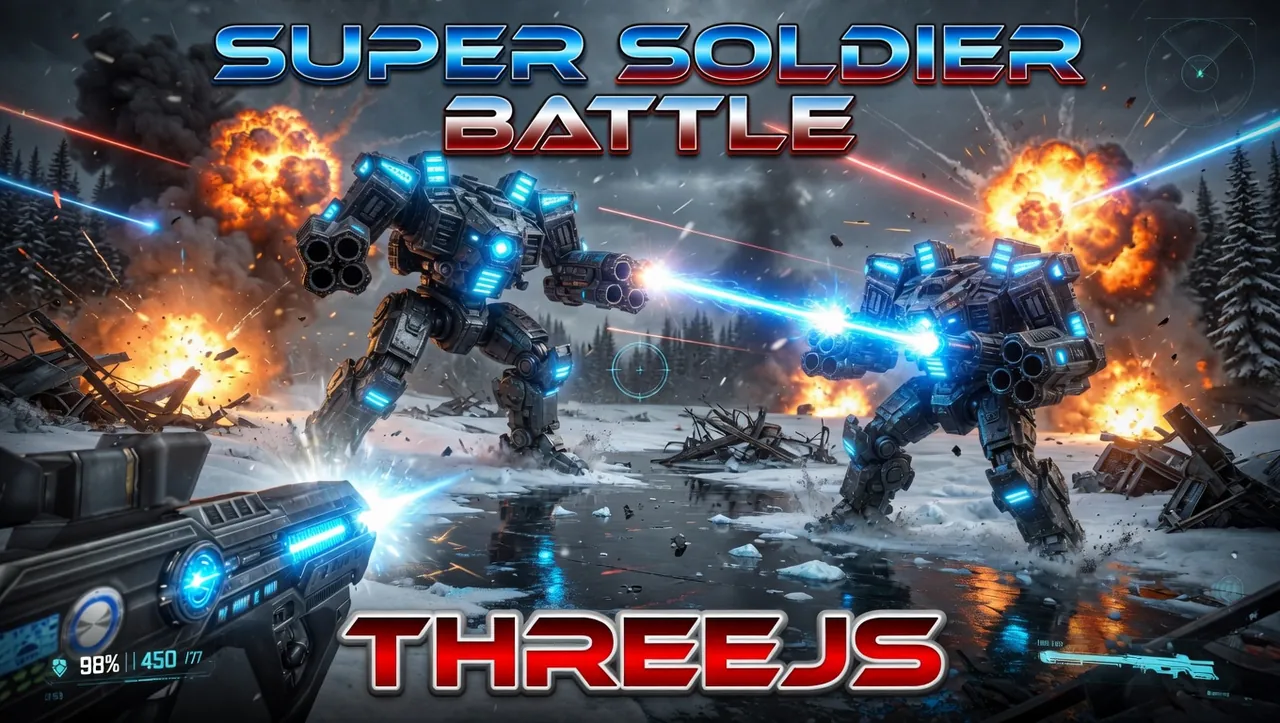
Watch: Three.js Helmet HUD: FPS Visor Overlay (Indie Forge Studio) · Play Super Soldier Battle and climb the leaderboard
NEXT: FPS CONTROLS DONE RIGHT
Want controls that never flip, never eat your first shot and keep your jump momentum? The Three.js FPS controls tutorial goes deeper on PointerLockControls, with a pitch clamp, a firing watchdog and air momentum.
Three.js FPS Controls Tutorial
What You'll Learn
- Load Three.js r160, GLTFLoader and PointerLockControls with an import map
- Parent a GLB gun to the camera and find its muzzle
- Shoot from the crosshair with
setFromCamera(new THREE.Vector2(0, 0)) - Pool a muzzle flash, bullet hole decals, sparks, smoke and brass shells
- Add recoil and screen shake that recover every frame
- Build targets that drop, score and reset, with a hit marker
- Stop at walls and slide along them with per-axis rays
- Add a joystick, drag-to-look, FIRE and JUMP for phones
Prerequisites
- Basic JavaScript and a little Three.js (scene, camera, renderer)
- A local web server, because browsers block GLB loading from
file:// - The two GLB models,
bullet-hole.pngand the two MP3 sounds at the paths in the code
Frequently Asked Questions
How do I make a first person shooter in Three.js?
Use PointerLockControls for mouse look, load a level and a gun model with GLTFLoader, parent the gun to the camera, and cast a Raycaster from the center of the screen on each shot. Add WASD movement with collision, and pooled effects such as a muzzle flash and bullet holes. This tutorial builds all of that in one HTML file.
How do I shoot from the crosshair in Three.js?
Call raycaster.setFromCamera(new THREE.Vector2(0, 0), camera). The point (0, 0) in normalized device coordinates is the exact center of the screen, so the ray always matches a centered crosshair. Then intersect your level and target meshes and use the first hit.
How do I add bullet holes in Three.js?
Take the hit point and the face normal from the raycast, convert the normal to world space with transformDirection(hit.object.matrixWorld), place a small textured plane just off the surface along the normal and point it with lookAt. Reuse a fixed pool of decals so old holes are recycled.
How do I stop the player walking through walls in Three.js?
Before you move on each axis, cast a short ray from the player in that direction against the level meshes. If it hits within the move distance plus the player radius, skip that axis. Testing X and Z separately lets the player slide along walls instead of sticking.
Does this Three.js FPS work on mobile?
Yes. On touch devices it shows a left joystick to move, a right-half drag area to look, and FIRE and JUMP buttons. Pointer lock is only used on desktop. Play in landscape; in portrait it asks you to rotate the device.
Where do the Tommy gun and brick room models come from?
Both are GLB files on this site: /models/glb/tommy_gun.glb and /models/glb/low_poly_abandoned_brick_room.glb. If you run the code on your own server, copy the models, the bullet hole image and the two sounds into the same paths, or change the URLs in the code.
How It Works
- Load Three.js with an import map
- Set up the renderer, scene and camera
- Load the brick room and the Tommy gun
- Add targets you can shoot
- Lock the pointer and fire with the left mouse button
- Add touch controls for phones
- Load the gun sounds
- Build pooled VFX: muzzle flash, bullet holes, sparks, smoke and shells
- Shoot from the center of the screen
- Move with wall collision
- Run the main loop
Step 1: Load Three.js with an import map
The page pins Three.js r160 and its addons with an import map, so the module script can import them by name. No build step and no npm install.
<script type="importmap">
{
    "imports": {
        "three": "https://unpkg.com/three@0.160.0/build/three.module.js",
        "three/addons/": "https://unpkg.com/three@0.160.0/examples/jsm/"
    }
}
</script>
Step 2: Set up the renderer, scene and camera
The module imports Three.js, GLTFLoader and PointerLockControls, then creates a tone-mapped renderer, a dark fogged scene and a 75 degree camera at eye height 1.0. The camera is added to the scene so the gun can ride on it.
import * as THREE from 'three';
import { GLTFLoader } from 'three/addons/loaders/GLTFLoader.js';
import { PointerLockControls } from 'three/addons/controls/PointerLockControls.js';

// ---- Renderer, scene, camera ----
const renderer = new THREE.WebGLRenderer({ antialias: true });
renderer.setPixelRatio(Math.min(window.devicePixelRatio, 2));
renderer.setSize(window.innerWidth, window.innerHeight);
renderer.toneMapping = THREE.ACESFilmicToneMapping;
document.body.appendChild(renderer.domElement);

const scene = new THREE.Scene();
scene.background = new THREE.Color(0x101418);
scene.fog = new THREE.Fog(0x101418, 8, 22);

const camera = new THREE.PerspectiveCamera(75, window.innerWidth / window.innerHeight, 0.01, 100);
const EYE = 1.0;
camera.position.set(0, EYE, 3);
scene.add(camera);

scene.add(new THREE.HemisphereLight(0xdde8ff, 0x302820, 1.6));
const sun = new THREE.DirectionalLight(0xffffff, 1.4);
sun.position.set(3, 6, 2);
scene.add(sun);
Step 3: Load the brick room and the Tommy gun
GLTFLoader loads the room and collects its meshes into solids, the list used for both bullets and wall collision. The Tommy gun is parented to a rig on the camera, scaled to 0.25 and given a muzzle point at the barrel tip.
// ---- Load the brick room and the Tommy gun ----
const loader = new GLTFLoader();
const solids = [];
let room = null, gun = null, muzzle = null;

loader.load('/models/glb/low_poly_abandoned_brick_room.glb', (gltf) => {
    room = gltf.scene;
    room.position.y = 0.009;
    scene.add(room);
    const aniso = Math.min(renderer.capabilities.getMaxAnisotropy(), matchMedia('(pointer: coarse)').matches ? 8 : 16);
    room.traverse((o) => { if (o.isMesh) { solids.push(o); if (o.material.map) { o.material.map.anisotropy = aniso; o.material.map.needsUpdate = true; } } });   // sharp bricks at grazing angles
});

const gunRig = new THREE.Group();
camera.add(gunRig);
loader.load('/models/glb/tommy_gun.glb', (gltf) => {
    gun = gltf.scene;
    gun.scale.setScalar(0.25);
    gun.rotation.y = Math.PI / 2;
    gun.traverse((o) => { if (o.isMesh) { o.renderOrder = 10; o.frustumCulled = false; } });
    gunRig.add(gun);
    muzzle = new THREE.Object3D();
    muzzle.position.set(0.40, 0.12, 0.21);
    gun.add(muzzle);
});
const GUN_POS = new THREE.Vector3(0.035, -0.045, -0.06);
gunRig.position.copy(GUN_POS);
Step 4: Add targets you can shoot
Each target is a group of discs on a post. Every child gets a userData.target pointer, so a ray that hits any part knows which target it hit.
// ---- Targets ----
const targets = [];
const targetMat = new THREE.MeshStandardMaterial({ color: 0xffffff, roughness: 0.6 });
const ringMat = new THREE.MeshStandardMaterial({ color: 0xd92b2b, roughness: 0.6 });
function makeTarget(x, y, z) {
    const t = new THREE.Group();
    const face = new THREE.Mesh(new THREE.CylinderGeometry(0.3, 0.3, 0.04, 32), targetMat);
    face.rotation.x = Math.PI / 2;
    const ring = new THREE.Mesh(new THREE.CylinderGeometry(0.2, 0.2, 0.05, 32), ringMat);
    ring.rotation.x = Math.PI / 2;
    const eye = new THREE.Mesh(new THREE.CylinderGeometry(0.08, 0.08, 0.06, 24), targetMat);
    eye.rotation.x = Math.PI / 2;
    const post = new THREE.Mesh(new THREE.BoxGeometry(0.05, y, 0.05), new THREE.MeshStandardMaterial({ color: 0x555555 }));
    post.position.y = -y / 2;
    t.add(face, ring, eye, post);
    t.position.set(x, y, z);
    t.userData = { down: 0, base: y };
    t.traverse((o) => { o.userData.target = t; });
    scene.add(t);
    targets.push(t);
}
makeTarget(-3, 1.2, -3.6);
makeTarget(-1.5, 0.9, -3.9);
makeTarget(0, 1.4, -3.6);
makeTarget(1.5, 0.9, -3.9);
makeTarget(3, 1.2, -3.6);
Step 5: Lock the pointer and fire with the left mouse button
PointerLockControls turns the mouse into look with no click-and-hold. Click to play locks the pointer; the mousedown handler only sets the trigger while locked, so the lock click never fires a shot.
// ---- Controls: pointer lock on desktop ----
const controls = new PointerLockControls(camera, document.body);
controls.minPolarAngle = 0.08;
controls.maxPolarAngle = Math.PI - 0.08;
const playEl = document.getElementById('play');
let playing = false;

playEl.addEventListener('click', () => {
    initAudio();
    if (isTouch) { playing = true; playEl.style.display = 'none'; }
    else controls.lock();
});
controls.addEventListener('lock', () => { playing = true; playEl.style.display = 'none'; trigger = false; });
controls.addEventListener('unlock', () => { playing = false; playEl.style.display = 'flex'; trigger = false; });

const keys = {};
document.addEventListener('keydown', (e) => { keys[e.code] = true; if (e.code === 'Space') { jumpPressed = true; e.preventDefault(); } });
document.addEventListener('keyup', (e) => { keys[e.code] = false; });

let trigger = false;
document.addEventListener('mousedown', (e) => { if (controls.isLocked && e.button === 0) trigger = true; });
document.addEventListener('mouseup', (e) => { if (e.button === 0) trigger = false; });
Step 6: Add touch controls for phones
A left-thumb joystick sets joy.x and joy.y, any finger that does not start on a control turns the camera (tracked by its touch id, so look works while the joystick is held), and FIRE and JUMP buttons drive the same trigger and jump flags as the keyboard.
// ---- Touch controls: joystick, right-half look, FIRE and JUMP ----
const joy = { x: 0, y: 0, id: null };
const joyEl = document.getElementById('joy'), knob = document.getElementById('knob');
const lookEl = document.getElementById('look');
let jumpPressed = false, lookId = null, lastX = 0, lastY = 0;
const euler = new THREE.Euler(0, 0, 0, 'YXZ');

function moveJoy(e) {
    const r = joyEl.getBoundingClientRect();
    let dx = e.clientX - (r.left + r.width / 2), dy = e.clientY - (r.top + r.height / 2);
    const len = Math.hypot(dx, dy), max = 45;
    if (len > max) { dx *= max / len; dy *= max / len; }
    joy.x = dx / max; joy.y = dy / max;
    knob.style.transform = `translate(${dx}px, ${dy}px)`;
}
joyEl.addEventListener('pointerdown', (e) => { joy.id = e.pointerId; joyEl.setPointerCapture(e.pointerId); moveJoy(e); });
joyEl.addEventListener('pointermove', (e) => { if (e.pointerId === joy.id) moveJoy(e); });
const endJoy = (e) => { if (e.pointerId !== joy.id) return; joy.id = null; joy.x = joy.y = 0; knob.style.transform = ''; };
joyEl.addEventListener('pointerup', endJoy);
joyEl.addEventListener('pointercancel', endJoy);

function lookBy(dx, dy) {
    euler.setFromQuaternion(camera.quaternion);
    euler.y -= dx * 0.014;
    euler.x -= dy * 0.011;
    euler.x = Math.max(-Math.PI / 2 + 0.08, Math.min(Math.PI / 2 - 0.08, euler.x));
    camera.quaternion.setFromEuler(euler);
}
// Real phones: Touch Events tracked by identifier. Any finger that does not start on the
// joystick or a button looks around, even while the joystick thumb is down.
const hasTouchEvents = 'ontouchstart' in window;
const onControl = (el) => !!(el && el.closest && el.closest('#joy, .btn'));
document.addEventListener('touchstart', (e) => {
    if (!playing) return;   // let TAP TO PLAY receive its click
    if (lookId !== null && String(lookId)[0] === 't' && !Array.from(e.touches).some((t) => 't' + t.identifier === lookId)) lookId = null;
    for (const t of e.changedTouches) {
        if (lookId !== null || onControl(t.target)) continue;
        lookId = 't' + t.identifier; lastX = t.clientX; lastY = t.clientY;
        e.preventDefault();
    }
}, { passive: false });
document.addEventListener('touchmove', (e) => {
    for (const t of e.changedTouches) {
        if ('t' + t.identifier !== lookId) continue;
        lookBy(t.clientX - lastX, t.clientY - lastY);
        lastX = t.clientX; lastY = t.clientY;
    }
}, { passive: false });
const endTouchLook = (e) => { for (const t of e.changedTouches) if ('t' + t.identifier === lookId) lookId = null; };
document.addEventListener('touchend', endTouchLook);
document.addEventListener('touchcancel', endTouchLook);
document.addEventListener('gesturestart', (e) => e.preventDefault());
// Pointer Events fallback (pens, browsers without Touch Events): the right-half look zone
lookEl.addEventListener('pointerdown', (e) => {
    if (hasTouchEvents && e.pointerType === 'touch') return;
    e.preventDefault(); lookId = e.pointerId; lastX = e.clientX; lastY = e.clientY; lookEl.setPointerCapture(e.pointerId);
});
lookEl.addEventListener('pointermove', (e) => {
    if (e.pointerId !== lookId) return;
    lookBy(e.clientX - lastX, e.clientY - lastY);
    lastX = e.clientX; lastY = e.clientY;
});
const endLook = (e) => { if (e.pointerId === lookId) lookId = null; };
lookEl.addEventListener('pointerup', endLook);
lookEl.addEventListener('pointercancel', endLook);

const fireBtn = document.getElementById('fire');
fireBtn.addEventListener('pointerdown', (e) => { e.preventDefault(); fireBtn.setPointerCapture(e.pointerId); if (playing) trigger = true; });
fireBtn.addEventListener('pointerup', () => { trigger = false; });
fireBtn.addEventListener('pointercancel', () => { trigger = false; });
document.getElementById('jump').addEventListener('pointerdown', (e) => { e.preventDefault(); jumpPressed = true; });
document.addEventListener('touchmove', (e) => e.preventDefault(), { passive: false });
Step 7: Load the gun sounds
The two MP3s are decoded once with the Web Audio API after the first click, then each shot plays a fresh buffer source so rapid fire overlaps cleanly.
// ---- Audio ----
let audioCtx = null;
const sounds = {};
function initAudio() {
    if (audioCtx) return;
    audioCtx = new (window.AudioContext || window.webkitAudioContext)();
    const load = (name, url) => fetch(url).then((r) => r.arrayBuffer()).then((b) => audioCtx.decodeAudioData(b)).then((buf) => { sounds[name] = buf; }).catch(() => {});
    load('shot', '/sounds/tommy-gun-single-bullet.mp3');
    load('ricochet', '/sounds/bullet-ricochet.mp3');
}
function play(name, volume) {
    if (!audioCtx || !sounds[name]) return;
    const src = audioCtx.createBufferSource(), gain = audioCtx.createGain();
    src.buffer = sounds[name]; gain.gain.value = volume;
    src.connect(gain).connect(audioCtx.destination);
    src.start();
}
Step 8: Build pooled VFX: muzzle flash, bullet holes, sparks, smoke and shells
Everything is created once and reused: a flash sprite and light, 40 bullet hole decals, 60 sparks, 16 smoke puffs and 20 brass shells. Nothing is allocated while you shoot.
// ---- Pooled VFX: muzzle flash, sparks, smoke, decals and shells ----
const flashTex = (() => {
    const c = document.createElement('canvas'); c.width = c.height = 64;
    const g = c.getContext('2d'), grd = g.createRadialGradient(32, 32, 0, 32, 32, 32);
    grd.addColorStop(0, 'rgba(255,255,220,1)'); grd.addColorStop(0.3, 'rgba(255,190,60,0.9)'); grd.addColorStop(1, 'rgba(255,120,0,0)');
    g.fillStyle = grd; g.fillRect(0, 0, 64, 64);
    return new THREE.CanvasTexture(c);
})();
const flash = new THREE.Sprite(new THREE.SpriteMaterial({ map: flashTex, blending: THREE.AdditiveBlending, depthWrite: false, depthTest: false }));
flash.scale.setScalar(0.06);
flash.renderOrder = 11;
flash.visible = false;
const flashLight = new THREE.PointLight(0xffb040, 0, 4);
scene.add(flash, flashLight);

const decalTex = new THREE.TextureLoader().load('/images/bullet-hole.png');
const decals = [];
for (let i = 0; i < 40; i++) {
    const d = new THREE.Mesh(new THREE.PlaneGeometry(0.1, 0.1), new THREE.MeshBasicMaterial({ map: decalTex, transparent: true, depthWrite: false, polygonOffset: true, polygonOffsetFactor: -4 }));
    d.visible = false;
    scene.add(d);
    decals.push(d);
}
let decalIndex = 0;

const sparks = [], smokes = [], shells = [];
const sparkMat = new THREE.MeshBasicMaterial({ color: 0xffd27a });
for (let i = 0; i < 60; i++) {
    const s = new THREE.Mesh(new THREE.BoxGeometry(0.012, 0.012, 0.012), sparkMat);
    s.visible = false; s.userData = { v: new THREE.Vector3(), life: 0 };
    scene.add(s); sparks.push(s);
}
for (let i = 0; i < 16; i++) {
    const m = new THREE.Sprite(new THREE.SpriteMaterial({ map: flashTex, color: 0x777777, transparent: true, depthWrite: false }));
    m.visible = false; m.userData = { life: 0 };
    scene.add(m); smokes.push(m);
}
const shellMat = new THREE.MeshStandardMaterial({ color: 0xc9a227, metalness: 0.8, roughness: 0.3 });
for (let i = 0; i < 20; i++) {
    const s = new THREE.Mesh(new THREE.CylinderGeometry(0.004, 0.004, 0.016, 6), shellMat);
    s.visible = false; s.userData = { v: new THREE.Vector3(), life: 0 };
    scene.add(s); shells.push(s);
}
const pick = (pool) => pool.find((p) => !p.visible) || pool[0];

function spawnImpact(point, normal) {
    const d = decals[decalIndex++ % decals.length];
    d.position.copy(point).addScaledVector(normal, 0.003);
    d.lookAt(tmpA.copy(point).add(normal));
    d.rotateZ(Math.random() * Math.PI * 2);
    d.material.opacity = 1;
    d.visible = true;
    for (let i = 0; i < 6; i++) {
        const s = pick(sparks);
        s.position.copy(point);
        s.userData.v.copy(normal).multiplyScalar(1.5 + Math.random() * 2).add(tmpN.set(Math.random() - 0.5, Math.random(), Math.random() - 0.5).multiplyScalar(2));
        s.userData.life = 0.25 + Math.random() * 0.2;
        s.visible = true;
    }
    const m = pick(smokes);
    m.position.copy(point).addScaledVector(normal, 0.05);
    m.scale.setScalar(0.1);
    m.material.opacity = 0.5;
    m.userData.life = 0.8;
    m.visible = true;
}

function ejectShell() {
    if (!muzzle) return;
    const s = pick(shells);
    gun.localToWorld(s.position.set(0.15, 0.1, 0.2));
    camera.getWorldDirection(tmpN);
    s.userData.v.set(0, 1.2, 0).add(tmpA.crossVectors(tmpN, camera.up).normalize().multiplyScalar(1.2));
    s.userData.life = 1;
    s.visible = true;
}

const tmpA = new THREE.Vector3(), tmpN = new THREE.Vector3();

function updateVFX(dt) {
    for (const s of sparks) {
        if (!s.visible) continue;
        s.userData.life -= dt;
        s.userData.v.y -= 9.8 * dt;
        s.position.addScaledVector(s.userData.v, dt);
        if (s.userData.life <= 0) s.visible = false;
    }
    for (const m of smokes) {
        if (!m.visible) continue;
        m.userData.life -= dt;
        m.position.y += 0.3 * dt;
        m.scale.multiplyScalar(1 + dt * 1.5);
        m.material.opacity = Math.max(0, m.userData.life * 0.6);
        if (m.userData.life <= 0) m.visible = false;
    }
    for (const s of shells) {
        if (!s.visible) continue;
        s.userData.life -= dt;
        s.userData.v.y -= 9.8 * dt;
        s.position.addScaledVector(s.userData.v, dt);
        s.rotation.x += dt * 20;
        if (s.position.y < 0.01) { s.position.y = 0.01; s.userData.v.multiplyScalar(0.3); s.userData.v.y = Math.abs(s.userData.v.y); }
        if (s.userData.life <= 0) s.visible = false;
    }
}
Step 9: Shoot from the center of the screen
Each shot casts a ray from the crosshair with setFromCamera(0, 0). A target hit drops the target, adds a point and flashes the hit marker; a wall hit spawns a bullet hole, sparks and smoke. The shot also kicks the gun and the view.
// ---- Shooting: center-screen raycast, hits, score and recoil ----
const raycaster = new THREE.Raycaster();
const center = new THREE.Vector2(0, 0);
const hitEl = document.getElementById('hitmarker'), scoreEl = document.getElementById('score');
let score = 0, lastShot = 0, recoil = 0, shake = 0, flashTime = 0, shotCount = 0;
const FIRE_INTERVAL = 0.1;

function fire() {
    play('shot', 0.6);
    recoil = 1; shake = 0.12; flashTime = 0.05;
    camera.rotateX(0.006);
    ejectShell();
    raycaster.setFromCamera(center, camera);
    const hits = raycaster.intersectObjects([...solids, ...targets], true);
    if (!hits.length) return;
    const hit = hits[0];
    const target = hit.object.userData.target;
    if (target) {
        if (target.userData.down > 0) return;
        target.userData.down = 2;
        score++;
        scoreEl.textContent = score;
        hitEl.style.opacity = 1;
        setTimeout(() => { hitEl.style.opacity = 0; }, 120);
        return;
    }
    const normal = hit.face.normal.clone().transformDirection(hit.object.matrixWorld);
    spawnImpact(hit.point, normal);
    if (shotCount++ % 6 === 0) play('ricochet', 0.4);
}
Step 10: Move with wall collision
WASD or the joystick builds a velocity on the ground plane. Each axis is tested with a short ray against the room before it moves, so you stop at walls and slide along them. Space or JUMP adds a simple gravity jump.
// ---- Movement with wall collision ----
const velocity = new THREE.Vector3();
let vy = 0, onGround = true;
const RADIUS = 0.3, SPEED = 3.2;
const wallRay = new THREE.Raycaster();
const forward = new THREE.Vector3(), right = new THREE.Vector3();

function blocked(dir, dist) {
    wallRay.set(tmpA.set(camera.position.x, camera.position.y - 0.5, camera.position.z), dir);
    wallRay.far = dist + RADIUS;
    return wallRay.intersectObjects(solids, true).length > 0;
}

function move(dt) {
    let ix = 0, iz = 0;
    if (keys.KeyW || keys.ArrowUp) iz += 1;
    if (keys.KeyS || keys.ArrowDown) iz -= 1;
    if (keys.KeyD || keys.ArrowRight) ix += 1;
    if (keys.KeyA || keys.ArrowLeft) ix -= 1;
    ix += joy.x; iz -= joy.y;
    camera.getWorldDirection(forward);
    forward.y = 0; forward.normalize();
    right.crossVectors(forward, camera.up);
    velocity.set(0, 0, 0).addScaledVector(forward, iz).addScaledVector(right, ix);
    if (velocity.lengthSq() > 1) velocity.normalize();
    velocity.multiplyScalar(SPEED * dt);
    // slide: test each axis on its own so you glide along walls
    if (velocity.x !== 0 && !blocked(tmpN.set(Math.sign(velocity.x), 0, 0), Math.abs(velocity.x))) camera.position.x += velocity.x;
    if (velocity.z !== 0 && !blocked(tmpN.set(0, 0, Math.sign(velocity.z)), Math.abs(velocity.z))) camera.position.z += velocity.z;
    camera.position.x = THREE.MathUtils.clamp(camera.position.x, -4.8, 4.9);
    camera.position.z = THREE.MathUtils.clamp(camera.position.z, -5.3, 4.4);
    if (jumpPressed && onGround) { vy = 4; onGround = false; }
    jumpPressed = false;
    vy -= 12 * dt;
    camera.position.y += vy * dt;
    if (camera.position.y <= EYE) { camera.position.y = EYE; vy = 0; onGround = true; }
}
Step 11: Run the main loop
One loop moves the player, fires at a fixed 10 rounds a second while the trigger is held, decays recoil and shake, shows the muzzle flash, resets fallen targets and updates the VFX pools.
// ---- Main loop ----
const clock = new THREE.Clock();
function animate() {
    requestAnimationFrame(animate);
    const dt = Math.min(clock.getDelta(), 0.05), now = clock.elapsedTime;
    if (!controls.isLocked && !isTouch) trigger = false;
    if (playing) move(dt);
    if (playing && trigger && now - lastShot >= FIRE_INTERVAL) { lastShot = now; fire(); }

    recoil = Math.max(0, recoil - dt * 12);
    shake = Math.max(0, shake - dt);
    gunRig.position.copy(GUN_POS);
    gunRig.position.z += recoil * 0.015;
    gunRig.position.x += (Math.random() - 0.5) * shake * 0.01;
    gunRig.position.y += (Math.random() - 0.5) * shake * 0.01;
    gunRig.rotation.x = recoil * 0.08;

    flashTime -= dt;
    const flashing = flashTime > 0 && muzzle;
    flash.visible = flashing;
    flashLight.intensity = flashing ? 3 : 0;
    if (flashing) {
        muzzle.getWorldPosition(flash.position);
        flashLight.position.copy(flash.position);
        flash.material.rotation = Math.random() * Math.PI;
    }

    for (const t of targets) {
        if (t.userData.down > 0) {
            t.userData.down -= dt;
            t.rotation.x = Math.max(-Math.PI / 2, t.rotation.x - dt * 10);
            if (t.userData.down <= 0) t.rotation.x = 0;
        }
    }
    updateVFX(dt);
    renderer.render(scene, camera);
}
animate();

window.addEventListener('resize', () => {
    camera.aspect = window.innerWidth / window.innerHeight;
    camera.updateProjectionMatrix();
    renderer.setSize(window.innerWidth, window.innerHeight);
});
Full Code
<!DOCTYPE html>
<html lang="en">
<head>
<meta charset="utf-8">
<meta name="viewport" content="width=device-width, initial-scale=1, maximum-scale=1, user-scalable=no">
<title>Three.js Tommy Gun FPS Starter</title>
<link rel="stylesheet" href="/css/mobile-gameplay-hud.css">
<style>
/* Touch controls, top-right Exit/fullscreen, compact HUD and the rotate prompt come from the site-wide
/css/mobile-gameplay-hud.css (mg-* classes), the same layout as Zombie Attack and the FPS Game Starter. */
#look { position: fixed; right: 0; top: 0; width: 50%; height: 100%; z-index: 4; touch-action: none; display: none; }
body.mg-active #look { display: block; }
#hud { font: 700 18px system-ui, sans-serif; white-space: normal; }
html, body { margin: 0; height: 100%; overflow: hidden; background: #000; font-family: system-ui, sans-serif; touch-action: none; overscroll-behavior: none; -webkit-user-select: none; user-select: none; }
canvas { display: block; }
#crosshair { position: fixed; left: 50%; top: 50%; width: 22px; height: 22px; margin: -11px 0 0 -11px; pointer-events: none; z-index: 5; }
#crosshair::before, #crosshair::after { content: ''; position: absolute; background: #2ad1d6; box-shadow: 0 0 3px #000; }
#crosshair::before { left: 10px; top: 0; width: 2px; height: 22px; }
#crosshair::after { left: 0; top: 10px; width: 22px; height: 2px; }
#hitmarker { position: fixed; left: 50%; top: 50%; width: 30px; height: 30px; margin: -15px 0 0 -15px; pointer-events: none; z-index: 6; opacity: 0; transition: opacity .15s; }
#hitmarker::before, #hitmarker::after { content: ''; position: absolute; left: 14px; top: 0; width: 2px; height: 30px; background: #ff3b3b; }
#hitmarker::before { transform: rotate(45deg); }
#hitmarker::after { transform: rotate(-45deg); }
#play { position: fixed; inset: 0; display: flex; align-items: center; justify-content: center; flex-direction: column; background: rgba(5, 10, 20, 0.6); color: #fff; z-index: 20; cursor: pointer; text-align: center; }
#play h1 { font-size: 46px; margin: 0 0 10px; color: #2ad1d6; letter-spacing: 2px; }
#play p { margin: 4px; color: #cfd8dc; }
.tc { display: none; }
body.touch .tc { display: block; }
body.touch .kb { display: none; }
</style>
<script type="importmap">
{
"imports": {
"three": "https://unpkg.com/three@0.160.0/build/three.module.js",
"three/addons/": "https://unpkg.com/three@0.160.0/examples/jsm/"
}
}
</script>
</head>
<body>
<div id="crosshair"></div>
<div id="hitmarker"></div>
<div id="hud" class="mg-hud">Score: <span id="score">0</span></div>
<div id="play">
<h1>CLICK TO PLAY</h1>
<p class="kb">WASD / Arrows - Move · Mouse - Look · Left Click - Fire · Space - Jump · Esc - Pause</p>
<p class="tc">Left stick - Move · Drag right side - Look · FIRE · JUMP</p>
</div>
<div id="look"></div>
<div id="joy" class="mg-joy"><div id="knob" class="mg-knob"></div></div>
<button id="jump" class="btn mg-btn mg-jump" type="button">JUMP</button>
<button id="fire" class="btn mg-btn mg-fire" type="button">FIRE</button>
<button id="exitBtn" class="btn mg-corner mg-exit" type="button" aria-label="Exit">✕</button>
<button id="fsBtn" class="btn mg-corner mg-max" type="button" aria-label="Toggle fullscreen">⛶</button>
<div id="rotate" class="mg-rotate" role="alert"><div><div class="mg-rot-ph"></div><div>ROTATE TO LANDSCAPE</div><div class="mg-rot-sub">The Tommy gun demo plays in landscape on phones</div><button type="button" id="rotateContinue" class="rotate-continue-btn mg-btn" style="position:static;display:block;width:auto;height:auto;border-radius:10px;padding:12px 22px">Continue reading tutorial</button></div></div>
<script type="module">
import * as THREE from 'three';
import { GLTFLoader } from 'three/addons/loaders/GLTFLoader.js';
import { PointerLockControls } from 'three/addons/controls/PointerLockControls.js';
// ---- Renderer, scene, camera ----
const renderer = new THREE.WebGLRenderer({ antialias: true });
renderer.setPixelRatio(Math.min(window.devicePixelRatio, 2));
renderer.setSize(window.innerWidth, window.innerHeight);
renderer.toneMapping = THREE.ACESFilmicToneMapping;
document.body.appendChild(renderer.domElement);
const scene = new THREE.Scene();
scene.background = new THREE.Color(0x101418);
scene.fog = new THREE.Fog(0x101418, 8, 22);
const camera = new THREE.PerspectiveCamera(75, window.innerWidth / window.innerHeight, 0.01, 100);
const EYE = 1.0;
camera.position.set(0, EYE, 3);
scene.add(camera);
scene.add(new THREE.HemisphereLight(0xdde8ff, 0x302820, 1.6));
const sun = new THREE.DirectionalLight(0xffffff, 1.4);
sun.position.set(3, 6, 2);
scene.add(sun);
const isTouch = matchMedia('(pointer: coarse)').matches || 'ontouchstart' in window;
if (isTouch) {
document.body.classList.add('touch');
document.querySelector('#play h1').textContent = 'TAP TO PLAY';
}
// Site-standard touch states: mg-active after Play, mg-portrait shows the rotate prompt (only after Play)
function syncOrientation() { document.body.classList.toggle('mg-portrait', isTouch && innerHeight > innerWidth); }
addEventListener('resize', syncOrientation); syncOrientation();
const de = document.documentElement, canFs = !!(de.requestFullscreen || de.webkitRequestFullscreen);
if (!canFs) document.body.classList.add('mg-no-fs');
const fsOn = () => !!(document.fullscreenElement || document.webkitFullscreenElement);
function leaveFs() { try { if (fsOn()) (document.exitFullscreen || document.webkitExitFullscreen).call(document); } catch (_) {} }
function exitGame() {
leaveFs(); playing = false; trigger = false; document.body.classList.remove('mg-active');
if (window.parent !== window) window.parent.postMessage('tommy-demo-exit', '*'); // tutorial page closes the demo
else playEl.style.display = 'flex';
}
for (const [id, fn] of [['exitBtn', exitGame], ['rotateContinue', exitGame], ['fsBtn', () => { try { fsOn() ? leaveFs() : (de.requestFullscreen || de.webkitRequestFullscreen).call(de); } catch (_) {} }]]) {
const b = document.getElementById(id);
b.addEventListener('touchstart', (e) => e.stopPropagation(), { passive: true });
b.addEventListener('click', (e) => { e.preventDefault(); e.stopPropagation(); fn(); });
}
document.addEventListener('fullscreenchange', () => { document.getElementById('fsBtn').innerHTML = fsOn() ? '⤢' : '⛶'; });
// ---- Load the brick room and the Tommy gun ----
const loader = new GLTFLoader();
const solids = [];
let room = null, gun = null, muzzle = null;
loader.load('/models/glb/low_poly_abandoned_brick_room.glb', (gltf) => {
room = gltf.scene;
room.position.y = 0.009;
scene.add(room);
const aniso = Math.min(renderer.capabilities.getMaxAnisotropy(), matchMedia('(pointer: coarse)').matches ? 8 : 16);
room.traverse((o) => { if (o.isMesh) { solids.push(o); if (o.material.map) { o.material.map.anisotropy = aniso; o.material.map.needsUpdate = true; } } }); // sharp bricks at grazing angles
});
const gunRig = new THREE.Group();
camera.add(gunRig);
loader.load('/models/glb/tommy_gun.glb', (gltf) => {
gun = gltf.scene;
gun.scale.setScalar(0.25);
gun.rotation.y = Math.PI / 2;
gun.traverse((o) => { if (o.isMesh) { o.renderOrder = 10; o.frustumCulled = false; } });
gunRig.add(gun);
muzzle = new THREE.Object3D();
muzzle.position.set(0.40, 0.12, 0.21);
gun.add(muzzle);
});
const GUN_POS = new THREE.Vector3(0.035, -0.045, -0.06);
gunRig.position.copy(GUN_POS);
// ---- Targets ----
const targets = [];
const targetMat = new THREE.MeshStandardMaterial({ color: 0xffffff, roughness: 0.6 });
const ringMat = new THREE.MeshStandardMaterial({ color: 0xd92b2b, roughness: 0.6 });
function makeTarget(x, y, z) {
const t = new THREE.Group();
const face = new THREE.Mesh(new THREE.CylinderGeometry(0.3, 0.3, 0.04, 32), targetMat);
face.rotation.x = Math.PI / 2;
const ring = new THREE.Mesh(new THREE.CylinderGeometry(0.2, 0.2, 0.05, 32), ringMat);
ring.rotation.x = Math.PI / 2;
const eye = new THREE.Mesh(new THREE.CylinderGeometry(0.08, 0.08, 0.06, 24), targetMat);
eye.rotation.x = Math.PI / 2;
const post = new THREE.Mesh(new THREE.BoxGeometry(0.05, y, 0.05), new THREE.MeshStandardMaterial({ color: 0x555555 }));
post.position.y = -y / 2;
t.add(face, ring, eye, post);
t.position.set(x, y, z);
t.userData = { down: 0, base: y };
t.traverse((o) => { o.userData.target = t; });
scene.add(t);
targets.push(t);
}
makeTarget(-3, 1.2, -3.6);
makeTarget(-1.5, 0.9, -3.9);
makeTarget(0, 1.4, -3.6);
makeTarget(1.5, 0.9, -3.9);
makeTarget(3, 1.2, -3.6);
// ---- Controls: pointer lock on desktop ----
const controls = new PointerLockControls(camera, document.body);
controls.minPolarAngle = 0.08;
controls.maxPolarAngle = Math.PI - 0.08;
const playEl = document.getElementById('play');
let playing = false;
playEl.addEventListener('click', () => {
initAudio();
if (isTouch) { playing = true; playEl.style.display = 'none'; document.body.classList.add('mg-active'); }
else controls.lock();
});
controls.addEventListener('lock', () => { playing = true; playEl.style.display = 'none'; trigger = false; });
controls.addEventListener('unlock', () => { playing = false; playEl.style.display = 'flex'; trigger = false; });
const keys = {};
document.addEventListener('keydown', (e) => { keys[e.code] = true; if (e.code === 'Space') { jumpPressed = true; e.preventDefault(); } });
document.addEventListener('keyup', (e) => { keys[e.code] = false; });
let trigger = false;
document.addEventListener('mousedown', (e) => { if (controls.isLocked && e.button === 0) trigger = true; });
document.addEventListener('mouseup', (e) => { if (e.button === 0) trigger = false; });
// ---- Touch controls: joystick, right-half look, FIRE and JUMP ----
const joy = { x: 0, y: 0, id: null };
const joyEl = document.getElementById('joy'), knob = document.getElementById('knob');
const lookEl = document.getElementById('look');
let jumpPressed = false, lookId = null, lastX = 0, lastY = 0;
const euler = new THREE.Euler(0, 0, 0, 'YXZ');
function moveJoy(e) {
const r = joyEl.getBoundingClientRect();
let dx = e.clientX - (r.left + r.width / 2), dy = e.clientY - (r.top + r.height / 2);
const len = Math.hypot(dx, dy), max = 45;
if (len > max) { dx *= max / len; dy *= max / len; }
joy.x = dx / max; joy.y = dy / max;
knob.style.transform = `translate(${dx}px, ${dy}px)`;
}
joyEl.addEventListener('pointerdown', (e) => { joy.id = e.pointerId; joyEl.setPointerCapture(e.pointerId); moveJoy(e); });
joyEl.addEventListener('pointermove', (e) => { if (e.pointerId === joy.id) moveJoy(e); });
const endJoy = (e) => { if (e.pointerId !== joy.id) return; joy.id = null; joy.x = joy.y = 0; knob.style.transform = ''; };
joyEl.addEventListener('pointerup', endJoy);
joyEl.addEventListener('pointercancel', endJoy);
function lookBy(dx, dy) {
euler.setFromQuaternion(camera.quaternion);
euler.y -= dx * 0.014; // site-standard look sensitivity (Zombie Attack / FPS Game Starter)
euler.x -= dy * 0.011;
euler.x = Math.max(-Math.PI / 2 + 0.08, Math.min(Math.PI / 2 - 0.08, euler.x));
camera.quaternion.setFromEuler(euler);
}
// Real phones: Touch Events tracked by identifier. Any finger that does not start on the
// joystick or a button looks around, even while the joystick thumb is down.
const hasTouchEvents = 'ontouchstart' in window;
const onControl = (el) => !!(el && el.closest && el.closest('#joy, .btn'));
document.addEventListener('touchstart', (e) => {
if (!playing) return; // let TAP TO PLAY receive its click
if (lookId !== null && String(lookId)[0] === 't' && !Array.from(e.touches).some((t) => 't' + t.identifier === lookId)) lookId = null;
for (const t of e.changedTouches) {
if (lookId !== null || onControl(t.target)) continue;
lookId = 't' + t.identifier; lastX = t.clientX; lastY = t.clientY;
e.preventDefault();
}
}, { passive: false });
document.addEventListener('touchmove', (e) => {
for (const t of e.changedTouches) {
if ('t' + t.identifier !== lookId) continue;
lookBy(t.clientX - lastX, t.clientY - lastY);
lastX = t.clientX; lastY = t.clientY;
}
}, { passive: false });
const endTouchLook = (e) => { for (const t of e.changedTouches) if ('t' + t.identifier === lookId) lookId = null; };
document.addEventListener('touchend', endTouchLook);
document.addEventListener('touchcancel', endTouchLook);
document.addEventListener('gesturestart', (e) => e.preventDefault());
// Pointer Events fallback (pens, browsers without Touch Events): the right-half look zone
lookEl.addEventListener('pointerdown', (e) => {
if (hasTouchEvents && e.pointerType === 'touch') return;
e.preventDefault(); lookId = e.pointerId; lastX = e.clientX; lastY = e.clientY; lookEl.setPointerCapture(e.pointerId);
});
lookEl.addEventListener('pointermove', (e) => {
if (e.pointerId !== lookId) return;
lookBy(e.clientX - lastX, e.clientY - lastY);
lastX = e.clientX; lastY = e.clientY;
});
const endLook = (e) => { if (e.pointerId === lookId) lookId = null; };
lookEl.addEventListener('pointerup', endLook);
lookEl.addEventListener('pointercancel', endLook);
const fireBtn = document.getElementById('fire');
fireBtn.addEventListener('pointerdown', (e) => { e.preventDefault(); fireBtn.setPointerCapture(e.pointerId); if (playing) trigger = true; });
fireBtn.addEventListener('pointerup', () => { trigger = false; });
fireBtn.addEventListener('pointercancel', () => { trigger = false; });
document.getElementById('jump').addEventListener('pointerdown', (e) => { e.preventDefault(); jumpPressed = true; });
document.addEventListener('touchmove', (e) => e.preventDefault(), { passive: false });
// ---- Audio ----
let audioCtx = null;
const sounds = {};
function initAudio() {
if (audioCtx) return;
audioCtx = new (window.AudioContext || window.webkitAudioContext)();
const load = (name, url) => fetch(url).then((r) => r.arrayBuffer()).then((b) => audioCtx.decodeAudioData(b)).then((buf) => { sounds[name] = buf; }).catch(() => {});
load('shot', '/sounds/tommy-gun-single-bullet.mp3');
load('ricochet', '/sounds/bullet-ricochet.mp3');
}
function play(name, volume) {
if (!audioCtx || !sounds[name]) return;
const src = audioCtx.createBufferSource(), gain = audioCtx.createGain();
src.buffer = sounds[name]; gain.gain.value = volume;
src.connect(gain).connect(audioCtx.destination);
src.start();
}
// ---- Pooled VFX: muzzle flash, sparks, smoke, decals and shells ----
const flashTex = (() => {
const c = document.createElement('canvas'); c.width = c.height = 64;
const g = c.getContext('2d'), grd = g.createRadialGradient(32, 32, 0, 32, 32, 32);
grd.addColorStop(0, 'rgba(255,255,220,1)'); grd.addColorStop(0.3, 'rgba(255,190,60,0.9)'); grd.addColorStop(1, 'rgba(255,120,0,0)');
g.fillStyle = grd; g.fillRect(0, 0, 64, 64);
return new THREE.CanvasTexture(c);
})();
const flash = new THREE.Sprite(new THREE.SpriteMaterial({ map: flashTex, blending: THREE.AdditiveBlending, depthWrite: false, depthTest: false }));
flash.scale.setScalar(0.06);
flash.renderOrder = 11;
flash.visible = false;
const flashLight = new THREE.PointLight(0xffb040, 0, 4);
scene.add(flash, flashLight);
const decalTex = new THREE.TextureLoader().load('/images/bullet-hole.png');
const decals = [];
for (let i = 0; i < 40; i++) {
const d = new THREE.Mesh(new THREE.PlaneGeometry(0.1, 0.1), new THREE.MeshBasicMaterial({ map: decalTex, transparent: true, depthWrite: false, polygonOffset: true, polygonOffsetFactor: -4 }));
d.visible = false;
scene.add(d);
decals.push(d);
}
let decalIndex = 0;
const sparks = [], smokes = [], shells = [];
const sparkMat = new THREE.MeshBasicMaterial({ color: 0xffd27a });
for (let i = 0; i < 60; i++) {
const s = new THREE.Mesh(new THREE.BoxGeometry(0.012, 0.012, 0.012), sparkMat);
s.visible = false; s.userData = { v: new THREE.Vector3(), life: 0 };
scene.add(s); sparks.push(s);
}
for (let i = 0; i < 16; i++) {
const m = new THREE.Sprite(new THREE.SpriteMaterial({ map: flashTex, color: 0x777777, transparent: true, depthWrite: false }));
m.visible = false; m.userData = { life: 0 };
scene.add(m); smokes.push(m);
}
const shellMat = new THREE.MeshStandardMaterial({ color: 0xc9a227, metalness: 0.8, roughness: 0.3 });
for (let i = 0; i < 20; i++) {
const s = new THREE.Mesh(new THREE.CylinderGeometry(0.004, 0.004, 0.016, 6), shellMat);
s.visible = false; s.userData = { v: new THREE.Vector3(), life: 0 };
scene.add(s); shells.push(s);
}
const pick = (pool) => pool.find((p) => !p.visible) || pool[0];
function spawnImpact(point, normal) {
const d = decals[decalIndex++ % decals.length];
d.position.copy(point).addScaledVector(normal, 0.003);
d.lookAt(tmpA.copy(point).add(normal));
d.rotateZ(Math.random() * Math.PI * 2);
d.material.opacity = 1;
d.visible = true;
for (let i = 0; i < 6; i++) {
const s = pick(sparks);
s.position.copy(point);
s.userData.v.copy(normal).multiplyScalar(1.5 + Math.random() * 2).add(tmpN.set(Math.random() - 0.5, Math.random(), Math.random() - 0.5).multiplyScalar(2));
s.userData.life = 0.25 + Math.random() * 0.2;
s.visible = true;
}
const m = pick(smokes);
m.position.copy(point).addScaledVector(normal, 0.05);
m.scale.setScalar(0.1);
m.material.opacity = 0.5;
m.userData.life = 0.8;
m.visible = true;
}
function ejectShell() {
if (!muzzle) return;
const s = pick(shells);
gun.localToWorld(s.position.set(0.15, 0.1, 0.2));
camera.getWorldDirection(tmpN);
s.userData.v.set(0, 1.2, 0).add(tmpA.crossVectors(tmpN, camera.up).normalize().multiplyScalar(1.2));
s.userData.life = 1;
s.visible = true;
}
const tmpA = new THREE.Vector3(), tmpN = new THREE.Vector3();
function updateVFX(dt) {
for (const s of sparks) {
if (!s.visible) continue;
s.userData.life -= dt;
s.userData.v.y -= 9.8 * dt;
s.position.addScaledVector(s.userData.v, dt);
if (s.userData.life <= 0) s.visible = false;
}
for (const m of smokes) {
if (!m.visible) continue;
m.userData.life -= dt;
m.position.y += 0.3 * dt;
m.scale.multiplyScalar(1 + dt * 1.5);
m.material.opacity = Math.max(0, m.userData.life * 0.6);
if (m.userData.life <= 0) m.visible = false;
}
for (const s of shells) {
if (!s.visible) continue;
s.userData.life -= dt;
s.userData.v.y -= 9.8 * dt;
s.position.addScaledVector(s.userData.v, dt);
s.rotation.x += dt * 20;
if (s.position.y < 0.01) { s.position.y = 0.01; s.userData.v.multiplyScalar(0.3); s.userData.v.y = Math.abs(s.userData.v.y); }
if (s.userData.life <= 0) s.visible = false;
}
}
// ---- Shooting: center-screen raycast, hits, score and recoil ----
const raycaster = new THREE.Raycaster();
const center = new THREE.Vector2(0, 0);
const hitEl = document.getElementById('hitmarker'), scoreEl = document.getElementById('score');
let score = 0, lastShot = 0, recoil = 0, shake = 0, flashTime = 0, shotCount = 0;
const FIRE_INTERVAL = 0.1;
function fire() {
play('shot', 0.6);
recoil = 1; shake = 0.12; flashTime = 0.05;
camera.rotateX(0.006);
ejectShell();
raycaster.setFromCamera(center, camera);
const hits = raycaster.intersectObjects([...solids, ...targets], true);
if (!hits.length) return;
const hit = hits[0];
const target = hit.object.userData.target;
if (target) {
if (target.userData.down > 0) return;
target.userData.down = 2;
score++;
scoreEl.textContent = score;
hitEl.style.opacity = 1;
setTimeout(() => { hitEl.style.opacity = 0; }, 120);
return;
}
const normal = hit.face.normal.clone().transformDirection(hit.object.matrixWorld);
spawnImpact(hit.point, normal);
if (shotCount++ % 6 === 0) play('ricochet', 0.4);
}
// ---- Movement with wall collision ----
const velocity = new THREE.Vector3();
let vy = 0, onGround = true;
const RADIUS = 0.3, SPEED = 3.2;
const wallRay = new THREE.Raycaster();
const forward = new THREE.Vector3(), right = new THREE.Vector3();
function blocked(dir, dist) {
wallRay.set(tmpA.set(camera.position.x, camera.position.y - 0.5, camera.position.z), dir);
wallRay.far = dist + RADIUS;
return wallRay.intersectObjects(solids, true).length > 0;
}
function move(dt) {
let ix = 0, iz = 0;
if (keys.KeyW || keys.ArrowUp) iz += 1;
if (keys.KeyS || keys.ArrowDown) iz -= 1;
if (keys.KeyD || keys.ArrowRight) ix += 1;
if (keys.KeyA || keys.ArrowLeft) ix -= 1;
ix += joy.x; iz -= joy.y;
camera.getWorldDirection(forward);
forward.y = 0; forward.normalize();
right.crossVectors(forward, camera.up);
velocity.set(0, 0, 0).addScaledVector(forward, iz).addScaledVector(right, ix);
if (velocity.lengthSq() > 1) velocity.normalize();
velocity.multiplyScalar(SPEED * dt);
// slide: test each axis on its own so you glide along walls
if (velocity.x !== 0 && !blocked(tmpN.set(Math.sign(velocity.x), 0, 0), Math.abs(velocity.x))) camera.position.x += velocity.x;
if (velocity.z !== 0 && !blocked(tmpN.set(0, 0, Math.sign(velocity.z)), Math.abs(velocity.z))) camera.position.z += velocity.z;
camera.position.x = THREE.MathUtils.clamp(camera.position.x, -4.8, 4.9);
camera.position.z = THREE.MathUtils.clamp(camera.position.z, -5.3, 4.4);
if (jumpPressed && onGround) { vy = 4; onGround = false; }
jumpPressed = false;
vy -= 12 * dt;
camera.position.y += vy * dt;
if (camera.position.y <= EYE) { camera.position.y = EYE; vy = 0; onGround = true; }
}
// ---- Main loop ----
const clock = new THREE.Clock();
function animate() {
requestAnimationFrame(animate);
const dt = Math.min(clock.getDelta(), 0.05), now = clock.elapsedTime;
if (!controls.isLocked && !isTouch) trigger = false;
if (playing) move(dt);
if (playing && trigger && now - lastShot >= FIRE_INTERVAL) { lastShot = now; fire(); }
recoil = Math.max(0, recoil - dt * 12);
shake = Math.max(0, shake - dt);
gunRig.position.copy(GUN_POS);
gunRig.position.z += recoil * 0.015;
gunRig.position.x += (Math.random() - 0.5) * shake * 0.01;
gunRig.position.y += (Math.random() - 0.5) * shake * 0.01;
gunRig.rotation.x = recoil * 0.08;
flashTime -= dt;
const flashing = flashTime > 0 && muzzle;
flash.visible = flashing;
flashLight.intensity = flashing ? 3 : 0;
if (flashing) {
muzzle.getWorldPosition(flash.position);
flashLight.position.copy(flash.position);
flash.material.rotation = Math.random() * Math.PI;
}
for (const t of targets) {
if (t.userData.down > 0) {
t.userData.down -= dt;
t.rotation.x = Math.max(-Math.PI / 2, t.rotation.x - dt * 10);
if (t.userData.down <= 0) t.rotation.x = 0;
}
}
updateVFX(dt);
renderer.render(scene, camera);
}
animate();
window.addEventListener('resize', () => {
camera.aspect = window.innerWidth / window.innerHeight;
camera.updateProjectionMatrix();
renderer.setSize(window.innerWidth, window.innerHeight);
});
</script>
</body>
</html>
How To Use It
- Copy or launch. The full code is one runnable HTML file. Copy it into an
.htmlfile or press Launch to open it in a new tab. - Serve the assets. It loads
/models/glb/tommy_gun.glb,/models/glb/low_poly_abandoned_brick_room.glb,/images/bullet-hole.pngand the two sounds in/sounds/. Put them at the same paths on your server or change the URLs. - Tune it.
FIRE_INTERVALsets the rate of fire,SPEEDthe walk speed,RADIUShow close you can get to walls, andGUN_POSwhere the gun sits on screen.
Taking Your Three.js FPS Further
- Better controls. Add a pitch clamp, a firing watchdog and air momentum from the Three.js FPS controls tutorial.
- Enemies. Swap the targets for moving characters, like in the Three.js first person shooter starter.
- Ammo and reload. Count shots against a magazine size and play a reload animation on R.
- See it in a real game. These ideas are live in Super Soldier Battle.
Play It and Keep Learning
See a full Three.js shooter in action in Super Soldier Battle, free in your browser.
Need Three.js game development, rendering or performance work? I take freelance and contract work: contact me.
Play Game