YOUTUBE IFRAME API
EMBED, CONTROL AND LIST VIDEOS
By Shane Brumback · Published · Updated · Beginner JavaScript tutorial · about 30 minutes
Go past the copy-paste embed. Build your own YouTube player with a clickable playlist, play, pause, seek, volume and auto-advance, then wrap it in a glow that reacts to what the video is doing.
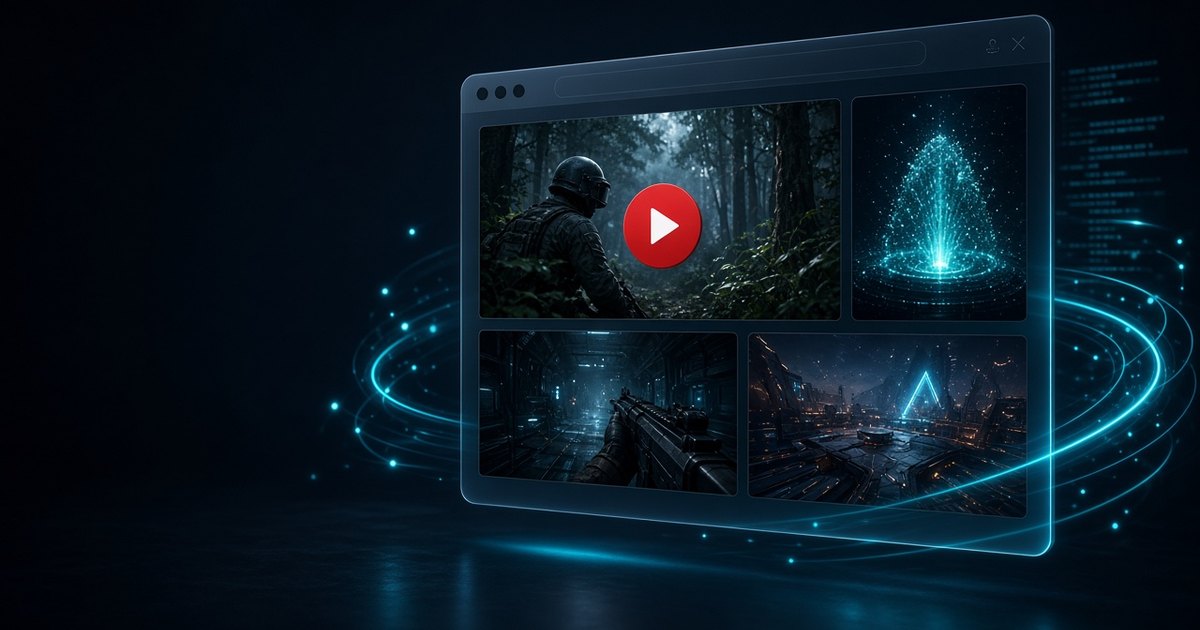
LIVE DEMO
A custom YouTube player with a four-video Indie Forge Studio playlist, custom controls and a background light show that speeds up while a video plays.
Free Google sign-in. No membership needed.
How do you load YouTube videos with JavaScript? (Quick Answer)
Add the script https://www.youtube.com/iframe_api, define window.onYouTubeIframeAPIReady, and inside it call new YT.Player(elementId, { videoId, playerVars, events }). The player object then gives you playVideo(), pauseVideo(), seekTo(), setVolume(), loadVideoById() and an onStateChange event. You do not need an API key for this. You only need the YouTube Data API v3 and a key if you want to fetch a list of videos, such as a channel's latest uploads.
Introduction
YouTube gives you two different APIs and most guides mix them up. The IFrame Player API runs in the browser, needs no key, and lets your JavaScript drive an embedded player. The Data API v3 is a web service that returns information about videos, playlists and channels, and it needs an API key and uses a daily quota.
The first version of this article, from 2023, used the Data API search endpoint to find videos and dropped plain iframes on the page. That works, but every search costs 100 quota units and you still cannot control the player. This rewrite starts with the player, which is what most sites really need, and adds the Data API as an optional upgrade done the cheap way.
Want the video inside a 3D scene instead of a flat page? The companion tutorial, YouTube Video in Three.js 3D, puts the same player on a glowing screen you can orbit.
Key Concepts
- IFrame Player API — a small script from YouTube that turns a div into a player you can control from JavaScript.
- onYouTubeIframeAPIReady — a global function YouTube calls once its script is ready. Create your players inside it.
- playerVars — embed options such as playsinline (needed for inline play on iPhone), rel, controls and start.
- onStateChange — fires with -1 unstarted, 0 ended, 1 playing, 2 paused, 3 buffering or 5 cued. Use it to update buttons and auto-advance.
- loadVideoById vs cueVideoById — load starts playing the new video right away, cue only shows its thumbnail and waits.
- Data API v3 quota — a project gets 10,000 units a day by default. playlistItems.list costs 1 unit, search.list costs 100.
- Cross-origin limits — the video plays inside a YouTube iframe, so your page can read its state and time, but not its pixels or audio.
Player API or Data API: Which Do You Need?
| You want to... | Use | API key? |
|---|---|---|
| Embed a video and play, pause or seek it from your own buttons | IFrame Player API | No |
| Build a playlist from video IDs you already know | IFrame Player API | No |
| Show a channel's newest uploads automatically | Data API playlistItems.list | Yes |
| Search YouTube by keyword | Data API search.list (100 units) | Yes |
| Use the video as a WebGL texture | Not possible with YouTube. See the Three.js companion. | - |
Optional: Load Your Channel Automatically
Hard-coded IDs are fine for a hand-picked playlist. To show your newest uploads without editing the page, call the Data API. Use the uploads playlist trick below instead of search: it costs 1 quota unit instead of 100, so 10,000 page loads a day fit in the free quota (cache the result if you get more traffic).
// Optional: list a channel's newest uploads with the YouTube Data API v3.
// Restrict the key to your domain (HTTP referrer) in Google Cloud Console.
const API_KEY = 'YOUR_API_KEY';
const CHANNEL_ID = 'UCxxxxxxxxxxxxxxxxxxxxxx';
// Every channel has an "uploads" playlist: same ID with UC swapped for UU.
const UPLOADS = 'UU' + CHANNEL_ID.slice(2);

async function latestUploads(max = 8) {
  const url = 'https://www.googleapis.com/youtube/v3/playlistItems' +
    '?part=snippet&maxResults=' + max + '&playlistId=' + UPLOADS + '&key=' + API_KEY;
  const res = await fetch(url);
  if (!res.ok) throw new Error('YouTube API ' + res.status);
  const data = await res.json();
  // Each item costs 1 quota unit per call (search.list costs 100).
  return data.items.map(i => ({ id: i.snippet.resourceId.videoId, title: i.snippet.title }));
}

// Swap the hard-coded VIDEOS list for live data:
latestUploads().then(list => { VIDEOS.splice(0, VIDEOS.length, ...list); load(0, false); });
A browser API key is visible to anyone who views source. Restrict it to your domain under HTTP referrers and to the YouTube Data API only. For a busy site, fetch the list on a server or at build time and save it as JSON.
Frequently Asked Questions
Do I need an API key to embed YouTube videos?
No. A plain iframe embed and the IFrame Player API both work without a key. You only need a Data API v3 key to fetch information such as a channel's uploads or search results.
How do I make a YouTube video autoplay?
Browsers only allow autoplay with sound after the visitor has interacted with the page. Call player.mute() before playVideo(), or start playback from a click handler. Add playerVars playsinline: 1 so iPhones play inline.
How do I play the next video when one ends?
Listen for onStateChange and when event.data equals YT.PlayerState.ENDED, call player.loadVideoById() with the next ID in your list, as the demo does.
Why does my YouTube embed show error 150 or 101?
The owner has turned off embedding for that video. Pick another video or ask the owner to allow embedding. The demo skips to the next video on any onError event.
What is the YouTube Data API v3 quota?
New projects get 10,000 units per day. A playlistItems.list call costs 1 unit and a search.list call costs 100, so list a channel through its uploads playlist instead of searching.
Can I put a YouTube video on a Three.js or WebGL texture?
Not directly. The iframe is cross-origin, so WebGL cannot read its pixels. You can place the iframe in 3D with CSS3DRenderer, or use VideoTexture with your own MP4 file.
Does the IFrame Player API work on mobile?
Yes. Use playsinline: 1, keep the player responsive with a 16:9 aspect-ratio box, and expect the first play to need a tap on iOS.
How It Works
- Write the playlist — In plain words: An array of video IDs and titles drives everything. The ID is the part after v= in a YouTube link.
- Build clickable thumbnail cards — In plain words: YouTube serves a free thumbnail for every video at i.ytimg.com/vi/ID/mqdefault.jpg, so the list needs no API.
- Load the IFrame Player API — In plain words: We add the iframe_api script tag. When it is ready YouTube calls onYouTubeIframeAPIReady, and we create a YT.Player inside the stage div.
- React to player state — In plain words: onStateChange tells us playing, paused, buffering or ended. We update the play button and label, and on ended we load the next video.
- Wire up custom controls — In plain words: Our own buttons call playVideo, pauseVideo, loadVideoById, mute, setVolume and seekTo. A timer reads getCurrentTime and getDuration four times a second for the seek bar.
- Add the reactive glow — In plain words: A canvas of light motes and the screen glow speed up and brighten while a video plays, scaled by the volume. We use state and volume because the video pixels are off-limits.
- Optionally fetch your uploads — In plain words: The Data API snippet replaces the hard-coded list with a channel's newest videos for 1 quota unit per call.
Code Breakdown
The important pieces of the demo, one at a time. The full file is below.
window.onYouTubeIframeAPIReady = function () {
  player = new YT.Player('player', {
    videoId: VIDEOS[0].id,
    playerVars: { playsinline: 1, rel: 0, controls: 1 },
    events: {
      onReady: () => player.setVolume(70),
      onStateChange: onState,
      onError: () => load(index + 1, true) // skip videos that block embedding
    }
  });
};function onState(e) {
isPlaying = e.data === YT.PlayerState.PLAYING;
if (e.data === YT.PlayerState.ENDED) load(index + 1, true);
}
function load(i, autoplay) {
index = (i + VIDEOS.length) % VIDEOS.length;
autoplay ? player.loadVideoById(VIDEOS[index].id)
: player.cueVideoById(VIDEOS[index].id);
}setInterval(() => {
const d = player.getDuration(), c = player.getCurrentTime();
if (!seeking && d) seek.value = (c / d) * 1000;
time.textContent = fmt(c) + ' / ' + fmt(d);
}, 250);
seek.onchange = (e) => player.seekTo(player.getDuration() * e.target.value / 1000, true);The Full Code
Save as index.html and open it through any local web server (YouTube embeds need a real http origin, not file://), or hit Launch. Copy and Launch use the same free sign-in as the live demo.
<!DOCTYPE html>
<html lang="en">
<head>
<meta charset="utf-8">
<meta name="viewport" content="width=device-width, initial-scale=1">
<title>YouTube IFrame Player API: Custom Player with VFX</title>
<style>
html, body { margin: 0; min-height: 100%; background: #03060c; font-family: Arial, sans-serif; color: #e2e8f0; }
#fx { position: fixed; inset: 0; width: 100%; height: 100%; z-index: 0; }
#app { position: relative; z-index: 1; max-width: 980px; margin: 0 auto; padding: 24px 16px 40px; }
h1 { font-size: 22px; margin: 0 0 14px; color: #2ad1d6; letter-spacing: .5px; }
.stage { position: relative; aspect-ratio: 16 / 9; border-radius: 14px; overflow: hidden; border: 2px solid #2ad1d6; box-shadow: 0 0 calc(10px + 40px * var(--glow, .3)) rgba(42,209,214,.7); background: #000; transition: box-shadow .15s; }
.stage iframe, .stage #player { position: absolute; inset: 0; width: 100%; height: 100%; }
.controls { display: flex; flex-wrap: wrap; align-items: center; gap: 8px; margin-top: 12px; padding: 10px 12px; background: rgba(10,14,22,.85); border: 1px solid rgba(42,209,214,.25); border-radius: 12px; }
.controls button { background: #13202e; color: #2ad1d6; border: 1px solid rgba(42,209,214,.4); border-radius: 8px; padding: 8px 12px; font-size: 14px; cursor: pointer; }
.controls button:hover { background: #2ad1d6; color: #06252a; }
#seek { flex: 1 1 200px; accent-color: #2ad1d6; }
#vol { width: 90px; accent-color: #ff3fd8; }
#time { font-variant-numeric: tabular-nums; font-size: 13px; color: #93a4b8; min-width: 92px; text-align: right; }
#state { font-size: 12px; color: #facc15; text-transform: uppercase; letter-spacing: 1px; margin-left: auto; }
.list { display: grid; grid-template-columns: repeat(auto-fill, minmax(200px, 1fr)); gap: 10px; margin-top: 14px; }
.item { display: flex; gap: 10px; align-items: center; padding: 8px; border-radius: 10px; background: rgba(15,23,42,.85); border: 1px solid rgba(148,163,184,.15); cursor: pointer; text-align: left; color: inherit; font: inherit; }
.item img { width: 96px; aspect-ratio: 16 / 9; object-fit: cover; border-radius: 6px; }
.item span { font-size: 13px; line-height: 1.3; }
.item.on { border-color: #2ad1d6; box-shadow: 0 0 12px rgba(42,209,214,.5); }
</style>
</head>
<body>
<canvas id="fx"></canvas>
<div id="app">
<h1>Custom YouTube Player + Reactive VFX</h1>
<div class="stage" id="stage"><div id="player"></div></div>
<div class="controls">
<button id="prev" title="Previous">◀◀</button>
<button id="play" title="Play / Pause">▶ Play</button>
<button id="next" title="Next">▶▶</button>
<input id="seek" type="range" min="0" max="1000" value="0" aria-label="Seek">
<span id="time">0:00 / 0:00</span>
<button id="mute" title="Mute">Mute</button>
<input id="vol" type="range" min="0" max="100" value="70" aria-label="Volume">
<span id="state">loading</span>
</div>
<div class="list" id="list"></div>
</div>
<script>
// ---------- 1. Your playlist (any public video IDs) ----------
const VIDEOS = [
{ id: 'zGjkeQE_tmw', title: 'Super Soldier Battle Gameplay' },
{ id: 'qhfMt1nKcsI', title: 'Three.js FPS: Tommy Gun Demo' },
{ id: '_n8Yb_j5E2o', title: 'Interactive Particle Programming' },
{ id: '67Ii__vPouE', title: 'FPS Game Fire Fountain' }
];
let index = 0, player = null, isPlaying = false, seeking = false;
const $ = (id) => document.getElementById(id);
// ---------- 2. Build the playlist cards (thumbnails come free from i.ytimg.com) ----------
VIDEOS.forEach((v, i) => {
const b = document.createElement('button');
b.className = 'item' + (i === 0 ? ' on' : '');
b.innerHTML = '<img loading="lazy" alt="" src="https://i.ytimg.com/vi/' + v.id + '/mqdefault.jpg"><span></span>';
b.querySelector('span').textContent = v.title;
b.onclick = () => load(i, true);
$('list').appendChild(b);
});
function load(i, autoplay) {
index = (i + VIDEOS.length) % VIDEOS.length;
document.querySelectorAll('.item').forEach((el, k) => el.classList.toggle('on', k === index));
if (!player) return;
if (autoplay) player.loadVideoById(VIDEOS[index].id); else player.cueVideoById(VIDEOS[index].id);
}
// ---------- 3. Load the IFrame Player API and create the player ----------
const tag = document.createElement('script');
tag.src = 'https://www.youtube.com/iframe_api';
document.head.appendChild(tag);
window.onYouTubeIframeAPIReady = function () {
player = new YT.Player('player', {
videoId: VIDEOS[0].id,
playerVars: { playsinline: 1, rel: 0, modestbranding: 1, controls: 1 },
events: {
onReady: () => { player.setVolume(70); $('state').textContent = 'ready'; },
onStateChange: onState,
onError: (e) => { $('state').textContent = 'error ' + e.data; setTimeout(() => load(index + 1, true), 1500); }
}
});
};
function onState(e) {
const S = YT.PlayerState;
isPlaying = e.data === S.PLAYING;
$('play').innerHTML = isPlaying ? '❚❚ Pause' : '▶ Play';
$('state').textContent = ({ [S.PLAYING]: 'playing', [S.PAUSED]: 'paused', [S.BUFFERING]: 'buffering', [S.ENDED]: 'ended', [S.CUED]: 'cued' })[e.data] || 'idle';
if (e.data === S.ENDED) load(index + 1, true); // auto-advance the playlist
}
// ---------- 4. Custom controls talk to the player ----------
$('play').onclick = () => { if (!player) return; isPlaying ? player.pauseVideo() : player.playVideo(); };
$('next').onclick = () => load(index + 1, true);
$('prev').onclick = () => load(index - 1, true);
$('mute').onclick = () => { if (!player) return; if (player.isMuted()) { player.unMute(); $('mute').textContent = 'Mute'; } else { player.mute(); $('mute').textContent = 'Unmute'; } };
$('vol').oninput = (e) => player && player.setVolume(+e.target.value);
$('seek').oninput = () => { seeking = true; };
$('seek').onchange = (e) => { if (player) player.seekTo(player.getDuration() * e.target.value / 1000, true); seeking = false; };
const fmt = (s) => { s = Math.floor(s || 0); return Math.floor(s / 60) + ':' + String(s % 60).padStart(2, '0'); };
setInterval(() => {
if (!player || !player.getDuration) return;
const d = player.getDuration(), c = player.getCurrentTime();
if (!seeking && d) $('seek').value = (c / d) * 1000;
$('time').textContent = fmt(c) + ' / ' + fmt(d);
}, 250);
// ---------- 5. Background VFX that reacts to the player state ----------
// The iframe's pixels and audio are off-limits (cross-origin), so the effects
// key off what the API does expose: state, time and volume.
const cv = $('fx'), ctx = cv.getContext('2d');
let W, H, parts = [];
function size() { W = cv.width = innerWidth; H = cv.height = innerHeight; }
size(); addEventListener('resize', size);
const N = Math.min(220, Math.floor(innerWidth / 6));
for (let i = 0; i < N; i++) parts.push({ x: Math.random(), y: Math.random(), r: 1 + Math.random() * 2.5, s: 0.2 + Math.random(), h: Math.random() < 0.7 ? 183 : 312 });
let energy = 0.2;
function frame(t) {
requestAnimationFrame(frame);
const vol = player && player.getVolume ? player.getVolume() / 100 : 0.7;
const target = isPlaying ? 0.55 + 0.45 * vol * (0.6 + 0.4 * Math.sin(t / 180)) : 0.15;
energy += (target - energy) * 0.05;
document.documentElement.style.setProperty('--glow', energy.toFixed(3));
ctx.fillStyle = 'rgba(3,6,12,0.25)'; ctx.fillRect(0, 0, W, H);
ctx.globalCompositeOperation = 'lighter';
for (const p of parts) {
p.y -= p.s * 0.0012 * (0.4 + energy * 3);
p.x += Math.sin(t / 900 + p.y * 10) * 0.0004 * energy;
if (p.y < -0.02) { p.y = 1.02; p.x = Math.random(); }
const g = ctx.createRadialGradient(p.x * W, p.y * H, 0, p.x * W, p.y * H, p.r * 6 * (0.6 + energy));
g.addColorStop(0, 'hsla(' + p.h + ',90%,65%,' + (0.5 + energy * 0.5) + ')'); g.addColorStop(1, 'hsla(' + p.h + ',90%,50%,0)');
ctx.fillStyle = g; ctx.beginPath(); ctx.arc(p.x * W, p.y * H, p.r * 6 * (0.6 + energy), 0, 6.283); ctx.fill();
}
ctx.globalCompositeOperation = 'source-over';
}
requestAnimationFrame(frame);
</script>
</body>
</html>
Taking It Further
- Put the player on a glowing 3D screen: YouTube Video in Three.js 3D
- Build a spinning cube of videos with the CSS3DRenderer YouTube cube tutorial
- Swap the 2D light motes for real particles with the interactive particle system tutorial
- Watch the gameplay in the playlist, then play it: Super Soldier Battle