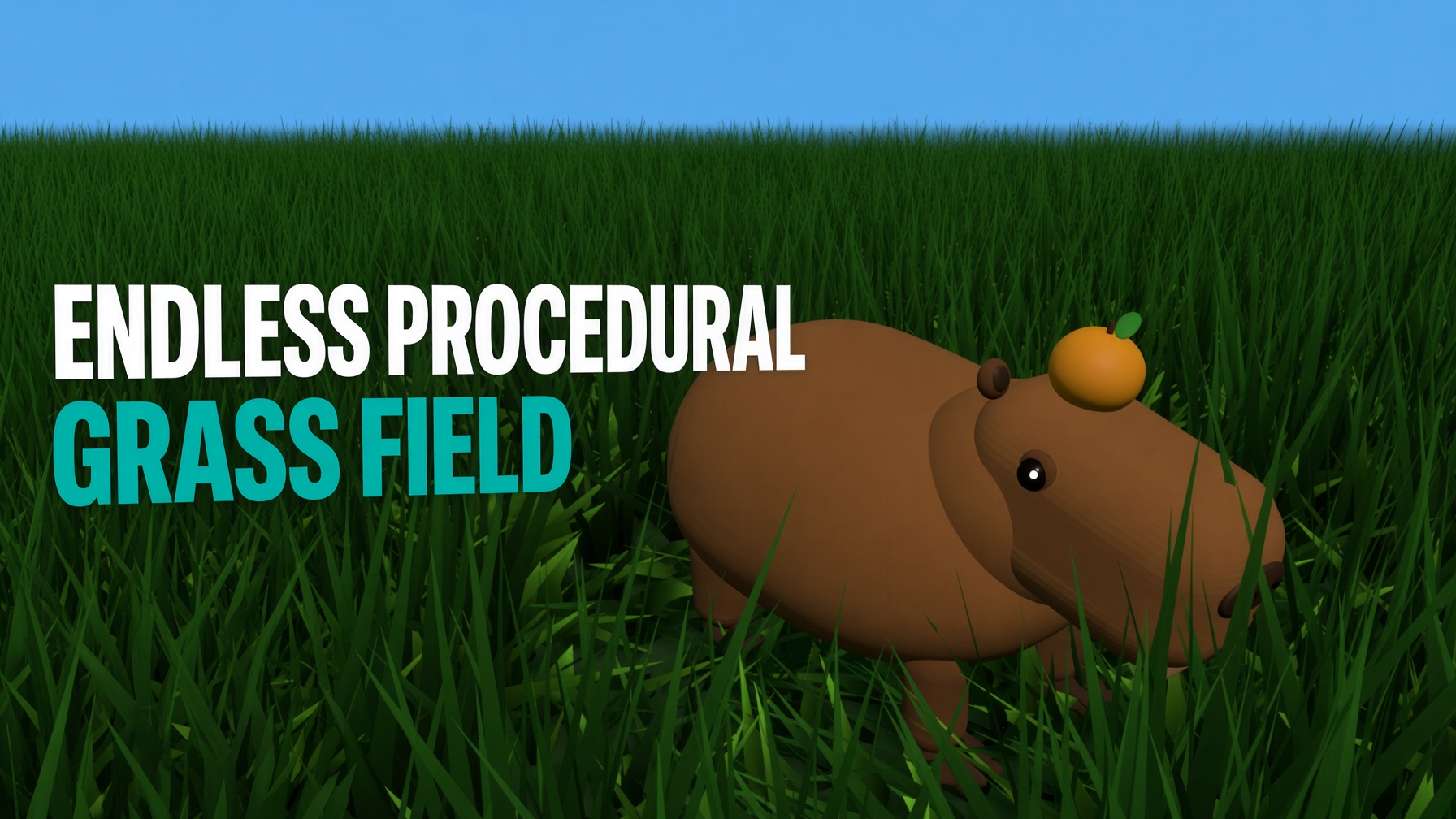
BUILD A RIGGED 3D CAPYBARA
WITH GROK BOT + THREE.JS
Learn how to use Grok Bot AI and Three.js together to make a fully rigged, animated 3D capybara — from plain-English prompts to a live demo, a downloadable GLB, and a YouTube Short. No code required, with the full Three.js source included for developers.
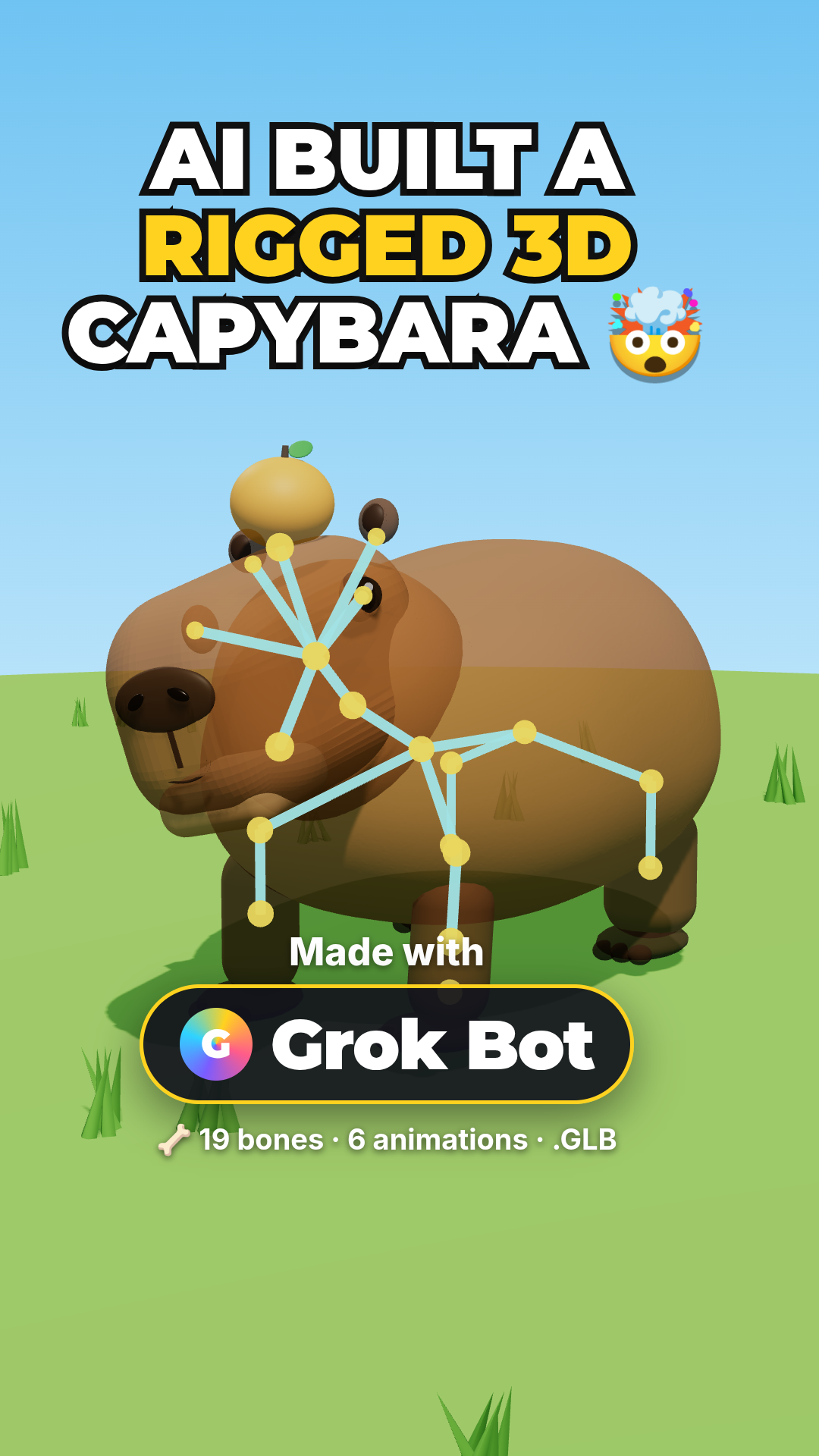
No code required — see how this capybara was made with Grok Bot. (Switch to Developer for the full Three.js source.)
LIVE DEMO
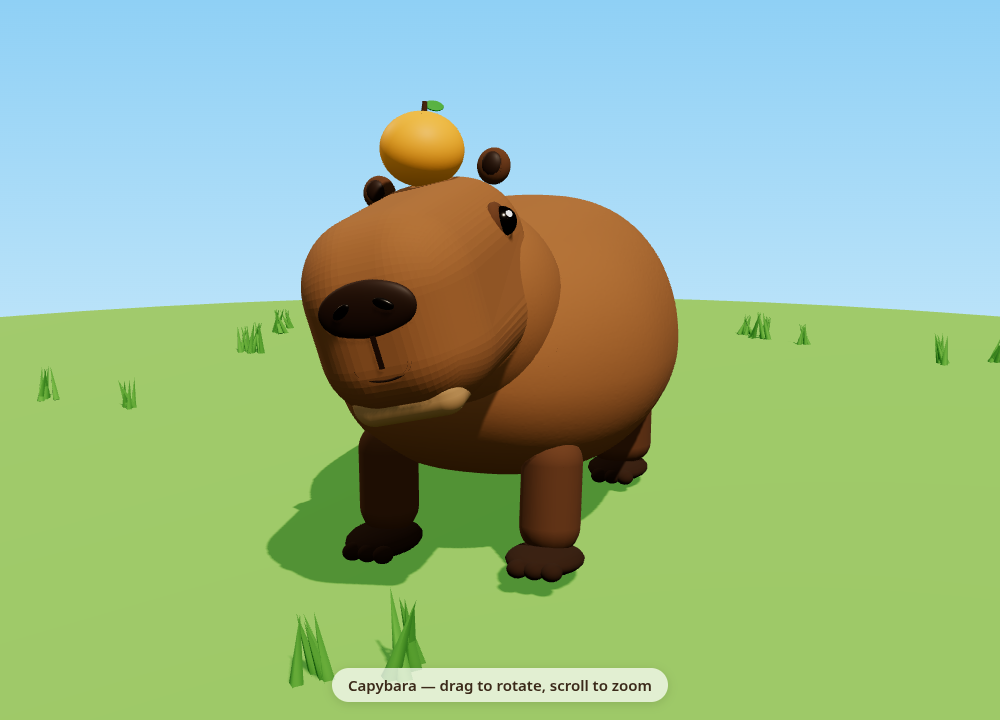
The capybara grazing behind this page is a live Three.js scene. Launch the full-screen demo and walk it around with WASD / arrow keys — drag to orbit, switch between all six animations, or show the skeleton. On a phone, one-finger drag orbits the view.
Introduction
The rigged, animated capybara above was made with Grok Bot — an AI assistant that does real work on its own cloud computer — from just three plain-English messages. No modeling software, and (unless you want it) no code. It returned an interactive Three.js demo, a rigged .glb with a 19-bone skeleton and six animations, and a narrated YouTube Short.
Pick your path with the buttons above: Content Creator walks through exactly how it was made in Grok Bot, step by step with screenshots. Developer shows the complete Three.js source — modeling from primitives, skinning a SkinnedMesh, generating clips, and exporting a GLB — ready to copy, launch, and tweak.
WATCH IT IN ACTION
The rigged capybara running through its six animation clips — idle, walk, eat, sit, look around, and the happy yuzu bob.
WANT A RIGGED CHARACTER YOU CAN DRIVE?
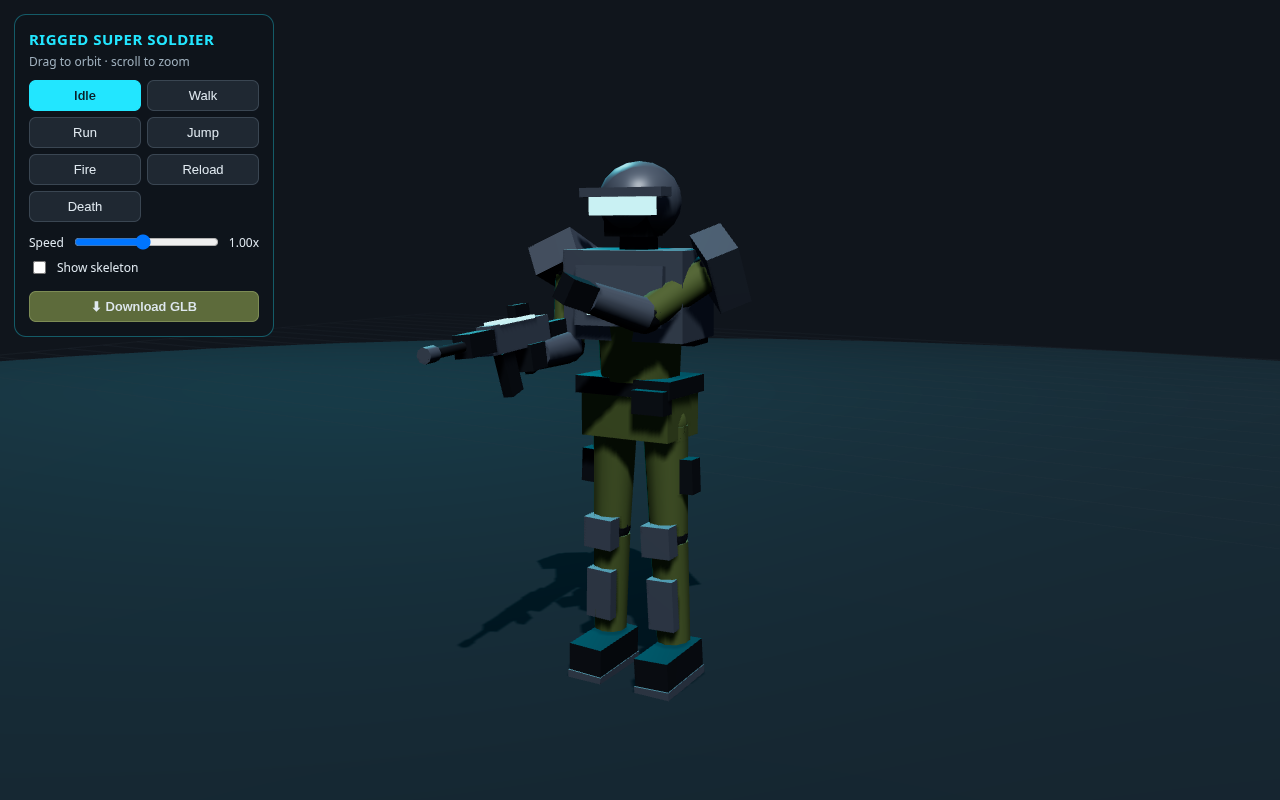
Loved this? The companion tutorial loads a free rigged super soldier GLB in Three.js and gives it a full keyboard controller — WASD to move, Shift to run, Space to jump, F to fire. Same rig-and-animate idea, taken to a playable character.
WANT TO BLOW SOMETHING UP?
Switch gears from models to effects: build a 3D rockfire explosion in Three.js — flying debris, fire, smoke, a shockwave, and a scorch crater that grows with the blast. The whole effect in one copy-paste file, with a live demo you can orbit.

Frequently Asked Questions
Can AI make a rigged, animated 3D model?
Yes. The capybara on this page was made with Grok Bot, an AI assistant that runs code on its own cloud computer. From three plain-English messages it produced a Three.js capybara, then a 19-bone rigged version with six animations exported as a GLB, then a narrated vertical YouTube Short. No manual coding was required by the user.
What is Grok Bot?
Grok Bot is an AI app for macOS, Windows, Linux and iOS that does real work rather than just answering. Each bot has its own cloud computer with a browser, so it can run code, build files and browse the web while you chat. It is included with paid Cursor plans or a linked SuperGrok subscription.
Do I need to know how to code to make a 3D model with Grok Bot?
No. You chat in plain language the way you would ask a person, and the bot writes and runs the code on its own computer, then sends back real files you can download — a live demo page, a rigged GLB model, and a video. Developers can still open the generated Three.js source and edit it; this page includes the full code in the Developer view.
What files does Grok Bot send back?
Real, usable files. In the capybara example it returned capybara.html (an interactive Three.js demo), capybara_rigged.glb (a 19-bone rigged 3D model, 2.4 MB, ready for Blender, Unity, Godot or any model viewer), and capybara_short.mp4 (a vertical 1080x1920 narrated YouTube Short with captions and music).
What is a SkinnedMesh in Three.js?
A SkinnedMesh is a mesh that deforms with a skeleton of bones. Each vertex stores skinIndex and skinWeight attributes that say which bones move it and by how much. When a bone rotates, the vertices bound to it follow, so a single mesh can bend, walk, and chew without being split into separate rigid pieces. The full Three.js source is in the Developer view on this page.
Is this capybara tutorial free?
Yes. It is completely free. The capybara grazing behind this page is a live demo, the rigged GLB is a free download, and the full Three.js source code is on the page to copy or launch. No sign-in or membership is required.
Made With Grok Bot — No Code Required
The capybara above was not hand-coded. It was built by chatting with Grok Bot, an AI assistant that does real work on its own cloud computer — it writes the code, runs it, and sends you back real files. The whole rigged, animated 3D model and its video came from three plain-English messages. Here is exactly how it was done, step by step.
What Grok Bot Is
Grok Bot is an AI app for macOS, Windows, Linux and iOS that does real work for you — not just answers. Each bot has its own cloud computer with a browser, so it can run code, build files and browse the web while you chat with it. You can run several bots at once, each with its own name, memory and job.
1Create a bot and give it a job
Create a new bot from the sidebar. It opens a chat and asks what you want it for. Answer in a sentence — for example: "You're my Three.js helper. Build 3D models and demos for my site."
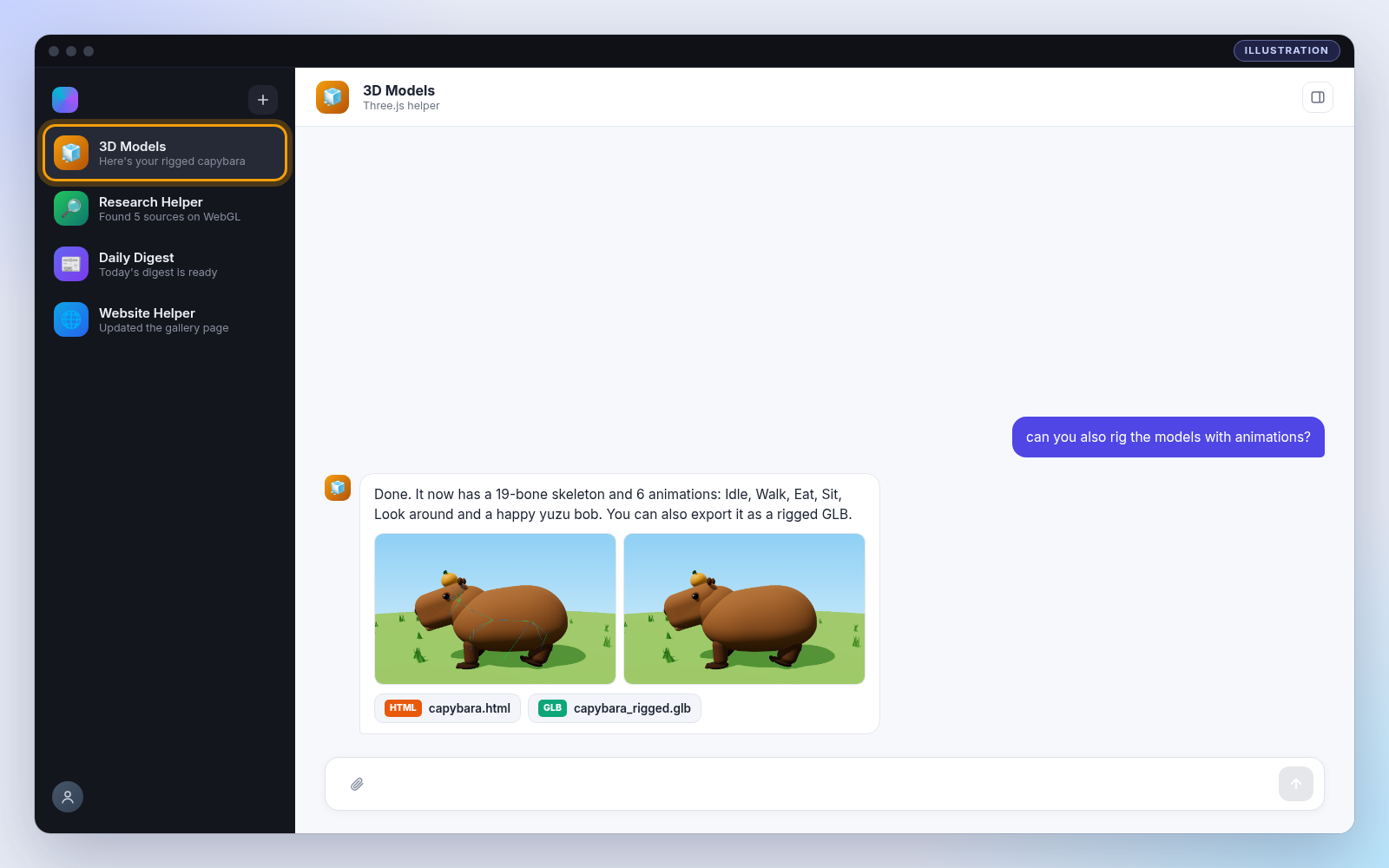
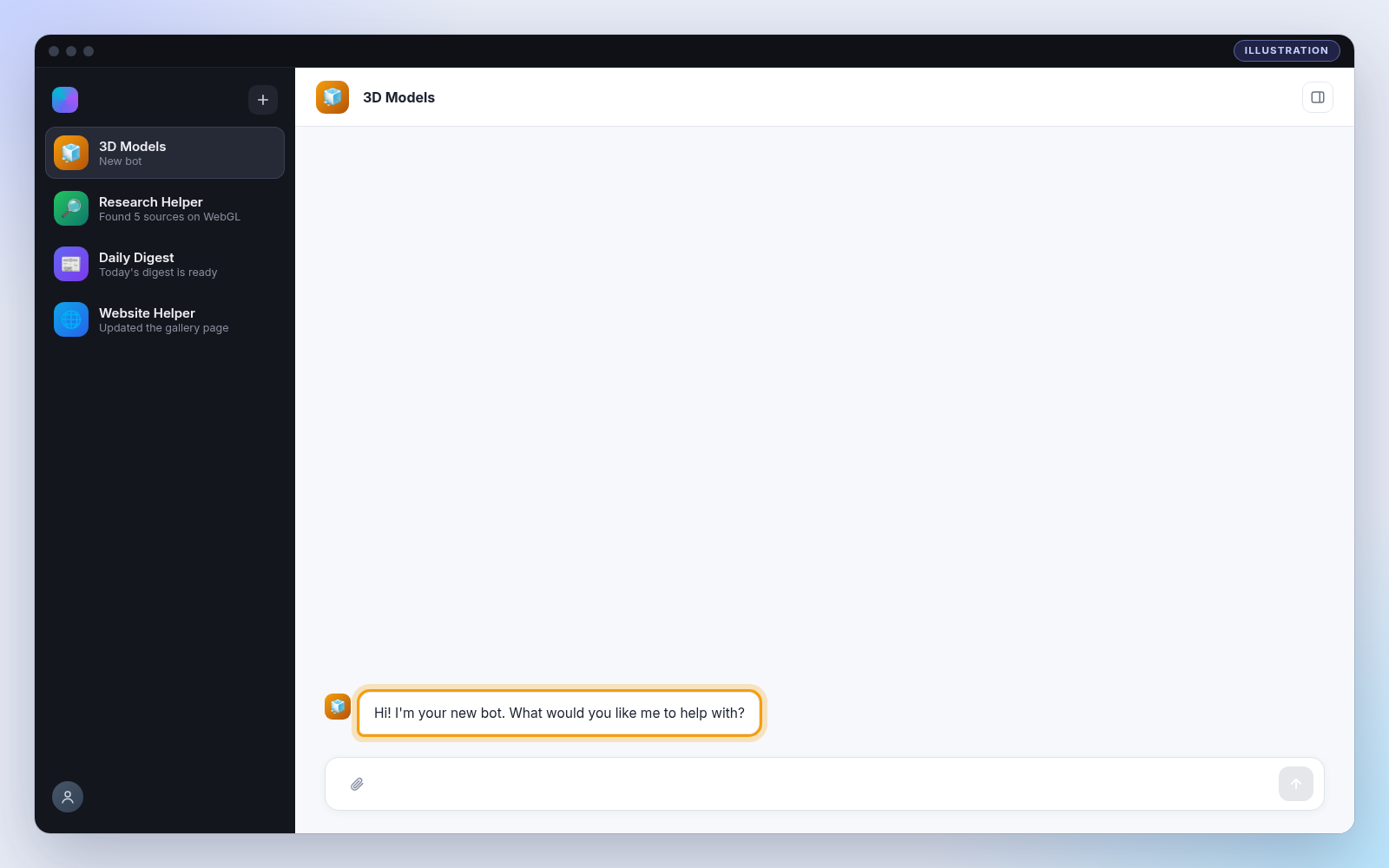
2Chat with it in plain language
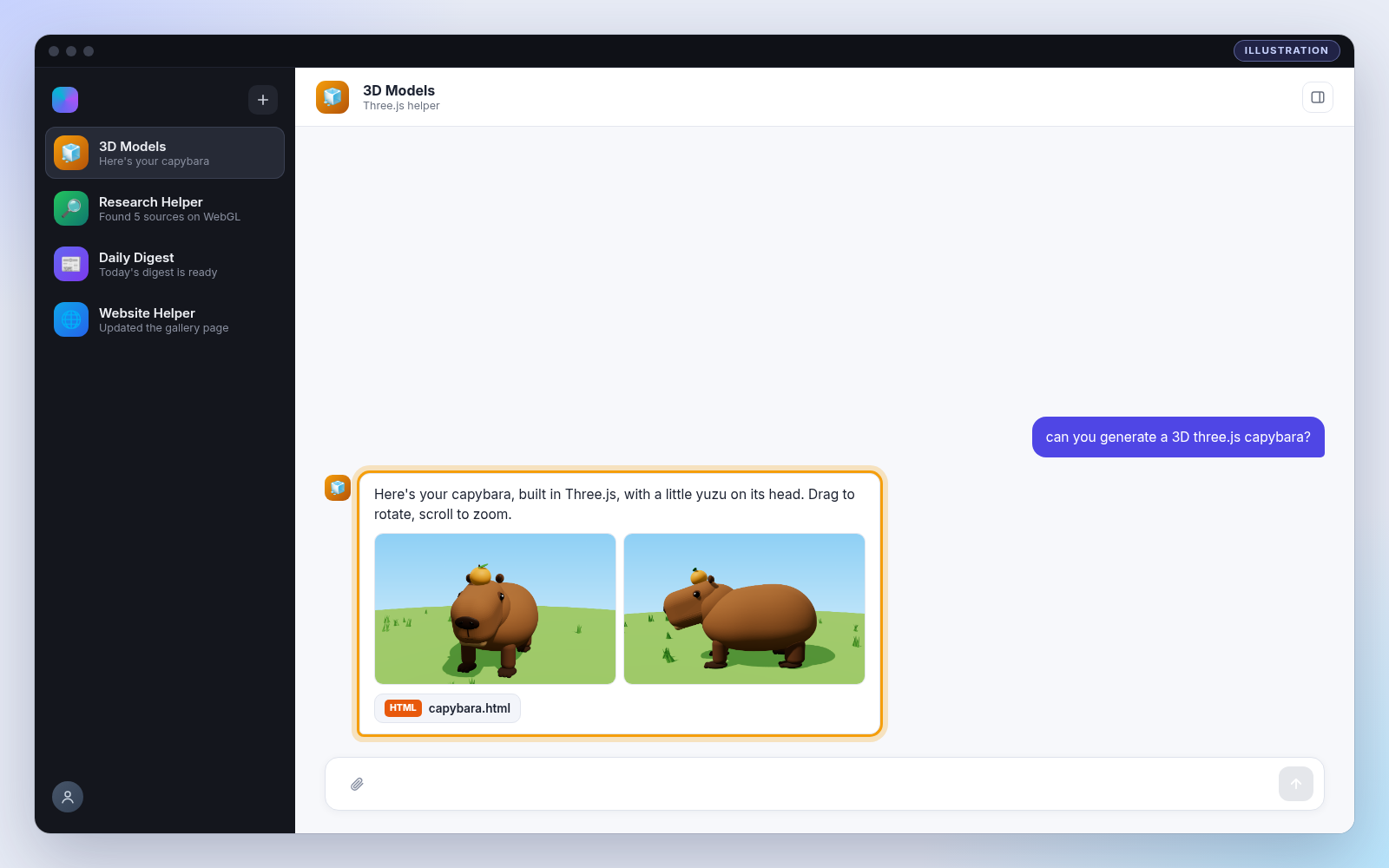
No special commands. Type what you want the way you'd ask a person, then keep building with follow-ups. Here are the three real requests from the capybara project, in order, and what came back after each one.
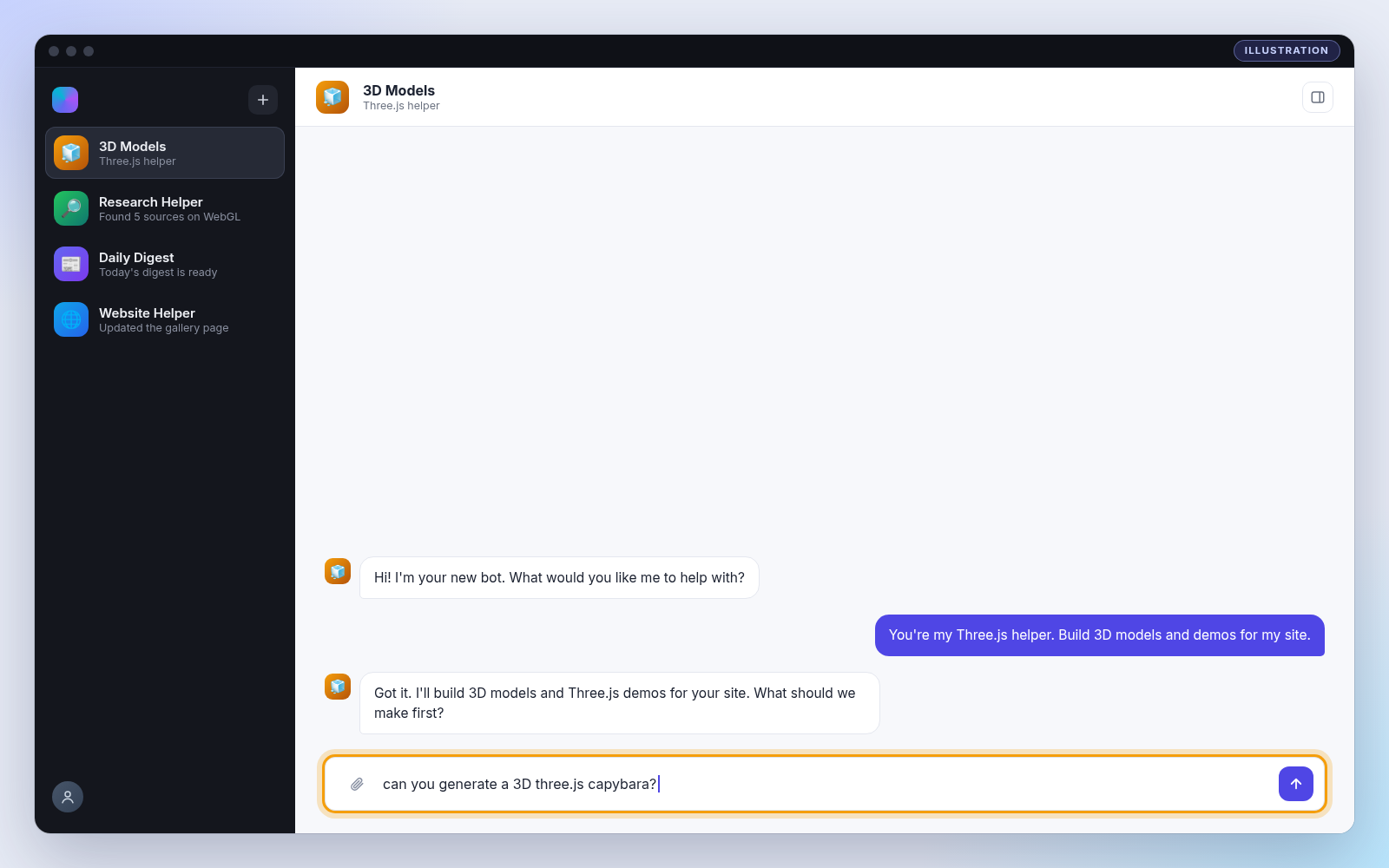
capybara.html file.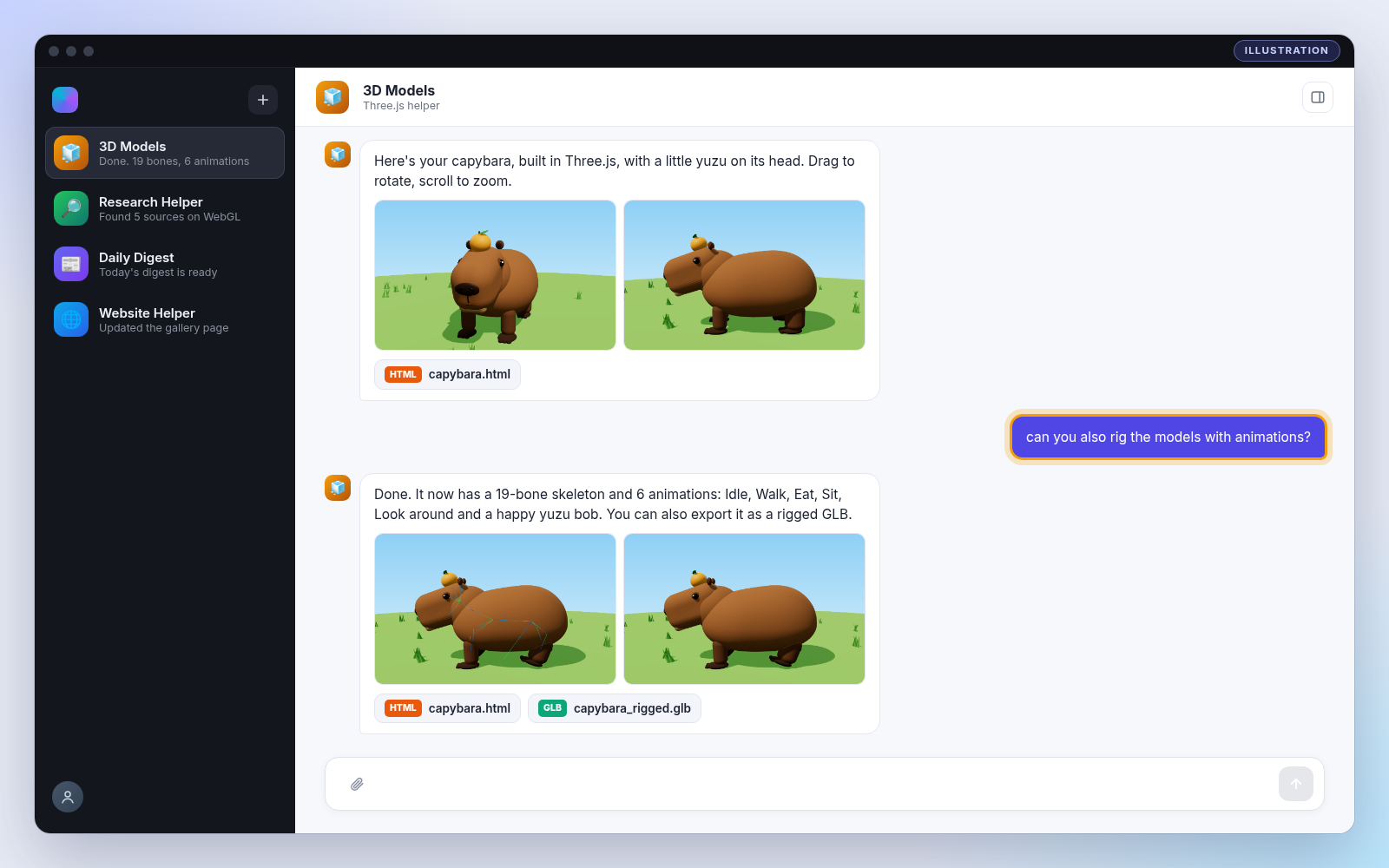
The three messages that built everything
- You: "Can you generate a 3D Three.js capybara?"
A rigged-ready capybara with a little yuzu on its head. Drag to rotate, scroll to zoom. - You: "Can you also rig the model with animations?"
A 19-bone skeleton and 6 animations (Idle, Walk, Eat, Sit, Look around, happy Yuzu bob) + an exportable rigged GLB. - You: "Can you create an attractive ~22-second vertical YouTube Short with a woman's narration?"
A vertical, narrated Short with captions, quick cuts of each animation and a "Made with Grok Bot" end card.
The Result
Everything below is the real output from those three messages — the live demo at the top of this page, plus these renders of each pose and the skeleton.
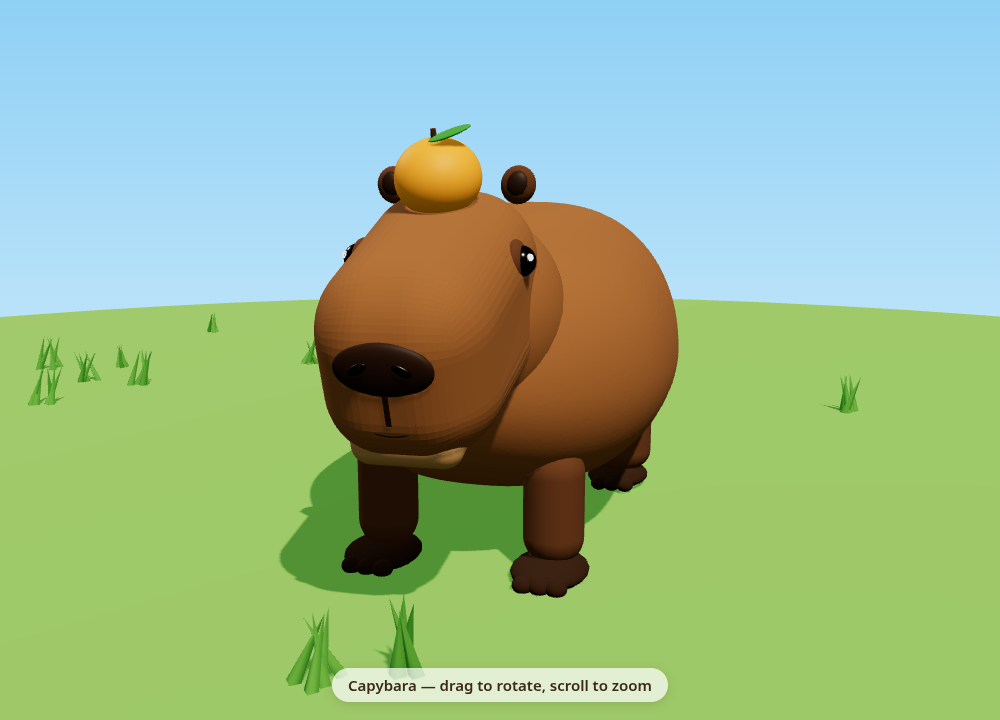
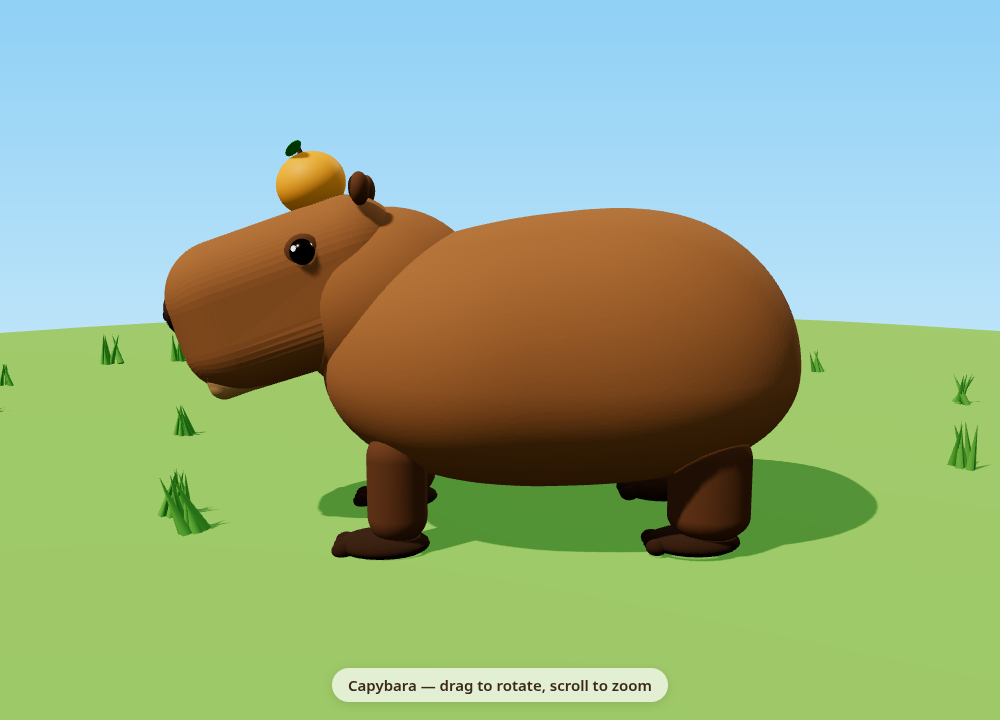
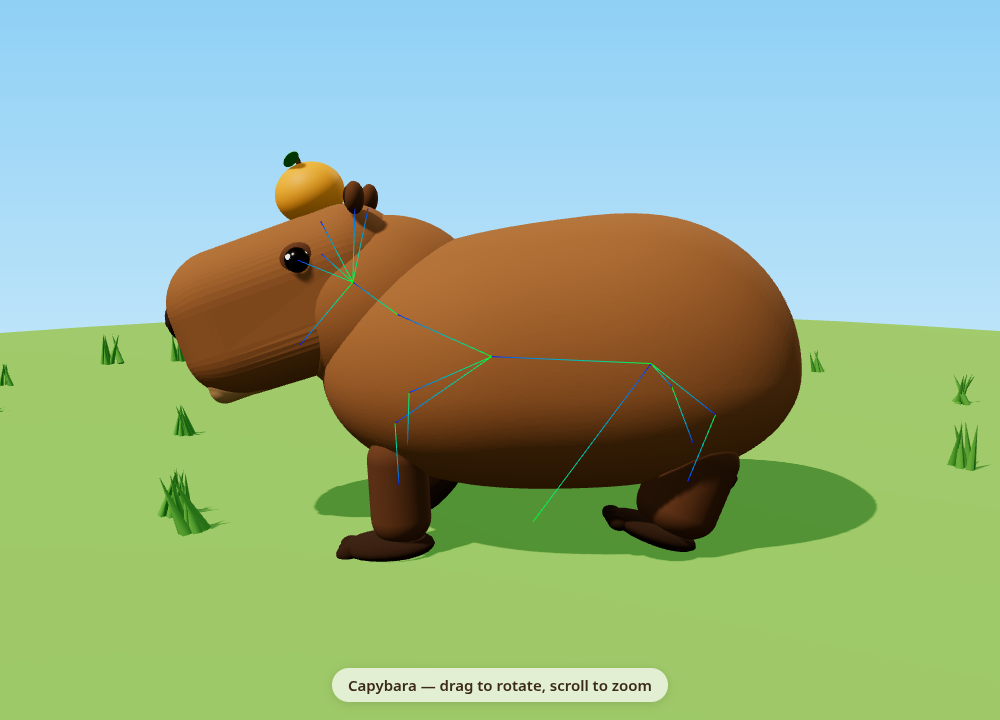
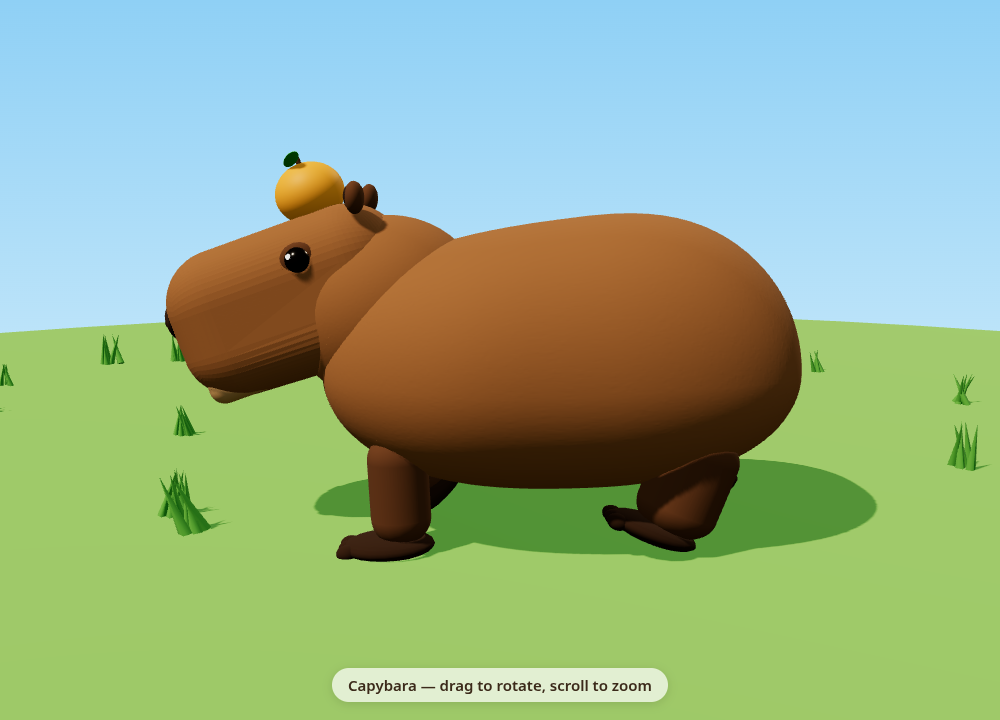
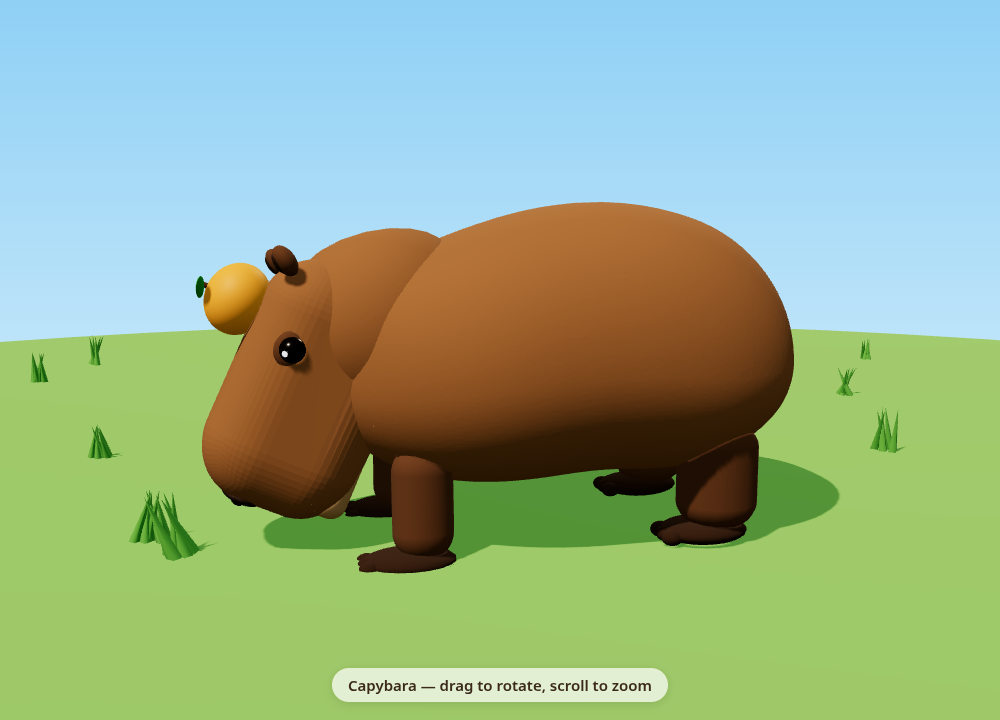
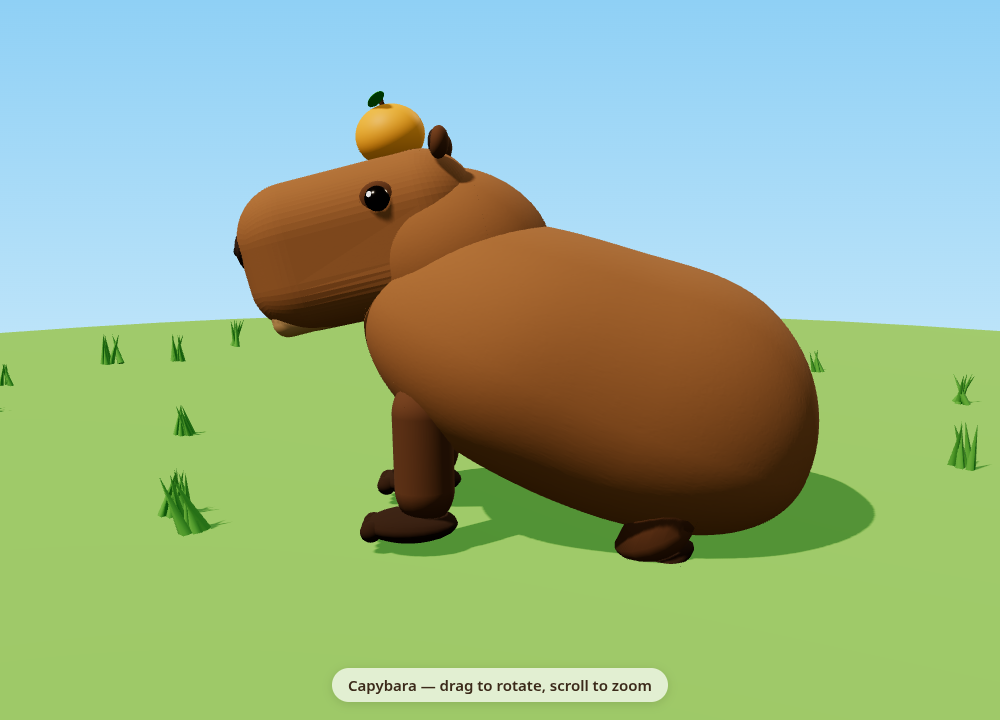
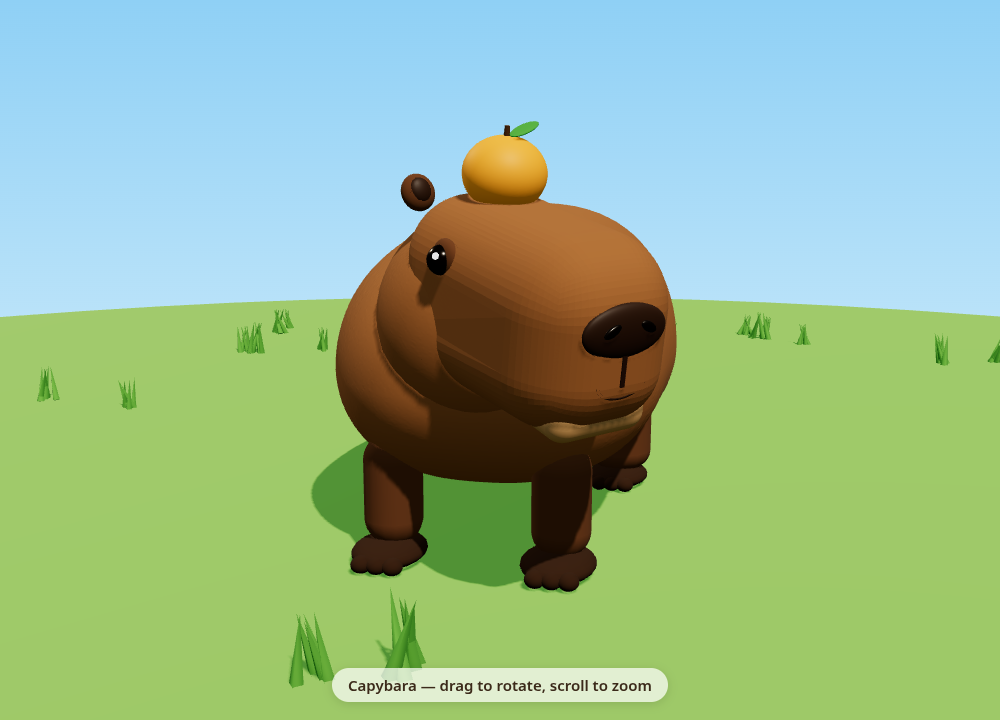
What You Get Back
Because the bot works on a real computer, its replies come with real results you can open, download and reuse:
- Preview images — see the work without opening anything.
- A live demo page (
capybara.html) — the interactive scene at the top of this page. - A rigged 3D model (
capybara_rigged.glb, 2.4 MB) — drop it into Blender, Unity, Godot or any model viewer. - A finished YouTube Short (
capybara_short.mp4) — vertical 1080x1920, narrated, captioned, with music.
Tips For Great Results
Peek At Its Computer & Settings
Open the bot's info pane to watch a live preview of its computer while it works, see its saved Routines, and open that bot's settings — avatar, name, title and description. You stay in control: sensitive actions can go through auto-review, and anything that posts on your behalf is shown to you for approval first.
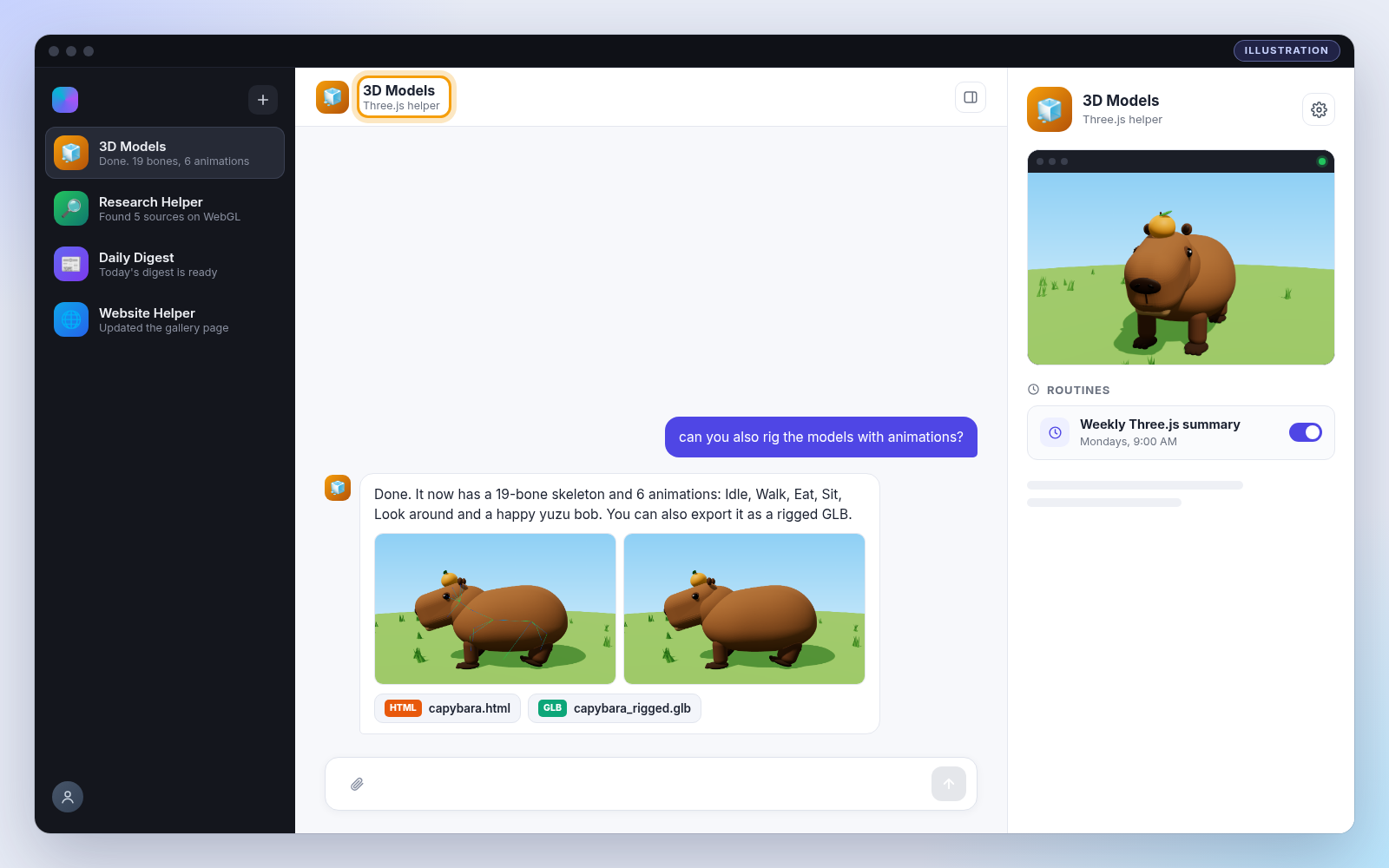
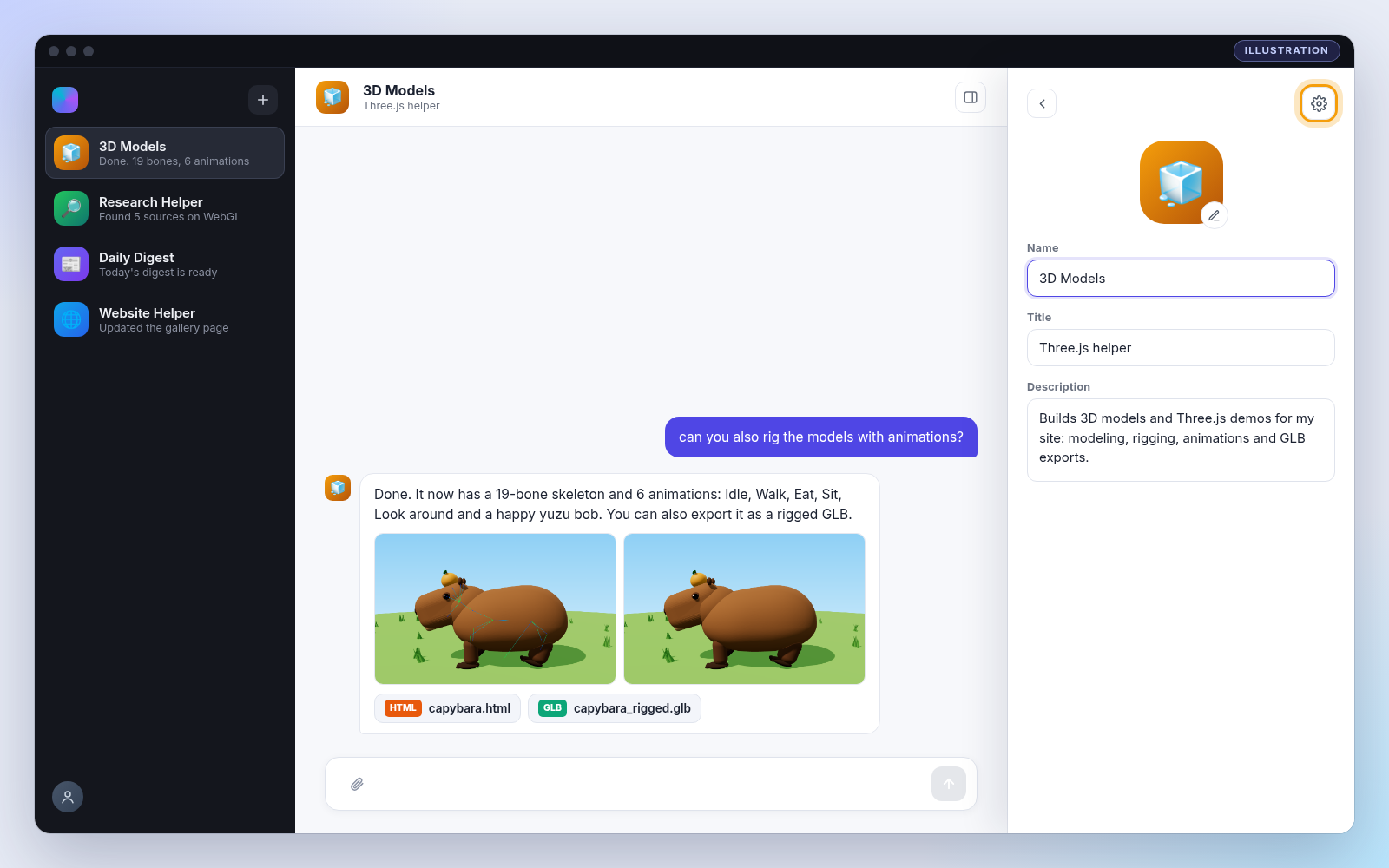
Grok Bot is included with paid Cursor plans or a linked SuperGrok subscription. Product details: cursor.com/docs/grok-bot. App screenshots are illustrations and your app may look slightly different.
Curious how the code actually works?
Prefer to build it by hand? Here is the complete Three.js source behind the demo above — how the capybara is modeled from primitives, rigged with a 19-bone skeleton, skinned, animated, and exported to GLB. Copy it, launch it, and tweak it.
How It Works
- 1Build a scaffold of primitives. Deformed spheres and
RoundedBoxGeometrybecome the barrel body, blunt head, legs, ears, eyes and the yuzu. Every part is tagged with how it should be skinned. - 2Place anchors for joints. Empty
Object3Dmarkers record where each bone should sit (hips, spine, neck, head, jaw, four legs, ears, eyes, yuzu). - 3Create the skeleton. Build
THREE.Boneobjects in a parent/child hierarchy, positioned at the anchors with identity rest rotations. - 4Skin every vertex. Bake parts to model space, then write
skinIndex/skinWeight— rigid for simple parts, a smooth weighted blend for the neck, legs and body. - 5Merge and bind. Merge geometry per material into one
SkinnedMesh, build theSkeleton, and callbody.bind(skeleton). - 6Generate animation clips. Sample small pose functions into keyframe tracks for idle, walk, eat, sit, look-around, and the happy yuzu bob. Play them through an
AnimationMixerwith crossfades. - 7Export to GLB.
GLTFExporterwrites the rest-pose rig and all six clips into a single downloadable.glb.
Code Breakdown
Here is the whole rig in plain English. Beginners: read the bold summaries to follow the pipeline. Developers: the gray notes after each snippet explain the why — the skinning math, the merge trick, and the choices that make it export as one clean GLB.
1. Modern Three.js via an import map
<script type="importmap">
{ "imports": {
    "three": "https://unpkg.com/three@0.160.0/build/three.module.js",
    "three/addons/": "https://unpkg.com/three@0.160.0/examples/jsm/"
} }
</script>
...
import * as THREE from 'three';
import { OrbitControls }    from 'three/addons/controls/OrbitControls.js';
import { RoundedBoxGeometry } from 'three/addons/geometries/RoundedBoxGeometry.js';
import { mergeGeometries }  from 'three/addons/utils/BufferGeometryUtils.js';
import { GLTFExporter }     from 'three/addons/exporters/GLTFExporter.js';
In plain English: the import map lets you write import ... from "three" with no build step, and pulls in four add-ons the rig depends on. Developer note: this build uses mergeGeometries, RoundedBoxGeometry, SkinnedMesh skinning and GLTFExporter — APIs that don’t exist in an old build — so we pin a recent 0.160.0 from a CDN rather than a stale local copy.
2. Build the body from primitives, tagged for skinning
function part(geo, mat, parent, pos, scale, rot, rig = 'root') {
  const m = new THREE.Mesh(geo, mat);
  m.position.set(...pos); m.scale.set(...scale); m.rotation.set(...rot);
  m.userData.rig = rig;        // 'head' = rigid, or a function of position
  parent.add(m);
  return m;
}
function anchor(parent, pos, name) {   // marks where a bone will sit
  const o = new THREE.Object3D(); o.position.set(...pos); o.name = name;
  parent.add(o); return o;
}
part(barrelGeometry(), MAT.fur, scaffold, [0, 0.98, -0.15], [1,1,1], [0,0,0], bodyRig);
In plain English: the capybara starts as a throwaway “scaffold” of deformed spheres and rounded boxes — barrel body, blunt head, legs, ears, eyes, and the yuzu. Each part gets a rig tag saying which bone(s) should move it. Developer note: tagging geometry at build time (a bone name for rigid parts, or a weight function for parts that must bend) is what lets the skinning step run automatically later — no external rigging tool needed.
3. Weight functions for the parts that bend
const smooth = (a, b, x) => { const t = Math.min(Math.max((x-a)/(b-a),0),1);
                              return t*t*(3-2*t); };   // smoothstep
// body: hips at the back, spine toward the front, a touch of neck at the shoulders
const bodyRig = (p) => {
  const s = smooth(-0.9, 0.1, p.z);
  const n = 0.7 * smooth(0.75, 1.2, p.z) * smooth(1.0, 1.5, p.y);
  return { hips: 1 - s, spine: s * (1 - n), neck: s * n };
};
In plain English: simple parts (an eye, the yuzu) are glued to one bone, but the body, neck and legs need to blend between bones so they bend without creasing. A tiny smoothstep turns a vertex’s position into bone weights. Developer note: smoothstep gives an ease-in/ease-out ramp (0→1 with zero slope at the ends), so the hips-to-spine handoff down the back is gradual — this is the difference between a smooth bend and a kink.
4. Build the bone skeleton from a hierarchy map
const HIERARCHY = {
  root: null, hips: 'root', spine: 'hips', neck: 'spine', head: 'neck',
  jaw: 'head', ear_L: 'head', ear_R: 'head', eye_L: 'head', eye_R: 'head', yuzu: 'head',
  leg_FL_upper: 'spine', leg_FL_lower: 'leg_FL_upper', /* ...all four legs... */
};
const bones = {}, boneList = [];
for (const [name, parent] of Object.entries(HIERARCHY)) {
  const b = new THREE.Bone(); b.name = name;
  b.position.copy(anchorPos[name]);
  if (parent) { b.position.sub(anchorPos[parent]); bones[parent].add(b); }  // local offset
  bones[name] = b; boneList.push(b);
}
In plain English: the 19 bones are declared as a parent/child map, then built as real THREE.Bone objects positioned at the anchor markers. Developer note: each bone stores its position relative to its parent (b.position.sub(parentPos)), which is exactly what a bone transform is — so rotating the neck bone carries the head, jaw, ears, eyes and yuzu with it for free.
5. Skin every vertex: write skinIndex + skinWeight
const si = new Uint16Array(n * 4), sw = new Float32Array(n * 4);  // 4 bones/vertex
for (let i = 0; i < n; i++) {
  v.fromBufferAttribute(g.attributes.position, i);
  const w = typeof rig === 'string' ? { [rig]: 1 } : rig(v);     // weights for this vertex
  const top = Object.entries(w).filter(([, x]) => x > 1e-4)
                 .sort((a, b) => b[1] - a[1]).slice(0, 4);        // keep the 4 strongest
  const sum = top.reduce((s, [, x]) => s + x, 0);
  top.forEach(([bn, x], j) => { si[i*4+j] = boneIndex[bn]; sw[i*4+j] = x / sum; });
}
g.setAttribute('skinIndex',  new THREE.Uint16BufferAttribute(si, 4));
g.setAttribute('skinWeight', new THREE.Float32BufferAttribute(sw, 4));
In plain English: this is the heart of a SkinnedMesh. For every vertex it records which bones move it (skinIndex) and how much (skinWeight). Developer note: the GPU supports up to 4 bones per vertex, so we keep the 4 strongest and normalize them to sum to 1 (x / sum). Un-normalized weights make the mesh swell or shrink as bones move — normalizing keeps the surface glued together.
6. Merge per material and bind to the skeleton
const mats = [...byMat.keys()];
// inner merge: all geometry for one material; outer merge: groups kept for multi-material
const merged = mergeGeometries(mats.map(m => mergeGeometries(byMat.get(m), false)), true);
const body = new THREE.SkinnedMesh(merged, mats);
body.frustumCulled = false;
capybara.add(bones.root);          // the bone tree lives under the model
capybara.add(body);
const skeleton = new THREE.Skeleton(boneList);
body.bind(skeleton);               // connect the skinned mesh to its bones
In plain English: all the separate skinned parts are merged into one SkinnedMesh (with one material group per color), then bound to the skeleton. Developer note: one mesh + one skeleton exports as a single clean skin in the GLB (instead of a dozen loose objects), and frustumCulled = false stops the animated mesh from vanishing when its original bounding box leaves the view.
7. Author clips from pose functions, play with crossfades
function makeClip(name, T, spec) {   // spec: { boneName: { rot?, pos?, scale? } }
  const ts = times(T), tracks = [];
  for (const [bn, s] of Object.entries(spec)) {
    if (s.rot) tracks.push(new THREE.QuaternionKeyframeTrack(`${bn}.quaternion`, ts,
      ts.flatMap(t => { _q.setFromEuler(_e.set(...s.rot(t))); return [_q.x,_q.y,_q.z,_q.w]; })));
    // ...position + scale tracks the same way...
  }
  return new THREE.AnimationClip(name, T, tracks);
}
function play(name, fade = 0.45) {
  const next = actions[name];
  next.reset().setEffectiveWeight(1).play();
  current.crossFadeTo(next, fade, false);   // smooth blend between clips
  current = next;
}
In plain English: instead of hand-keying frames, each clip is described by small math functions per bone (e.g. the walk cycle swings each leg on a phase offset). makeClip samples those into real keyframe tracks, and crossFadeTo blends between them. Developer note: rotations are baked as QuaternionKeyframeTracks (not Euler) so they interpolate without gimbal flips, and the walk’s four legs share one formula driven by a per-leg PHASE for a believable lateral-sequence gait.
8. Export the rig + all six clips to one GLB
function exportGLB() {
  mixer.stopAllAction();                       // export from the rest pose
  capybara.position.set(0,0,0); capybara.rotation.set(0,0,0);
  capybara.updateMatrixWorld(true);
  return new Promise((resolve, reject) => {
    new GLTFExporter().parse(capybara, (glb) => resolve(glb), reject,
      { binary: true, animations: clips, onlyVisible: true });   // .glb + clips
  });
}
In plain English: one call to GLTFExporter writes the skinned mesh, the skeleton, and all six animations into a single .glb you can drop into Blender, Unity, or Godot. Developer note: the exporter is run from the rest pose at the origin (we stop the mixer and zero the transform first) so the baked rig is clean, then the live animation is restored right after — and binary: true gives a compact single-file GLB instead of a GLTF + buffers.
The Full Code
Paste this into a file named index.html and open it in any modern browser. Everything is self-contained — Three.js loads from a CDN via the import map.
<!DOCTYPE html>
<html lang="en">
<head>
<meta charset="utf-8" />
<meta name="viewport" content="width=device-width, initial-scale=1" />
<title>Capybara — rigged Three.js</title>
<style>
  html, body { margin: 0; height: 100%; overflow: hidden;
    background: linear-gradient(to bottom, #8fd0f5 0%, #c4e7fa 55%, #eaf7ff 100%); }
  canvas { display: block; }
  #caption { position: fixed; left: 50%; bottom: 18px; transform: translateX(-50%);
    font: 600 15px/1.2 system-ui, -apple-system, "Segoe UI", sans-serif; color: #3b2a1a;
    background: rgba(255,255,255,0.7); padding: 8px 16px; border-radius: 999px;
    box-shadow: 0 2px 10px rgba(0,0,0,0.12); pointer-events: none; user-select: none; }
  #ui { position: fixed; top: 14px; left: 14px; width: 220px; padding: 12px;
    font: 13px/1.3 system-ui, -apple-system, "Segoe UI", sans-serif; color: #3b2a1a;
    background: rgba(255,255,255,0.78); border-radius: 12px; box-shadow: 0 2px 12px rgba(0,0,0,0.15); }
  #ui h3 { margin: 0 0 8px; font-size: 14px; }
  #clips { display: grid; grid-template-columns: 1fr 1fr; gap: 6px; margin-bottom: 10px; }
  #ui button { font: inherit; padding: 6px 4px; border: 1px solid #b98a5a; border-radius: 8px;
    background: #fff8ef; color: #3b2a1a; cursor: pointer; }
  #ui button.active { background: #9a6233; color: #fff; border-color: #6b4223; }
  #ui label { display: flex; align-items: center; gap: 6px; margin: 6px 0; }
  #ui input[type=range] { flex: 1; }
  #exportBtn { width: 100%; margin-top: 6px; }
</style>
<script type="importmap">
{ "imports": {
    "three": "https://unpkg.com/three@0.160.0/build/three.module.js",
    "three/addons/": "https://unpkg.com/three@0.160.0/examples/jsm/"
} }
</script>
</head>
<body>
<div id="ui">
  <h3> Capybara animations</h3>
  <div id="clips"></div>
  <label>Speed <input id="speed" type="range" min="0" max="2" step="0.05" value="1" /> <span id="speedVal">1.00x</span></label>
  <label><input id="skel" type="checkbox" /> Show skeleton</label>
  <label><input id="roam" type="checkbox" /> Walk around (roam)</label>
  <button id="exportBtn">Download rigged GLB</button>
</div>
<div id="caption">Capybara — WASD / arrows to walk · drag to rotate · scroll to zoom</div>
<script type="module">
import * as THREE from 'three';
import { OrbitControls } from 'three/addons/controls/OrbitControls.js';
import { RoundedBoxGeometry } from 'three/addons/geometries/RoundedBoxGeometry.js';
import { mergeGeometries } from 'three/addons/utils/BufferGeometryUtils.js';
import { GLTFExporter } from 'three/addons/exporters/GLTFExporter.js';

const SHOW_YUZU = true;   // the classic capybara-with-an-orange-on-its-head meme


// ======================================================================
// Renderer / scene / camera / lights / ground
// ======================================================================
const renderer = new THREE.WebGLRenderer({ antialias: true, alpha: true });
renderer.setPixelRatio(Math.min(window.devicePixelRatio, 2));
renderer.setSize(window.innerWidth, window.innerHeight);
renderer.shadowMap.enabled = true;
renderer.shadowMap.type = THREE.PCFSoftShadowMap;
renderer.outputColorSpace = THREE.SRGBColorSpace;
renderer.toneMapping = THREE.ACESFilmicToneMapping;
renderer.toneMappingExposure = 1.1;
document.body.appendChild(renderer.domElement);

const scene = new THREE.Scene();
const camera = new THREE.PerspectiveCamera(40, window.innerWidth / window.innerHeight, 0.1, 100);
camera.position.set(4.2, 2.6, 5.2);

const controls = new OrbitControls(camera, renderer.domElement);
controls.enableDamping = true;
controls.dampingFactor = 0.08;
controls.target.set(0, 1.0, 0.2);
controls.minDistance = 2.5;
controls.maxDistance = 16;
controls.maxPolarAngle = Math.PI * 0.49;
controls.update();

scene.add(new THREE.HemisphereLight(0xd6eeff, 0x8a9a5a, 1.3));
const sun = new THREE.DirectionalLight(0xfff1dc, 2.4);
sun.position.set(4, 8, 5);
sun.castShadow = true;
sun.shadow.mapSize.set(2048, 2048);
Object.assign(sun.shadow.camera, { left: -12, right: 12, top: 12, bottom: -12, near: 1, far: 40 });
sun.shadow.bias = -0.0005;
sun.shadow.radius = 4;
scene.add(sun);
const fill = new THREE.DirectionalLight(0xffe2c0, 0.5);
fill.position.set(-5, 3, -3);
scene.add(fill);

const ground = new THREE.Mesh(new THREE.CircleGeometry(12, 64),
  new THREE.MeshStandardMaterial({ color: 0x7cbf4f, roughness: 1 }));
ground.rotation.x = -Math.PI / 2;
ground.receiveShadow = true;
scene.add(ground);

const rand = (a, b) => a + Math.random() * (b - a);
const tuftMat = new THREE.MeshStandardMaterial({ color: 0x5ea83a, roughness: 1 });
const bladeGeo = new THREE.ConeGeometry(0.035, 0.32, 4);
function addTuft(x, z, s = 1) {
  const tuft = new THREE.Group();
  for (let j = 0; j < 5; j++) {
    const b = new THREE.Mesh(bladeGeo, tuftMat);
    b.position.set(rand(-0.06, 0.06), 0.14, rand(-0.06, 0.06));
    b.rotation.set(rand(-0.4, 0.4), 0, rand(-0.4, 0.4));
    b.castShadow = true;
    tuft.add(b);
  }
  tuft.position.set(x, 0, z); tuft.scale.setScalar(s);
  scene.add(tuft);
}
for (let i = 0; i < 70; i++) { const r = rand(3.4, 9), t = rand(0, Math.PI * 2); addTuft(Math.cos(t) * r, Math.sin(t) * r, rand(0.7, 1.3)); }
addTuft(0.15, 2.05, 1.2); addTuft(-0.2, 2.2, 1.0);   // a snack right in front of the nose

// ======================================================================
// Materials
// ======================================================================
function furTexture() {
  const c = document.createElement('canvas'); c.width = c.height = 256;
  const g = c.getContext('2d');
  g.fillStyle = '#808080'; g.fillRect(0, 0, 256, 256);
  for (let i = 0; i < 4000; i++) {
    const v = 90 + Math.random() * 90 | 0;
    g.strokeStyle = `rgb(${v},${v},${v})`;
    const x = Math.random() * 256, y = Math.random() * 256;
    g.beginPath(); g.moveTo(x, y); g.lineTo(x + rand(-1.5, 1.5), y + rand(3, 7)); g.stroke();
  }
  const t = new THREE.CanvasTexture(c);
  t.wrapS = t.wrapT = THREE.RepeatWrapping; t.repeat.set(3, 3);
  return t;
}
const furBump = furTexture();
const furMat = (name, hex, extra = {}) => new THREE.MeshStandardMaterial({ name,
  color: hex, roughness: 0.92, metalness: 0, bumpMap: furBump, bumpScale: 0.3, ...extra });

const MAT = {
  fur:      furMat('fur', 0x9a6233),
  furHead:  furMat('fur_head', 0x9a6233, { bumpScale: 0.08 }),
  furLight: furMat('fur_light', 0xb98a5a),
  furDark:  furMat('fur_dark', 0x6b4223),
  feet:     furMat('feet', 0x3e2614),
  nose:     new THREE.MeshStandardMaterial({ name: 'nose', color: 0x3a2417, roughness: 0.5 }),
  black:    new THREE.MeshStandardMaterial({ name: 'eye', color: 0x120a06, roughness: 0.15, metalness: 0.1 }),
  white:    new THREE.MeshBasicMaterial({ name: 'eye_glint', color: 0xffffff }),
  peel:     new THREE.MeshStandardMaterial({ name: 'yuzu_peel', color: 0xffa21f, roughness: 0.55, bumpMap: furBump, bumpScale: 0.15 }),
  stem:     new THREE.MeshStandardMaterial({ name: 'yuzu_stem', color: 0x5b3a1a }),
  leaf:     new THREE.MeshStandardMaterial({ name: 'yuzu_leaf', color: 0x3f9b35, roughness: 0.6 }),
};

// ======================================================================
// 1) Build the capybara as a temporary "scaffold" of primitives. Every
//    part is tagged with how it should be skinned (rigid bone or a weight
//    function of its model-space position). Faces +Z, feet on y = 0.
// ======================================================================
const smooth = (a, b, x) => { const t = Math.min(Math.max((x - a) / (b - a), 0), 1); return t * t * (3 - 2 * t); };
const scaffold = new THREE.Group();
const sphere = new THREE.SphereGeometry(1, 48, 32);
const sphereLo = new THREE.SphereGeometry(1, 20, 14);

function part(geo, mat, parent, pos = [0, 0, 0], scale = [1, 1, 1], rot = [0, 0, 0], rig = 'root') {
  const m = new THREE.Mesh(geo, mat);
  m.position.set(...pos); m.scale.set(...scale); m.rotation.set(...rot);
  m.userData.rig = rig;
  parent.add(m);
  return m;
}
function anchor(parent, pos, name) {           // marks a joint location
  const o = new THREE.Object3D(); o.position.set(...pos); o.name = name; parent.add(o); return o;
}

// --- body: one deformed sphere -> chunky barrel, taller rump, flat belly
function barrelGeometry() {
  const g = new THREE.SphereGeometry(1, 72, 48);
  const p = g.attributes.position, v = new THREE.Vector3();
  for (let i = 0; i < p.count; i++) {
    v.fromBufferAttribute(p, i);
    let { x, y, z } = v;
    const sx = Math.sign(x) * Math.pow(Math.abs(x), 0.8);
    const sz = Math.sign(z) * Math.pow(Math.abs(z), 0.75);
    x = sx * 0.95 * (1 - 0.12 * smooth(0.2, 1, z));
    z = sz * 1.38;
    if (y > 0) y = y * (0.8 + 0.16 * smooth(0.6, -0.7, z / 1.38));
    else y = y * 0.66;
    p.setXYZ(i, x, y, z);
  }
  g.computeVertexNormals();
  return g;
}
// body skinning: hips at the back, spine at the front, a little neck near the shoulders
const bodyRig = (p) => {
  const s = smooth(-0.9, 0.1, p.z);
  const n = 0.7 * smooth(0.75, 1.2, p.z) * smooth(1.0, 1.5, p.y);
  return { hips: 1 - s, spine: s * (1 - n), neck: s * n };
};
part(barrelGeometry(), MAT.fur, scaffold, [0, 0.98, -0.15], [1, 1, 1], [0, 0, 0], bodyRig);
part(sphere, MAT.furLight, scaffold, [0, 0.7, -0.15], [0.76, 0.4, 1.15], [0, 0, 0], bodyRig);

// neck: bridges chest -> head and bends smoothly
part(sphere, MAT.fur, scaffold, [0, 1.33, 0.85], [0.52, 0.55, 0.58], [0, 0, 0], (p) => {
  const a = smooth(0.5, 0.85, p.z), b = smooth(0.95, 1.2, p.z);
  return { spine: 1 - a, neck: a * (1 - b), head: b };
});

// --- legs: upper + lower bones, smooth blend at the knee
const legGeo = new THREE.CapsuleGeometry(0.16, 0.32, 8, 16);
const LEGS = { FL: [0.46, 0.78], FR: [-0.46, 0.78], BL: [0.52, -0.95], BR: [-0.52, -0.95] };
for (const [id, [x, z]] of Object.entries(LEGS)) {
  const back = id[0] === 'B';
  const up = `leg_${id}_upper`, lo = `leg_${id}_lower`;
  part(legGeo, MAT.furDark, scaffold, [x, 0.38, z], back ? [1.3, 1, 1.45] : [1, 1, 1.05], [0, 0, 0],
       (p) => { const u = smooth(0.36, 0.52, p.y); return { [up]: u, [lo]: 1 - u }; });
  part(sphereLo, MAT.feet, scaffold, [x, 0.06, z + 0.08], [0.2, 0.07, 0.26], [0, 0, 0], lo);
  for (let k = -1; k <= 1; k++)
    part(sphereLo, MAT.feet, scaffold, [x + k * 0.085, 0.05, z + 0.3], [0.055, 0.045, 0.06], [0, 0, 0], lo);
  anchor(scaffold, [x, back ? 0.78 : 0.75, z], up);
  anchor(scaffold, [x, back ? 0.38 : 0.4, z], lo);
}

// --- head: big, blunt, boxy, narrowing to a flat squarish snout
function headGeometry() {
  const L = 1.4;
  const g = new RoundedBoxGeometry(0.82, 0.9, L, 8, 0.32);
  const p = g.attributes.position, v = new THREE.Vector3();
  for (let i = 0; i < p.count; i++) {
    v.fromBufferAttribute(p, i);
    const f = smooth(-0.2, L / 2, v.z);
    v.x *= 1 - 0.1 * f;
    if (v.y < 0) v.y *= 1 - 0.1 * f;
    v.x *= 1 + 0.12 * smooth(0, -0.42, v.y) * (1 - f);
    p.setXYZ(i, v.x, v.y, v.z);
  }
  g.computeVertexNormals();
  return g;
}
const headG = new THREE.Group();
headG.position.set(0, 1.5, 1.05);
headG.rotation.x = 0.3;
scaffold.add(headG);
anchor(headG, [0, 0, 0], 'head');
part(headGeometry(), MAT.furHead, headG, [0, 0, 0.35], [1, 1, 1], [0, 0, 0], 'head');
// jaw: lighter chin + mouth, hinged near the back of the chin
anchor(headG, [0, -0.24, 0.42], 'jaw');
part(new RoundedBoxGeometry(0.5, 0.2, 0.5, 5, 0.09), MAT.furLight, headG, [0, -0.31, 0.72], [1, 1, 1], [0, 0, 0], 'jaw');
part(new THREE.TorusGeometry(0.09, 0.012, 6, 20, Math.PI), MAT.nose, headG, [0, -0.11, 1.035], [1.3, 0.7, 1], [0, 0, Math.PI], 'jaw');
// nose, nostrils, split lip
part(sphere, MAT.nose, headG, [0, 0.12, 1.03], [0.21, 0.12, 0.045], [0, 0, 0], 'head');
part(sphereLo, MAT.black, headG, [ 0.09, 0.14, 1.068], [0.045, 0.022, 0.015], [0, 0, -0.5], 'head');
part(sphereLo, MAT.black, headG, [-0.09, 0.14, 1.068], [0.045, 0.022, 0.015], [0, 0,  0.5], 'head');
part(new THREE.BoxGeometry(0.022, 0.16, 0.02), MAT.nose, headG, [0, -0.04, 1.045], [1, 1, 1], [0, 0, 0], 'head');
// eyes: small, dark, high on the sides (own bones so they can blink)
const eyeGeo = new THREE.SphereGeometry(0.07, 24, 16);
for (const [side, s] of [['L', 1], ['R', -1]]) {
  const pos = [s * 0.385, 0.22, 0.18];
  anchor(headG, pos, `eye_${side}`);
  part(sphereLo, MAT.furDark, headG, [pos[0] - s * 0.025, pos[1], pos[2]], [0.05, 0.095, 0.105], [0, 0, 0], 'head');
  part(eyeGeo, MAT.black, headG, pos, [1, 1, 1], [0, 0, 0], `eye_${side}`);
  part(new THREE.SphereGeometry(0.018, 12, 8), MAT.white, headG, [pos[0] + s * 0.048, pos[1] + 0.03, pos[2] + 0.03], [1, 1, 1], [0, 0, 0], `eye_${side}`);
}
// ears: small and rounded at the top back of the head
for (const [side, s] of [['L', 1], ['R', -1]]) {
  const ear = new THREE.Group();
  ear.position.set(s * 0.29, 0.38, -0.2);
  ear.rotation.set(-0.3, 0, -s * 0.3);
  headG.add(ear);
  anchor(ear, [0, 0, 0], `ear_${side}`);
  part(sphereLo, MAT.furDark, ear, [0, 0.06, 0], [0.085, 0.09, 0.055], [0, 0, 0], `ear_${side}`);
  part(sphereLo, MAT.nose, ear, [0, 0.065, 0.032], [0.055, 0.062, 0.028], [0, 0, 0], `ear_${side}`);
}
// yuzu
const yuzuG = new THREE.Group();
yuzuG.position.set(0, 0.56, 0.05);
headG.add(yuzuG);
anchor(yuzuG, [0, -0.17, 0], 'yuzu');          // pivot where it sits on the head
if (SHOW_YUZU) {
  part(new THREE.SphereGeometry(0.2, 32, 24), MAT.peel, yuzuG, [0, 0, 0], [1, 0.88, 1], [0, 0, 0], 'yuzu');
  part(new THREE.CylinderGeometry(0.012, 0.016, 0.06, 8), MAT.stem, yuzuG, [0, 0.19, 0], [1, 1, 1], [0, 0, 0], 'yuzu');
  part(sphereLo, MAT.leaf, yuzuG, [0.08, 0.205, 0.02], [0.1, 0.012, 0.045], [0, 0.4, 0.25], 'yuzu');
}
anchor(scaffold, [0, 0, 0], 'root');
anchor(scaffold, [0, 1.0, -0.7], 'hips');
anchor(scaffold, [0, 1.05, 0.25], 'spine');
anchor(scaffold, [0, 1.3, 0.8], 'neck');
scaffold.updateMatrixWorld(true);

// ======================================================================
// 2) Skeleton: bones with identity rest rotation, positioned at anchors
// ======================================================================
const HIERARCHY = {
  root: null, hips: 'root', spine: 'hips', neck: 'spine', head: 'neck',
  jaw: 'head', ear_L: 'head', ear_R: 'head', eye_L: 'head', eye_R: 'head', yuzu: 'head',
  leg_FL_upper: 'spine', leg_FL_lower: 'leg_FL_upper', leg_FR_upper: 'spine', leg_FR_lower: 'leg_FR_upper',
  leg_BL_upper: 'hips',  leg_BL_lower: 'leg_BL_upper', leg_BR_upper: 'hips',  leg_BR_lower: 'leg_BR_upper',
};
const anchorPos = {};
scaffold.traverse(o => { if (o.name && !o.isMesh) anchorPos[o.name] = o.getWorldPosition(new THREE.Vector3()); });
const bones = {}, boneList = [];
for (const [name, parent] of Object.entries(HIERARCHY)) {
  const b = new THREE.Bone(); b.name = name;
  b.position.copy(anchorPos[name]);
  if (parent) { b.position.sub(anchorPos[parent]); bones[parent].add(b); }
  bones[name] = b; boneList.push(b);
}
const boneIndex = Object.fromEntries(boneList.map((b, i) => [b.name, i]));

// ======================================================================
// 3) Bake parts to model space, write skinIndex/skinWeight, merge per material
// ======================================================================
const byMat = new Map();
const v = new THREE.Vector3();
scaffold.traverse(m => {
  if (!m.isMesh) return;
  let g = m.geometry.clone().applyMatrix4(m.matrixWorld);
  if (!g.index) g.setIndex([...Array(g.attributes.position.count).keys()]);   // keep everything indexed for merging
  for (const k of Object.keys(g.attributes)) if (!['position', 'normal', 'uv'].includes(k)) g.deleteAttribute(k);
  const n = g.attributes.position.count;
  const si = new Uint16Array(n * 4), sw = new Float32Array(n * 4);
  const rig = m.userData.rig;
  for (let i = 0; i < n; i++) {
    v.fromBufferAttribute(g.attributes.position, i);
    const w = typeof rig === 'string' ? { [rig]: 1 } : rig(v);
    const top = Object.entries(w).filter(([, x]) => x > 1e-4).sort((a, b) => b[1] - a[1]).slice(0, 4);
    const sum = top.reduce((s, [, x]) => s + x, 0);
    top.forEach(([bn, x], j) => { si[i * 4 + j] = boneIndex[bn]; sw[i * 4 + j] = x / sum; });
  }
  g.setAttribute('skinIndex', new THREE.Uint16BufferAttribute(si, 4));
  g.setAttribute('skinWeight', new THREE.Float32BufferAttribute(sw, 4));
  if (!byMat.has(m.material)) byMat.set(m.material, []);
  byMat.get(m.material).push(g);
});

const capybara = new THREE.Group();
capybara.name = 'capybara';
scene.add(capybara);
capybara.add(bones.root);
capybara.updateMatrixWorld(true);
const skeleton = new THREE.Skeleton(boneList);
// one SkinnedMesh, one material group per material -> a single skin in the exported GLB
const mats = [...byMat.keys()];
const merged = mergeGeometries(mats.map(m => mergeGeometries(byMat.get(m), false)), true);
merged.computeBoundingSphere();
const body = new THREE.SkinnedMesh(merged, mats);
body.name = 'capybara_mesh';
body.castShadow = body.receiveShadow = true;
body.frustumCulled = false;
capybara.add(body);
body.bind(skeleton);
const skelHelper = new THREE.SkeletonHelper(capybara);
skelHelper.visible = false;
skelHelper.material.linewidth = 2;
scene.add(skelHelper);

// ======================================================================
// 4) Animation clips (keyframes sampled from small pose functions)
// ======================================================================
const TAU = Math.PI * 2;
const _q = new THREE.Quaternion(), _e = new THREE.Euler();
const times = (T, fps = 30) => { const n = Math.round(T * fps); return Array.from({ length: n + 1 }, (_, i) => (i / n) * T); };
// smooth piecewise interpolation through [[t, value], ...]
function keys(t, ks) {
  if (t <= ks[0][0]) return ks[0][1];
  for (let i = 1; i < ks.length; i++) if (t <= ks[i][0]) {
    const [t0, a] = ks[i - 1], [t1, b] = ks[i];
    const s = smooth(0, 1, (t - t0) / (t1 - t0));
    return a + (b - a) * s;
  }
  return ks[ks.length - 1][1];
}
function makeClip(name, T, spec) {      // spec: { bone: { rot?: t=>[x,y,z], pos?: t=>[dx,dy,dz], scale?: t=>[sx,sy,sz] } }
  const ts = times(T), tracks = [];
  for (const [bn, s] of Object.entries(spec)) {
    if (s.rot) tracks.push(new THREE.QuaternionKeyframeTrack(`${bn}.quaternion`, ts,
      ts.flatMap(t => { _q.setFromEuler(_e.set(...s.rot(t))); return [_q.x, _q.y, _q.z, _q.w]; })));
    if (s.pos) { const r = bones[bn].position; tracks.push(new THREE.VectorKeyframeTrack(`${bn}.position`, ts,
      ts.flatMap(t => { const d = s.pos(t); return [r.x + d[0], r.y + d[1], r.z + d[2]]; }))); }
    if (s.scale) tracks.push(new THREE.VectorKeyframeTrack(`${bn}.scale`, ts, ts.flatMap(t => s.scale(t))));
  }
  return new THREE.AnimationClip(name, T, tracks);
}
const blink = (t, at) => { const k = (t - at) / 0.18; return k > 0 && k < 1 ? 1 - Math.sin(k * Math.PI) * 0.9 : 1; };

// Idle: breathing, a slow head sway, two blinks and an ear flick
const idle = makeClip('Idle', 4, {
  spine: { scale: t => { const b = Math.sin(t / 4 * TAU * 2); return [1 + b * 0.012, 1 + b * 0.025, 1]; } },
  neck:  { rot: t => [Math.sin(t / 4 * TAU) * 0.04, Math.sin(t / 4 * TAU) * 0.08, 0] },
  eye_L: { scale: t => [1, Math.min(blink(t, 0.9), blink(t, 3.1)), 1] },
  eye_R: { scale: t => [1, Math.min(blink(t, 0.9), blink(t, 3.1)), 1] },
  ear_L: { rot: t => { const k = (t - 2.0) / 0.6; return [k > 0 && k < 1 ? Math.sin(k * TAU * 2) * 0.5 * (1 - k) : 0, 0, 0]; } },
  ear_R: { rot: t => { const k = (t - 2.25) / 0.5; return [k > 0 && k < 1 ? -Math.sin(k * TAU * 2) * 0.35 * (1 - k) : 0, 0, 0]; } },
});

// Walk: lateral-sequence 4-beat gait (BL, FL, BR, FR), body bob and roll
const WT = 1.1;
const PHASE = { BL: 0, FL: 0.25, BR: 0.5, FR: 0.75 };
const walkSpec = {
  hips:  { pos: t => [0, 0.025 * Math.cos(t / WT * TAU * 2), 0], rot: t => [0, Math.sin(t / WT * TAU) * 0.04, Math.sin(t / WT * TAU) * 0.035] },
  spine: { rot: t => [0, -Math.sin(t / WT * TAU) * 0.05, -Math.sin(t / WT * TAU) * 0.03] },
  neck:  { rot: t => [0.05 + Math.sin(t / WT * TAU * 2) * 0.04, 0, 0] },
  ear_L: { rot: t => [Math.sin(t / WT * TAU * 2) * 0.1, 0, 0] },
  ear_R: { rot: t => [Math.sin(t / WT * TAU * 2 + 1) * 0.1, 0, 0] },
};
for (const [id, ph] of Object.entries(PHASE)) {
  const back = id[0] === 'B';
  const a = (t) => (t / WT + ph) * TAU;
  walkSpec[`leg_${id}_upper`] = { rot: t => [-(back ? 0.38 : 0.32) * Math.sin(a(t)), 0, 0] };
  walkSpec[`leg_${id}_lower`] = { rot: t => [(back ? 0.9 : 0.8) * Math.pow(Math.max(0, Math.cos(a(t))), 1.5), 0, 0] };
}
const walk = makeClip('Walk', WT, walkSpec);

// Eat: dip to the grass, nibble, lift a little and chew
const ET = 3.2;
const chew = t => 0.5 + 0.5 * Math.sin(t * TAU * 3.75);       // 12 chews per loop -> seamless
const dip = [[0, 0.62], [1.4, 0.68], [1.8, 0.28], [2.8, 0.28], [3.2, 0.62]];
const eat = makeClip('Eat', ET, {
  spine: { rot: t => [0.05 + 0.12 * keys(t, dip), 0, 0] },
  neck:  { rot: t => [keys(t, dip), Math.sin(t / ET * TAU) * 0.08, 0] },
  head:  { rot: t => [0.05 * keys(t, dip) / 0.62 + 0.03 * chew(t), 0, 0] },
  jaw:   { rot: t => [0.16 * chew(t), Math.sin(t * TAU * 3.75) * 0.05, 0] },
  leg_FL_upper: { rot: t => [-0.05 - 0.12 * keys(t, dip), 0, 0.06] }, leg_FR_upper: { rot: t => [-0.05 - 0.12 * keys(t, dip), 0, -0.06] },
  ear_L: { rot: t => [-0.25, 0, 0] }, ear_R: { rot: t => [-0.25, 0, 0] },
});

// Sit: hind legs fold, rump settles to the ground, front legs stay planted (plays once and holds)
const ST = 3;
const sitK = t => keys(t, [[0, 0], [0.3, 0.05], [1.4, 1], [ST, 1]]);
const breathe = t => t > 1.4 ? Math.sin((t - 1.4) * TAU * 0.6) : 0;
const sit = makeClip('Sit', ST, {
  hips:  { pos: t => [0, -0.34 * sitK(t), -0.12 * sitK(t)], rot: t => [-0.4 * sitK(t), 0, 0] },
  spine: { rot: t => [-0.05 * sitK(t), 0, 0], scale: t => [1 + 0.01 * breathe(t), 1 + 0.02 * breathe(t), 1] },
  neck:  { rot: t => [0.3 * sitK(t), 0, 0] },
  head:  { rot: t => [0.1 * sitK(t), 0, 0] },
  leg_FL_upper: { rot: t => [0.47 * sitK(t), 0, 0], scale: t => [1, 1 + 0.3 * sitK(t), 1] },
  leg_FR_upper: { rot: t => [0.47 * sitK(t), 0, 0], scale: t => [1, 1 + 0.3 * sitK(t), 1] },
  leg_BL_upper: { rot: t => [-0.95 * sitK(t), 0, 0.08 * sitK(t)] },
  leg_BR_upper: { rot: t => [-0.95 * sitK(t), 0, -0.08 * sitK(t)] },
  leg_BL_lower: { rot: t => [1.75 * sitK(t), 0, 0] },
  leg_BR_lower: { rot: t => [1.75 * sitK(t), 0, 0] },
});

// LookAround: turns its head left, right, a little curious tilt
const LT = 5;
const yaw = [[0, 0], [0.8, 0.6], [1.8, 0.6], [2.8, -0.6], [3.8, -0.6], [5, 0]];
const look = makeClip('LookAround', LT, {
  neck:  { rot: t => [-0.06 * Math.abs(keys(t, yaw)) / 0.6, keys(t, yaw), 0] },
  head:  { rot: t => [-0.05, keys(t, yaw) * 0.25, keys(t, yaw) * 0.18] },
  spine: { rot: t => [0, keys(t, yaw) * 0.12, 0] },
  ear_L: { rot: t => [keys(t, yaw) > 0.3 ? 0.25 : -0.1, 0, 0] },
  ear_R: { rot: t => [keys(t, yaw) < -0.3 ? 0.25 : -0.1, 0, 0] },
});

// Happy: bouncy little yuzu bob with a head wobble
const HT = 1.2;
const happy = makeClip('Happy', HT, {
  hips:  { pos: t => [0, 0.05 * Math.abs(Math.sin(t / HT * TAU)), 0] },
  neck:  { rot: t => [-0.08, 0, Math.sin(t / HT * TAU) * 0.12] },
  head:  { rot: t => [-0.05 + 0.05 * Math.sin(t / HT * TAU * 2), 0, Math.sin(t / HT * TAU) * 0.1] },
  yuzu:  { pos: t => [0, 0.06 * Math.abs(Math.sin(t / HT * TAU)), 0], rot: t => [0, t / HT * TAU, Math.sin(t / HT * TAU) * 0.15] },
  ear_L: { rot: t => [Math.sin(t / HT * TAU * 2) * 0.35, 0, 0] },
  ear_R: { rot: t => [-Math.sin(t / HT * TAU * 2) * 0.35, 0, 0] },
  leg_FL_upper: { rot: t => [-0.12 * Math.max(0, Math.sin(t / HT * TAU)), 0, 0] },
  leg_FR_upper: { rot: t => [-0.12 * Math.max(0, -Math.sin(t / HT * TAU)), 0, 0] },
});

const clips = [idle, walk, eat, sit, look, happy];
const mixer = new THREE.AnimationMixer(capybara);
const actions = {};
for (const c of clips) {
  const a = mixer.clipAction(c);
  if (c.name === 'Sit') { a.setLoop(THREE.LoopOnce); a.clampWhenFinished = true; }
  actions[c.name] = a;
}
let current = actions.Idle;
current.play();

function play(name, fade = 0.45) {
  const next = actions[name];
  if (!next || next === current) return;
  next.reset().setEffectiveTimeScale(1).setEffectiveWeight(1).play();
  current.crossFadeTo(next, fade, false);
  current = next;
  document.querySelectorAll('#clips button').forEach(b => b.classList.toggle('active', b.dataset.clip === name));
}

// ======================================================================
// 5) UI
// ======================================================================
const LABELS = { Idle: 'Idle', Walk: 'Walk', Eat: 'Eat / chew', Sit: 'Sit', LookAround: 'Look around', Happy: 'Yuzu bob' };
const clipBox = document.getElementById('clips');
for (const c of clips) {
  const b = document.createElement('button');
  b.textContent = LABELS[c.name]; b.dataset.clip = c.name;
  if (c.name === 'Idle') b.classList.add('active');
  b.onclick = () => play(c.name);
  clipBox.appendChild(b);
}
const speedEl = document.getElementById('speed'), speedVal = document.getElementById('speedVal');
speedEl.oninput = () => { mixer.timeScale = +speedEl.value; speedVal.textContent = (+speedEl.value).toFixed(2) + 'x'; };
document.getElementById('skel').onchange = e => { skelHelper.visible = e.target.checked; };
const roamEl = document.getElementById('roam');

function exportGLB() {
  // export from the rest pose, standing at the origin
  const state = { pos: capybara.position.clone(), rot: capybara.rotation.y, cur: current.getClip().name };
  mixer.stopAllAction();
  capybara.position.set(0, 0, 0); capybara.rotation.set(0, 0, 0);
  capybara.updateMatrixWorld(true);
  return new Promise((resolve, reject) => {
    new GLTFExporter().parse(capybara, (glb) => {
      capybara.position.copy(state.pos); capybara.rotation.y = state.rot;
      current = actions[state.cur]; current.reset().play();
      resolve(glb);
    }, reject, { binary: true, animations: clips, onlyVisible: true });
  });
}
document.getElementById('exportBtn').onclick = async () => {
  const glb = await exportGLB();
  const a = document.createElement('a');
  a.href = URL.createObjectURL(new Blob([glb], { type: 'model/gltf-binary' }));
  a.download = 'capybara_rigged.glb'; a.click();
};

// ======================================================================
// 6) WASD / arrow-key walking (camera-relative, turns to face travel)
// ======================================================================
let movementDriven = false;
const keyState = { fwd: false, back: false, left: false, right: false };
const CAPY_SPEED = 1.9, GROUND_R = 9.5;
function keyFlag(code, down) {
  switch (code) {
    case 'KeyW': case 'ArrowUp': keyState.fwd = down; return true;
    case 'KeyS': case 'ArrowDown': keyState.back = down; return true;
    case 'KeyA': case 'ArrowLeft': keyState.left = down; return true;
    case 'KeyD': case 'ArrowRight': keyState.right = down; return true;
    default: return false;
  }
}
addEventListener('keydown', e => { if (keyFlag(e.code, true)) e.preventDefault(); });
addEventListener('keyup',   e => { if (keyFlag(e.code, false)) e.preventDefault(); });
const _fwd = new THREE.Vector3(), _right = new THREE.Vector3(), _dir = new THREE.Vector3(), _tmp = new THREE.Vector3();
function updateMovement(dt) {
  const kx = (keyState.right ? 1 : 0) - (keyState.left ? 1 : 0);
  const kz = (keyState.fwd ? 1 : 0) - (keyState.back ? 1 : 0);
  if (kx !== 0 || kz !== 0) {
    camera.getWorldDirection(_fwd); _fwd.y = 0; _fwd.normalize();
    _right.crossVectors(_fwd, camera.up).normalize();
    _dir.set(0, 0, 0).addScaledVector(_fwd, kz).addScaledVector(_right, kx);
    if (_dir.lengthSq() > 0) {
      _dir.normalize();
      capybara.position.addScaledVector(_dir, CAPY_SPEED * dt);
      const r = Math.hypot(capybara.position.x, capybara.position.z);
      if (r > GROUND_R) { capybara.position.x *= GROUND_R / r; capybara.position.z *= GROUND_R / r; }
      let d = Math.atan2(_dir.x, _dir.z) - capybara.rotation.y;
      while (d > Math.PI) d -= Math.PI * 2; while (d < -Math.PI) d += Math.PI * 2;
      capybara.rotation.y += d * Math.min(1, dt * 10);
      controls.target.lerp(_tmp.set(capybara.position.x, 1.0, capybara.position.z), Math.min(1, dt * 6));
    }
    if (current !== actions.Walk) { play('Walk'); movementDriven = true; }
    return true;
  } else if (movementDriven && current === actions.Walk) {
    play('Idle'); movementDriven = false;
  }
  return false;
}

// ======================================================================
// 7) Loop
// ======================================================================
const clock = new THREE.Clock();
let roamAngle = 0, frozen = false;
function animate() {
  requestAnimationFrame(animate);
  const dt = Math.min(clock.getDelta(), 0.05);
  if (!frozen) {
    mixer.update(dt);
    const walking = updateMovement(dt);                  // WASD takes priority
    if (!walking && roamEl.checked && current === actions.Walk) {
      roamAngle += dt * mixer.timeScale * 0.32;          // ~0.8 units/s on a 2.5 radius loop
      const R = 2.5;
      capybara.position.set(Math.sin(roamAngle) * R - 0, 0, Math.cos(roamAngle) * R - R);
      capybara.rotation.y = roamAngle + Math.PI / 2;
    }
  }
  controls.update();
  renderer.render(scene, camera);
}
animate();

addEventListener('resize', () => {
  camera.aspect = innerWidth / innerHeight;
  camera.updateProjectionMatrix();
  renderer.setSize(innerWidth, innerHeight);
});

// hooks for automated previews / export
window.__capy = {
  THREE, camera, controls, capybara, skeleton, skelHelper, mixer, actions, clips, play, exportGLB,
  pose(name, t) {                  // freeze a clip at time t (deterministic screenshots)
    frozen = true; mixer.stopAllAction();
    const a = actions[name]; a.reset().setEffectiveWeight(1).play(); a.time = t; mixer.update(0);
  },
  unfreeze() { frozen = false; },
  ready: true,
};
</script>
</body>
</html>
Grab the Rigged Model
Want the finished asset without running the code? The exported .glb includes the skinned mesh, the 19-bone skeleton, and all six animation clips. Drop it straight into Blender, Unity, Godot, or any <model-viewer>.
What To Try Next
- Flip
SHOW_YUZU = falsefor a plain capybara, or swap the orange for your own prop parented to theyuzubone. - Add a new clip with
makeClip()— jump, sleep, or a tail wag — by writing a tiny pose function per bone. - Tick Show skeleton and Walk around together to watch the bones drive the roam loop.
- Recolor the fur, feet, or peel in the
MATtable to make a whole herd of variants. - Load the exported GLB back in with
GLTFLoaderand play its clips — proof the rig survives the round trip.
SEE 3D AND 2D BROWSER GAMES IN ACTION
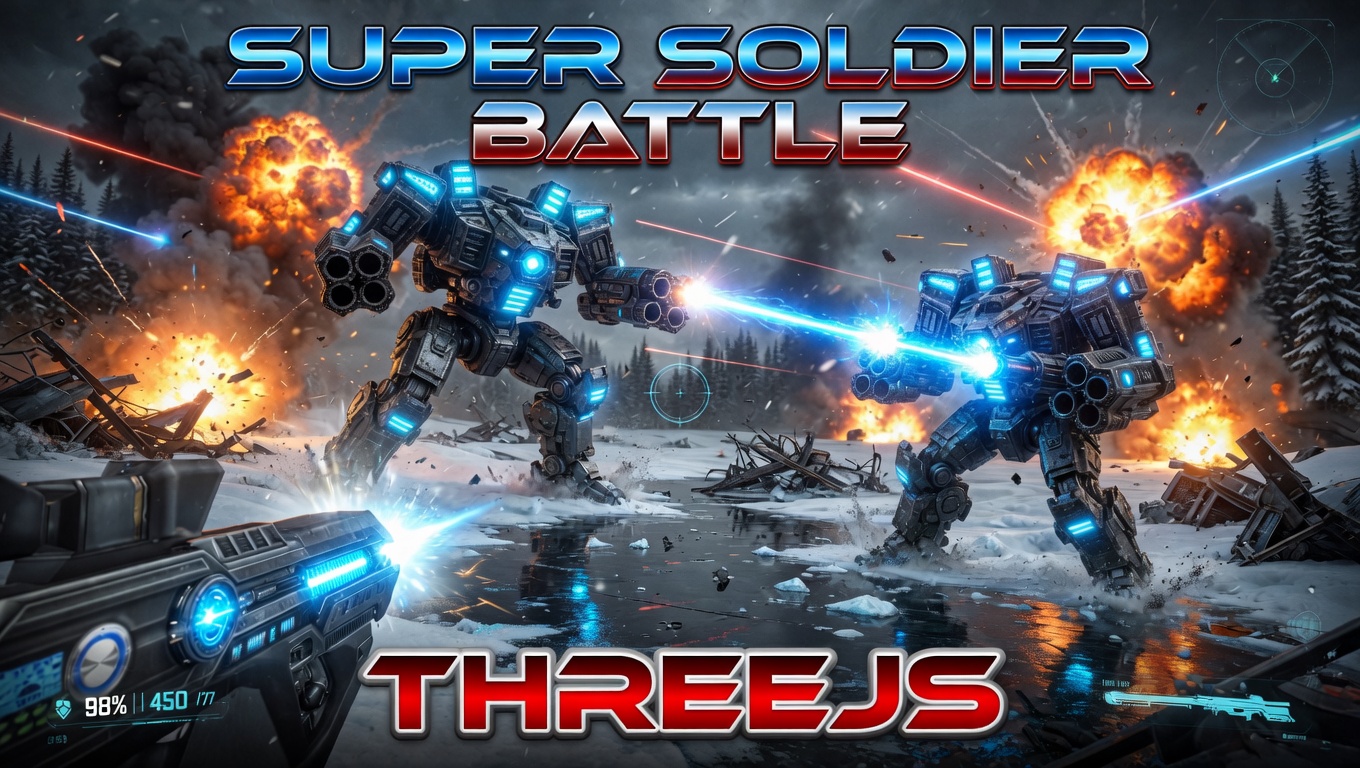
Super Soldier Battle
A free multiplayer 3D FPS that runs right in your browser — built with Three.js and WebGL.
AI Tic-Tac-Toe
Play tic-tac-toe against an unbeatable AI opponent. Free, no download, plays in the browser.
Zombie Attack
Survive waves of zombies in this free 3D browser shooter built with Three.js. No download, plays instantly.
Play now →
Space Wow
Blast through space in this free 3D Three.js arcade shooter. Free, no download, plays right in your browser.
Play now →