Click anywhere to blast · Press Space to blast · Press Esc to exit
3D ROCKFIRE EXPLOSION IN THREE.JS
By Shane Brumback · · Free Three.js tutorial
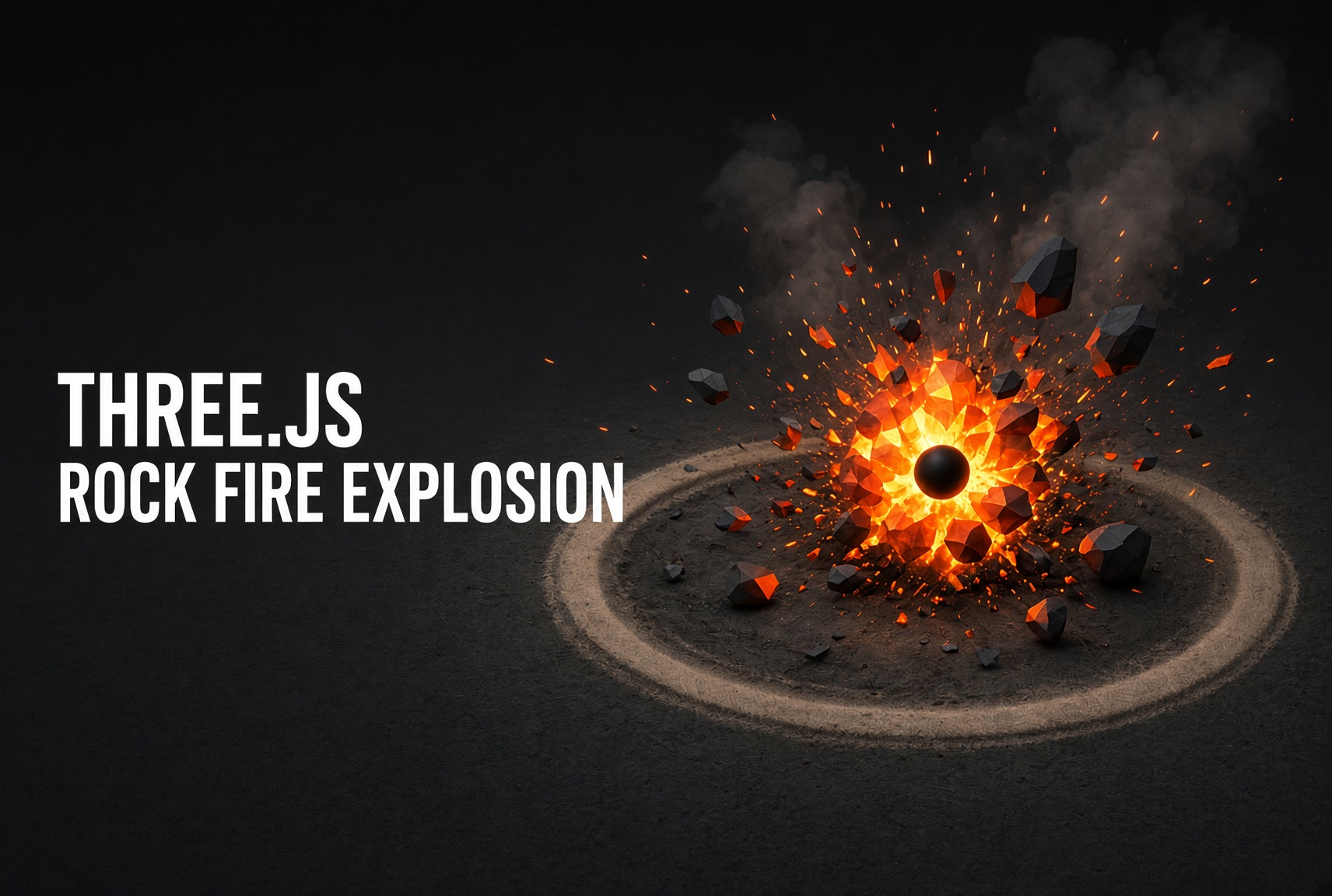
A rockfire explosion in Three.js throws a burst of 3D debris rocks outward from a center point under gravity, then layers glowing fire, drifting smoke, flying sparks, an expanding shockwave ring, a bright flash, and camera shake on top. This free tutorial builds the whole effect in one copy-paste file.
Jagged debris rocks are blasted outward with real velocity, gravity, and bounce, wrapped in additive fire and sparks, drifting smoke, a shockwave ring, a bright flash, and a jolt of camera shake — click anywhere or press Space to detonate.
LIVE DEMO
The rocks, fire, smoke, and shockwave firing behind this page are the live demo. Click anywhere, or press Space, to set off a rockfire blast. Scroll to keep reading.
Hides the page so you get the scene full screen — click or press Space to blast, press Esc to exit.
Introduction
A "rockfire" blast is the full-fat version of a particle explosion — not just a puff of embers, but chunks of rock hurled into the air, glowing fire and sparks, a roll of smoke, a shockwave ring on the ground, and a camera that kicks when it goes off. In this tutorial you'll build the whole thing in Three.js, and it still comes in at a single file you can copy and run.
The debris rides on a THREE.InstancedMesh. Here's why that matters: if you made each of the ~90 rocks its own mesh, the GPU would have to be told about them one at a time every frame — dozens of separate "draw calls" that quickly make the scene stutter. An InstancedMesh is one object that stamps the same rock shape in many places at once, so the whole pile of debris costs the GPU about as much as a single rock. The fire, smoke, and sparks work the same way: three THREE.Points systems that draw hundreds of dots in one go. A shockwave RingGeometry, a flash sphere, a transient point light, and decaying camera shake sell the impact.
Learn the pattern once and reuse it everywhere — mortar impacts, demolitions, meteor strikes, boss deaths. It's all the same loop: reset the debris to the center, launch it, spawn the particles, flash and shake, then let gravity and fade do the rest.
What you should know first: this is an intermediate build. You'll get the most out of it if you've already set up a basic Three.js scene (a renderer, a camera, and a mesh in a render loop). If that's new, start with How to Program a Simple Particle System or Creating and Animating Simple 3D Objects, then come back here. No build tools are needed — everything loads from a CDN.
WANT A RIGGED CHARACTER YOU CAN DRIVE?
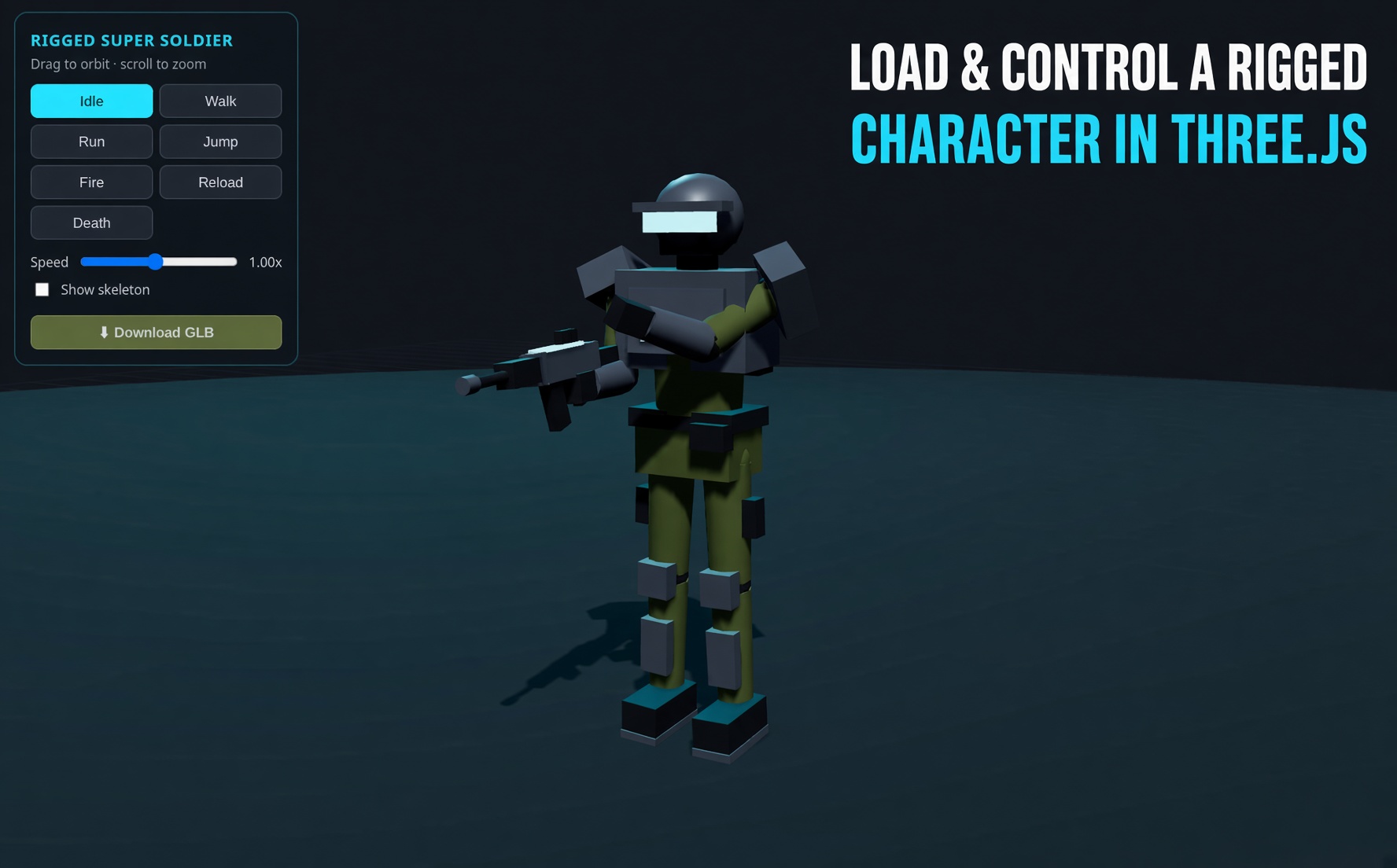
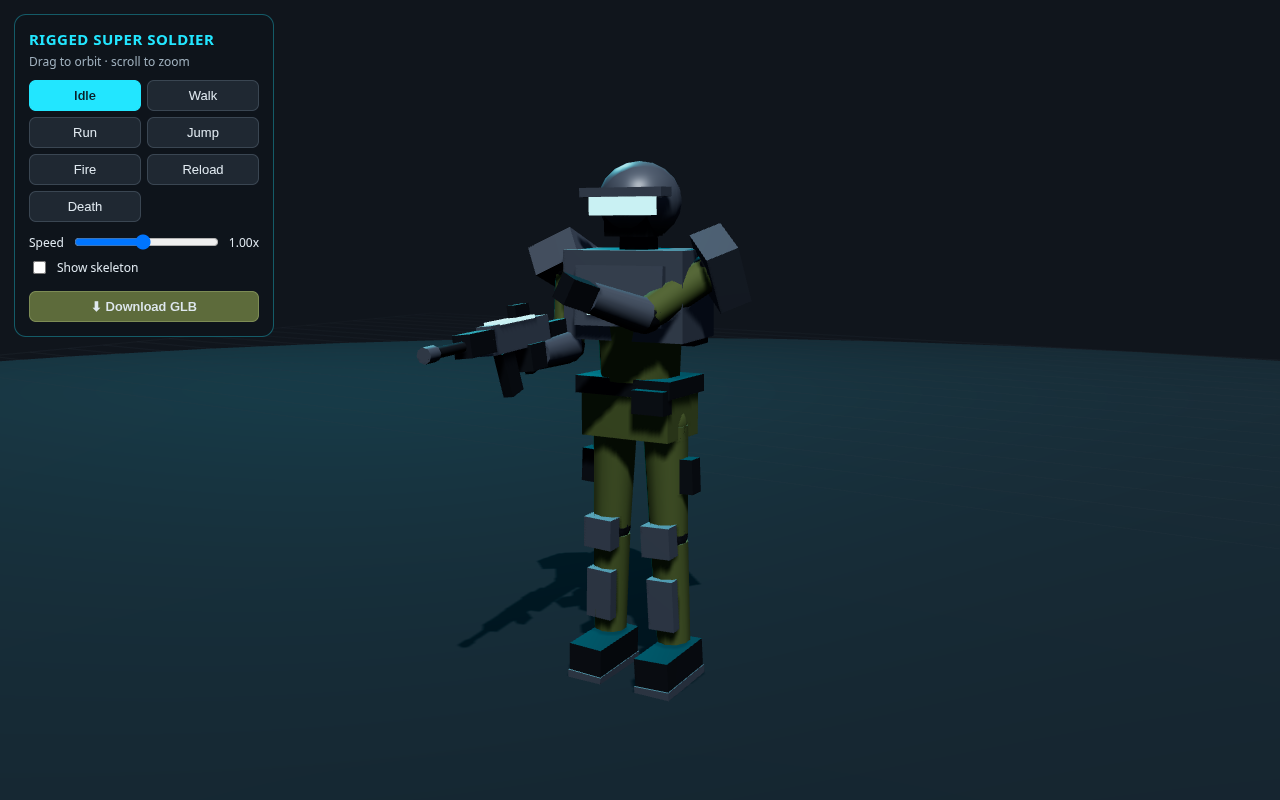
Loved this? The companion tutorial loads a free rigged super soldier GLB in Three.js and gives it a full keyboard controller — WASD to move, Shift to run, Space to jump, F to fire. Same rig-and-animate idea, taken to a playable character.
How do you make an exploding rocks and fire effect in Three.js?
Launch a batch of 3D rock meshes outward from a center point with random velocity and spin, step them each frame under gravity with a floor bounce, and layer glowing fire, smoke, and spark particles plus an expanding shockwave ring over the top. In Three.js you draw all the rocks with a single InstancedMesh and the fire, smoke, and sparks with THREE.Points, so the whole blast stays fast.
How do you throw many 3D rocks efficiently in Three.js?
Use a THREE.InstancedMesh so every rock shares one geometry and one material and renders in a single draw call. Give each instance its own position, rotation, and scale by writing a matrix with a dummy Object3D each frame and setting instanceMatrix.needsUpdate = true. A displaced icosahedron makes a cheap jagged rock, and marking the instance matrix as DynamicDrawUsage tells the GPU it changes every frame.
How do you add fire, smoke, and sparks to a Three.js explosion?
Build three separate THREE.Points systems that share a soft radial-gradient sprite texture: fire and sparks use additive blending so they glow, while smoke uses normal blending so it reads as dark drifting haze. Each frame you move every mote, apply a little gravity, and fade its per-vertex color toward black as its life runs out, which gives the burst its natural rise-and-dissolve look.
How do you make a Three.js explosion feel powerful?
Stack a few punchy transient effects on the first frames of the blast: an expanding shockwave ring that scales outward and fades, a bright flash core sphere, a strong but short-lived point light, and camera shake that decays over about a second. Add an optional WebAudio boom made from a pitch-dropping sine plus filtered noise and the hit lands much harder than the particles alone.
How It Works
Jagged rock geometry comes from an IcosahedronGeometry whose vertices are randomly displaced, so every rock looks hand-chipped.
Two InstancedMeshes draw the debris — plain rocks and emissive "hot" rocks — each in one draw call, with a per-instance matrix written every frame.
resetBody() drops every rock back to a fresh pile at the center before each blast, so repeat clicks always explode from the middle instead of re-launching yesterday's scattered debris.
launch() then gives each rock a random outward-and-upward velocity plus a fast random spin.
stepBodies() applies gravity, then bounces and damps each rock when it hits the floor so the debris settles naturally.
Three Points systems — fire, smoke, sparks — share a soft sprite and fade their per-vertex color over each mote's life. Fire and sparks use additive blending to glow.
A shockwave RingGeometry scales outward and fades in the first second, with a bright flash sphere and a transient point-light flare at the center.
Camera shake decays each frame and ACES tone mapping plus lighting set the mood. blast() — wired to click, Space, and the button — resets the age, resets and re-launches every rock, and respawns the particles, so one call restarts the entire explosion.
Sign in to unlock the code
This tutorial is 100% free — just sign in with Google to reveal the full code breakdown, the complete copy-paste code, and the one-click Launch. It takes one click and unlocks every free tutorial.
Code Breakdown
Here is the whole effect in plain English. Beginners: read the bold summaries. Developers: the notes after each explain the why and the performance choices.
In plain English: the import map lets you write import ... from "three" with no build step, and ACES tone mapping gives the fire a filmic, non-blown-out glow. Developer note: these modern APIs need a recent Three.js, so we pin 0.186.1 from a CDN rather than an old local build.
2. A jagged rock from a displaced icosahedron
function jaggedRock() {
  const geo = new THREE.IcosahedronGeometry(1, 1);
  const p = geo.attributes.position;
  const v = new THREE.Vector3();
  // hash the DIRECTION so shared corners move together (watertight)
  const noise = (x,y,z) => { const n = Math.sin(x*12.9898 + y*78.233 + z*37.719)*43758.5453; return n - Math.floor(n); };
  for (let i = 0; i < p.count; i++) {
    v.set(p.getX(i), p.getY(i), p.getZ(i)).normalize();
    const q = v.clone().multiplyScalar(3);
    const bump = 0.78 + noise(Math.round(q.x*100)/100, Math.round(q.y*100)/100, Math.round(q.z*100)/100) * 0.42;
    v.multiplyScalar(bump); v.y *= 0.82;
    p.setXYZ(i, v.x, v.y, v.z);
  }
  geo.computeVertexNormals();
  return geo;
}
In plain English: start with a low-poly ball and push each point in or out to carve a chunky rock. Developer note: an icosahedron's triangles don't share vertices, so displacing each vertex by its own random value tears the faces apart and leaves gaps. The fix is to displace by a value hashed from the vertex's direction — every corner that sits at the same spot gets the same offset, so the surface stays watertight. Recomputing vertex normals afterward makes the lighting read the new faceted shape.
3. InstancedMesh debris + per-instance matrices
const rocksMesh = new THREE.InstancedMesh(rockGeo, rockMat, ROCKS);
rocksMesh.instanceMatrix.setUsage(THREE.DynamicDrawUsage);

const dummy = new THREE.Object3D();
function writeBodies(list, mesh) {
  for (let i = 0; i < list.length; i++) {
    const b = list[i];
    dummy.position.set(b.px, b.py, b.pz);
    dummy.rotation.set(b.rx, b.ry, b.rz);
    dummy.scale.setScalar(b.scale);
    dummy.updateMatrix();
    mesh.setMatrixAt(i, dummy.matrix);
  }
  mesh.instanceMatrix.needsUpdate = true;
}
In plain English: all the rocks are one object. Each frame we use a throwaway Object3D to build each rock's transform and copy it into the instance. Developer note: DynamicDrawUsage hints that the matrix buffer changes every frame, and needsUpdate = true is what actually re-uploads it.
4. Debris physics — gravity + floor bounce
function stepBodies(list, dt) {
  for (const b of list) {
    b.vy += GRAV * dt;
    b.px += b.vx*dt; b.py += b.vy*dt; b.pz += b.vz*dt;
    const floorY = b.scale * 0.32;
    if (b.py < floorY) {           // hit the ground
      b.py = floorY;
      b.vy *= -0.28;               // bounce, losing energy
      b.vx *= 0.7; b.vz *= 0.7;    // friction
    }
    b.rx += b.sx*dt; b.ry += b.sy*dt; b.rz += b.sz*dt; // tumble
  }
}
In plain English: every rock falls under gravity, tumbles as it flies, and bounces with less energy each time it hits the floor until it comes to rest. Developer note: multiplying by dt keeps the sim frame-rate independent; the negative restitution (-0.28) plus horizontal friction is what makes debris "settle" instead of sliding forever.
5. Fire, smoke & sparks as THREE.Points
// one soft radial-gradient sprite, reused by all three systems
const flames = points(FLAME, softTex(...), 1.25, THREE.AdditiveBlending);
const smokes = points(SMOKE, softTex(...), 2.2,  THREE.NormalBlending);
const sparks = points(SPARK, softTex(...), 0.16, THREE.AdditiveBlending);

function stepMotes(list, store, dt, grav, paint) {
  for (let i = 0; i < list.length; i++) {
    const m = list[i];
    m.age += dt; m.vy += grav * dt;
    m.px += m.vx*dt; m.py += m.vy*dt; m.pz += m.vz*dt;
    const k = Math.max(0, 1 - m.age / m.life);  // 1 -> 0 over its life
    store.pos[i*3] = m.px; store.pos[i*3+1] = m.py; store.pos[i*3+2] = m.pz;
    paint(m, k);                                 // choose a color
    store.col[i*3] = color.r*k; store.col[i*3+1] = color.g*k; store.col[i*3+2] = color.b*k;
  }
}
In plain English: three clouds of dots — glowing fire, glowing sparks, and dark smoke — each dot drifting, slowing, and fading from bright to black as it ages. Developer note: additive blending makes fire and sparks stack into hot cores; normal blending keeps smoke readable. Multiplying the color by k fades brightness via vertex colors, so no per-particle opacity is needed.
6. blast() — reset, launch, and the impact
function resetBody(b, hot) {       // drop a rock back to the center pile
  const ang = Math.random() * Math.PI * 2;
  const rad = Math.random() * (hot ? 0.35 : 0.7);
  b.px = Math.cos(ang) * rad;
  b.py = 0.15 + Math.random() * (hot ? 0.45 : 0.7);
  b.pz = Math.sin(ang) * rad;
  b.vx = b.vy = b.vz = 0;          // clear old velocity so it starts fresh
  b.rx = Math.random()*6; b.ry = Math.random()*6; b.rz = Math.random()*6;
}

function blast() {
  age = 0; shake = 1;
  crater.visible = true;               // reveal the scorch so it grows with this blast
  for (const b of rocks) { resetBody(b, false); launch(b, 5.4); }
  for (const b of hots)  { resetBody(b, true);  launch(b, 7.2); }
  flameP = makeMotes(FLAME, "flame");  // respawn particles
  smokeP = makeMotes(SMOKE, "smoke");
  sparkP = makeMotes(SPARK, "spark");
  try { boom(); } catch {}             // optional WebAudio hit
}

// each frame, driven by "age":
const flash = Math.max(0, 1 - age / 0.16);
core.material.opacity = flash;
fireLight.intensity = 0.35 + 9*Math.max(0, 1 - age/1.7) + flash*16;
const wave = Math.min(age/0.85, 1);
ring.scale.setScalar(0.3 + wave * 13);                    // shockwave expands
if (crater.visible) {                                     // scorch grows outward with the blast
  const grow = 1 - Math.pow(1 - Math.min(age/0.7, 1), 3);
  crater.scale.setScalar(0.3 + grow * 1.1);
  crater.material.opacity = Math.min(age/0.2, 1);
}
controls.update();                                        // auto-rotate + user orbit
if (shake > 0.01) camera.position.x += (Math.random()-0.5) * shake * 0.38;  // additive shake
shake *= 0.9;
In plain English: every blast first teleports the rocks back to a tidy pile in the center, then throws them — so click after click the explosion always erupts from the middle instead of kicking around whatever landed last time. The flash, light flare, expanding ring, scorch crater, and shake are all just a function of how long ago the blast went off — the crater is a flat decal that is hidden until the first blast, then eases outward with the shockwave and lingers. Developer note: without resetBody(), a second launch() adds velocity to already-scattered debris and the effect falls apart on repeat triggers. Clearing position and velocity first makes blast() perfectly repeatable, and keying every transient to one age value means a single call restarts the whole impact.
7. Firing it: click, Space, or auto-loop
// the background scene auto-fires on a timer so it's always alive...
if (autoTimer <= 0) { autoTimer = 3.0; blast(); }

// ...and a click or the Space key fires it on demand.
renderer.domElement.addEventListener("pointerdown", () => blast());
addEventListener("keydown", (e) => {
  if (e.code === "Space" || e.code === "Enter") { e.preventDefault(); blast(); }
});
In plain English: the same one-line blast() call is wired to a click, the Space key, and an idle timer, so the scene detonates on demand and keeps going on its own when left alone. Developer note: because blast() fully resets state, you can safely call it from anything — a UI button, a game event, a collision callback — without worrying about the previous blast's leftovers.
The Full Code
Copy this into a file named index.html and open it in any modern browser — or hit Launch. Three.js loads from a CDN via the import map, so it runs as-is. Click anywhere, press Space, or hit the Blast button to detonate.
<!DOCTYPE html>
<html lang="en">
<head>
  <meta charset="UTF-8" />
  <meta name="viewport" content="width=device-width, initial-scale=1" />
  <title>Rockfire</title>
  <style>
    html, body { margin: 0; height: 100%; background: #0c0d10; color: #f3eadc; overflow: hidden; }
    canvas { position: absolute; inset: 0; width: 100%; height: 100%; display: block; touch-action: none; }
    header { position: absolute; top: 0; left: 0; right: 0; padding: 28px; pointer-events: none; }
    h1 { margin: 0; font: 700 48px/1 Georgia, serif; }
    p { margin: 10px 0 0; max-width: 22rem; font: 18px/1.4 system-ui, sans-serif; color: #b7aea0; }
    .dock { position: absolute; left: 0; right: 0; bottom: 0; display: flex; justify-content: center; padding: 24px 20px 40px; }
    button {
      min-height: 64px; min-width: 192px; border: 0; border-radius: 999px;
      background: #ff6a1a; color: #0c0d10; cursor: pointer;
      font: 700 28px/1 Georgia, serif;
    }
    button:active { transform: scale(0.96); }
  </style>
</head>
<body>
  <canvas id="view"></canvas>
  <header>
    <h1>Rockfire</h1>
    <p>Rocks, fire, smoke, and a shockwave. Hit blast to run it again.</p>
  </header>
  <div class="dock">
    <button id="blast" type="button">Blast again</button>
  </div>
  <script async src="https://unpkg.com/es-module-shims@1.8.0/dist/es-module-shims.js"></script>
  <script type="importmap">
  {
    "imports": {
      "three": "https://unpkg.com/three@0.186.1/build/three.module.js",
      "three/addons/": "https://unpkg.com/three@0.186.1/examples/jsm/"
    }
  }
  </script>
  <script type="module">
import * as THREE from "three";
import { OrbitControls } from "three/addons/controls/OrbitControls.js";
const ROCKS = 72, HOTS = 16, FLAME = 200, SMOKE = 120, SPARK = 160, GRAV = -9.4;
const canvas = document.getElementById("view");
let audioCtx = null;
function softTex(inner, mid) {
  const c = document.createElement("canvas");
  c.width = c.height = 128;
  const g = c.getContext("2d");
  const grd = g.createRadialGradient(64, 64, 2, 64, 64, 64);
  grd.addColorStop(0, inner);
  grd.addColorStop(0.4, mid);
  grd.addColorStop(1, "rgba(0,0,0,0)");
  g.fillStyle = grd;
  g.fillRect(0, 0, 128, 128);
  const t = new THREE.CanvasTexture(c);
  t.colorSpace = THREE.SRGBColorSpace;
  return t;
}
function jaggedRock() {
  const geo = new THREE.IcosahedronGeometry(1, 1);
  const p = geo.attributes.position;
  const v = new THREE.Vector3();
  // Displace by a hash of the DIRECTION so every shared corner moves the same
  // amount -> the rock stays watertight (no gaps between faces).
  function hashNoise(x, y, z) {
    const n = Math.sin(x * 12.9898 + y * 78.233 + z * 37.719) * 43758.5453;
    return n - Math.floor(n);
  }
  for (let i = 0; i < p.count; i++) {
    v.set(p.getX(i), p.getY(i), p.getZ(i)).normalize();
    const q = v.clone().multiplyScalar(3.0);
    const bump = 0.78 + hashNoise(Math.round(q.x * 100) / 100, Math.round(q.y * 100) / 100, Math.round(q.z * 100) / 100) * 0.42;
    v.multiplyScalar(bump);
    v.y *= 0.82;
    p.setXYZ(i, v.x, v.y, v.z);
  }
  geo.computeVertexNormals();
  return geo;
}
function pile(scale, hot) {
  const ang = Math.random() * Math.PI * 2;
  const rad = Math.random() * (hot ? 0.35 : 0.7);
  return {
    px: Math.cos(ang) * rad,
    py: 0.15 + Math.random() * (hot ? 0.45 : 0.7),
    pz: Math.sin(ang) * rad,
    vx: 0, vy: 0, vz: 0,
    rx: Math.random() * 6, ry: Math.random() * 6, rz: Math.random() * 6,
    sx: (Math.random() - 0.5) * 0.4, sy: (Math.random() - 0.5) * 0.4, sz: (Math.random() - 0.5) * 0.4,
    scale,
  };
}
function launch(b, kick) {
  const ang = Math.random() * Math.PI * 2;
  const elev = 0.35 + Math.random() * 1.2;
  const speed = kick + Math.random() * kick;
  const dir = new THREE.Vector3(Math.cos(ang), elev, Math.sin(ang)).normalize();
  b.vx = dir.x * speed; b.vy = dir.y * speed; b.vz = dir.z * speed;
  b.sx = (Math.random() - 0.5) * 9;
  b.sy = (Math.random() - 0.5) * 9;
  b.sz = (Math.random() - 0.5) * 9;
}
function makeMotes(count, kind) {
  const list = [];
  for (let i = 0; i < count; i++) {
    const ang = Math.random() * Math.PI * 2;
    if (kind === "flame") {
      const sp = 1.4 + Math.random() * 4.8;
      list.push({
        px: (Math.random() - 0.5) * 0.2, py: 0.35, pz: (Math.random() - 0.5) * 0.2,
        vx: Math.cos(ang) * sp * 0.5, vy: 2.4 + Math.random() * 4.2, vz: Math.sin(ang) * sp * 0.5,
        life: 0.4 + Math.random() * 0.7, age: 0, hot: Math.random(),
      });
    } else if (kind === "smoke") {
      list.push({
        px: (Math.random() - 0.5) * 0.35, py: 0.4, pz: (Math.random() - 0.5) * 0.35,
        vx: Math.cos(ang) * (0.3 + Math.random()),
        vy: 1.1 + Math.random() * 1.6,
        vz: Math.sin(ang) * (0.3 + Math.random()),
        life: 1.7 + Math.random() * 1.6, age: Math.random() * 0.15, hot: 0,
      });
    } else {
      const elev = 0.45 + Math.random() * 1.35;
      const sp = 7 + Math.random() * 11;
      const len = Math.hypot(Math.cos(ang), elev, Math.sin(ang));
      list.push({
        px: 0, py: 0.45, pz: 0,
        vx: (Math.cos(ang) / len) * sp, vy: (elev / len) * sp, vz: (Math.sin(ang) / len) * sp,
        life: 0.45 + Math.random() * 0.85, age: 0, hot: 1,
      });
    }
  }
  return list;
}
function boom() {
  const Ctx = window.AudioContext || window.webkitAudioContext;
  if (!Ctx) return;
  audioCtx = audioCtx || new Ctx();
  if (audioCtx.state === "suspended") audioCtx.resume();
  const now = audioCtx.currentTime;
  const osc = audioCtx.createOscillator();
  const gain = audioCtx.createGain();
  osc.type = "sine";
  osc.frequency.setValueAtTime(110, now);
  osc.frequency.exponentialRampToValueAtTime(32, now + 0.42);
  gain.gain.setValueAtTime(0.32, now);
  gain.gain.exponentialRampToValueAtTime(0.001, now + 0.55);
  osc.connect(gain);
  gain.connect(audioCtx.destination);
  osc.start(now);
  osc.stop(now + 0.6);
  const buffer = audioCtx.createBuffer(1, audioCtx.sampleRate * 0.35, audioCtx.sampleRate);
  const data = buffer.getChannelData(0);
  for (let i = 0; i < data.length; i++) data[i] = (Math.random() * 2 - 1) * (1 - i / data.length);
  const noise = audioCtx.createBufferSource();
  noise.buffer = buffer;
  const ng = audioCtx.createGain();
  const filter = audioCtx.createBiquadFilter();
  filter.type = "lowpass";
  filter.frequency.setValueAtTime(900, now);
  filter.frequency.exponentialRampToValueAtTime(120, now + 0.3);
  ng.gain.setValueAtTime(0.45, now);
  ng.gain.exponentialRampToValueAtTime(0.001, now + 0.35);
  noise.connect(filter);
  filter.connect(ng);
  ng.connect(audioCtx.destination);
  noise.start(now);
}
const renderer = new THREE.WebGLRenderer({ canvas, antialias: true });
renderer.setPixelRatio(Math.min(window.devicePixelRatio || 1, 2));
renderer.outputColorSpace = THREE.SRGBColorSpace;
renderer.toneMapping = THREE.ACESFilmicToneMapping;
renderer.toneMappingExposure = 1.25;
renderer.shadowMap.enabled = true;
const scene = new THREE.Scene();
scene.background = new THREE.Color(0x0c0d10);
scene.fog = new THREE.FogExp2(0x14161c, 0.012);
const camera = new THREE.PerspectiveCamera(48, 1, 0.1, 80);
const camBase = new THREE.Vector3(6.4, 3.6, 8.6);
camera.position.copy(camBase);

// Orbit controls: the camera auto-rotates on load; drag to orbit.
// Zoom/pan are OFF so the mouse wheel keeps scrolling the page.
const controls = new OrbitControls(camera, renderer.domElement);
controls.target.set(0, 0.7, 0);
controls.enableZoom = false;
controls.enablePan = false;
controls.enableDamping = true;
controls.dampingFactor = 0.08;
controls.autoRotate = true;
controls.autoRotateSpeed = 0.6;
controls.minPolarAngle = 0.3;
controls.maxPolarAngle = Math.PI / 2.05;
let userInteracting = false, resumeTimer = 0;
controls.addEventListener("start", () => { userInteracting = true; clearTimeout(resumeTimer); });
controls.addEventListener("end", () => { resumeTimer = setTimeout(() => { userInteracting = false; }, 2500); });

scene.add(new THREE.AmbientLight(0x5c6a82, 1.05));
const moon = new THREE.DirectionalLight(0xdbe4f0, 1.7);
moon.position.set(-7, 9, 5);
moon.castShadow = true;
scene.add(moon);
const fill = new THREE.DirectionalLight(0x9aa6ba, 0.7);
fill.position.set(6, 5, -4);
scene.add(fill);
const fireLight = new THREE.PointLight(0xff6a1a, 0.4, 16, 1.7);
fireLight.position.set(0, 1.1, 0);
scene.add(fireLight);
function groundTex() {
  const S = 1024;
  const c = document.createElement("canvas"); c.width = c.height = S;
  const g = c.getContext("2d");
  g.fillStyle = "#44474a"; g.fillRect(0, 0, S, S);           // base asphalt
  for (let i = 0; i < 60000; i++) {                          // speckled grit
    const x = Math.random() * S, y = Math.random() * S, v = (Math.random() * 70) | 0;
    g.fillStyle = Math.random() < 0.5
      ? `rgba(${120 + v},${122 + v},${118 + v},0.5)`
      : `rgba(${20 + v},${22 + v},${24 + v},0.5)`;
    g.fillRect(x, y, 1.6, 1.6);
  }
  for (let i = 0; i < 500; i++) {                             // pebbles / cracks
    const x = Math.random() * S, y = Math.random() * S, r = 1 + Math.random() * 3;
    g.fillStyle = Math.random() < 0.5 ? "rgba(30,30,32,0.4)" : "rgba(150,150,145,0.3)";
    g.beginPath(); g.arc(x, y, r, 0, Math.PI * 2); g.fill();
  }
  const t = new THREE.CanvasTexture(c); t.colorSpace = THREE.SRGBColorSpace; return t;
}
// The scorch crater lives on its OWN transparent decal (not baked into the
// ground) so it can grow outward with the blast instead of always showing.
function craterTex() {
  const S = 512, c = document.createElement("canvas"); c.width = c.height = S;
  const g = c.getContext("2d");
  const cx = S / 2, cy = S / 2, R = S * 0.48;
  // Irregular but ROUND outline: a couple of low-frequency, low-amplitude waves
  // (plus a touch of jitter) so the rim is uneven without turning into a star.
  const SEG = 128, wob = [];
  const ph1 = Math.random() * 6.28, ph2 = Math.random() * 6.28, ph3 = Math.random() * 6.28;
  for (let i = 0; i < SEG; i++) {
    const a = i / SEG * Math.PI * 2;
    // rounded base (low freq) + JAGGED high-frequency spikes for a ragged rim
    const r = 0.82 + 0.08 * Math.sin(a * 3 + ph1) + 0.06 * Math.sin(a * 7 + ph2)
      + 0.05 * Math.sin(a * 13 + ph3) + (Math.random() - 0.5) * 0.1;
    wob.push(R * r);
  }
  const craterPath = () => {
    g.beginPath();
    for (let i = 0; i <= SEG; i++) {
      const a = (i % SEG) / SEG * Math.PI * 2, rr = wob[i % SEG];
      const x = cx + Math.cos(a) * rr, y = cy + Math.sin(a) * rr;
      if (i === 0) g.moveTo(x, y); else g.lineTo(x, y);
    }
    g.closePath();
  };
  // SOLID black burn: opaque most of the way out, only feathering at the rim.
  const burn = g.createRadialGradient(cx, cy, S * 0.02, cx, cy, R);
  burn.addColorStop(0, "rgba(6,5,4,1)");                      // fully opaque black center
  burn.addColorStop(0.6, "rgba(10,8,7,1)");
  burn.addColorStop(0.82, "rgba(18,14,11,0.92)");
  burn.addColorStop(1, "rgba(28,20,15,0)");                   // transparent only at the very edge
  g.save();
  g.shadowColor = "rgba(6,5,4,1)"; g.shadowBlur = 14;         // light feather, keep the jagged rim
  g.fillStyle = burn; craterPath(); g.fill();
  g.restore();
  g.save(); craterPath(); g.clip();                           // clip detail to the blob
  for (let i = 0; i < 80; i++) {                              // radial burn streaks (kept inside the dark zone)
    const a = Math.random() * Math.PI * 2, len = R * (0.2 + Math.random() * 0.55);
    g.strokeStyle = `rgba(${40 + Math.random() * 36 | 0},${26 + Math.random() * 20 | 0},20,0.4)`;
    g.lineWidth = 1 + Math.random() * 3;
    g.beginPath(); g.moveTo(cx, cy); g.lineTo(cx + Math.cos(a) * len, cy + Math.sin(a) * len); g.stroke();
  }
  for (let i = 0; i < 3200; i++) {                            // charred speckle / ash grit
    const a = Math.random() * Math.PI * 2, rr = Math.sqrt(Math.random()) * R;
    const x = cx + Math.cos(a) * rr, y = cy + Math.sin(a) * rr, v = Math.random();
    g.fillStyle = v < 0.6
      ? `rgba(0,0,0,${0.25 + Math.random() * 0.4})`           // dark cinder flecks
      : `rgba(${90 + Math.random() * 70 | 0},${48 + Math.random() * 40 | 0},26,${0.2 + Math.random() * 0.3})`; // warm ember glints
    g.fillRect(x, y, 1.5 + Math.random() * 2.5, 1.5 + Math.random() * 2.5);
  }
  for (let i = 0; i < 12; i++) {                              // cracked dark blotches
    const a = Math.random() * Math.PI * 2, rr = Math.random() * R * 0.8;
    const x = cx + Math.cos(a) * rr, y = cy + Math.sin(a) * rr, br = 6 + Math.random() * 24;
    const bl = g.createRadialGradient(x, y, 0, x, y, br);
    bl.addColorStop(0, "rgba(0,0,0,0.55)"); bl.addColorStop(1, "rgba(0,0,0,0)");
    g.fillStyle = bl; g.beginPath(); g.arc(x, y, br, 0, Math.PI * 2); g.fill();
  }
  g.restore();
  const t = new THREE.CanvasTexture(c); t.colorSpace = THREE.SRGBColorSpace; return t;
}
const ground = new THREE.Mesh(
  new THREE.CircleGeometry(16, 64),
  new THREE.MeshStandardMaterial({ map: groundTex(), color: 0xb8bcc0, roughness: 0.97, metalness: 0.02 }),
);
ground.rotation.x = -Math.PI / 2;
ground.receiveShadow = true;
scene.add(ground);
// Scorch crater decal: hidden until the first blast, then it grows outward with
// the shockwave and lingers. Scale is driven by the blast age in the loop.
const crater = new THREE.Mesh(
  new THREE.PlaneGeometry(7, 7),
  new THREE.MeshBasicMaterial({ map: craterTex(), transparent: true, depthWrite: false, opacity: 0 }),
);
crater.rotation.x = -Math.PI / 2;
crater.position.y = 0.012;
crater.renderOrder = 1;
crater.visible = false;
scene.add(crater);
const boulderGeo = jaggedRock();
const boulderMat = new THREE.MeshStandardMaterial({ color: 0x6a6258, roughness: 0.9 });
for (let i = 0; i < 5; i++) {
  const m = new THREE.Mesh(boulderGeo, boulderMat);
  const a = (i / 5) * Math.PI * 2 + 0.4;
  m.position.set(Math.cos(a) * (3.4 + (i % 2) * 1.1), 0.28, Math.sin(a) * (3.4 + (i % 2) * 1.1));
  m.scale.setScalar(0.45 + (i % 3) * 0.22);
  m.rotation.set(i, i * 1.7, 0.2);
  m.castShadow = true;
  scene.add(m);
}
const rockMat = new THREE.MeshStandardMaterial({ color: 0x8c8578, roughness: 0.85, metalness: 0.04 });
const hotMat = new THREE.MeshStandardMaterial({
  color: 0x4a3428, roughness: 0.5, emissive: new THREE.Color(0xff5a18), emissiveIntensity: 0.15,
});
const rockGeo = jaggedRock();
const rocksMesh = new THREE.InstancedMesh(rockGeo, rockMat, ROCKS);
const hotsMesh = new THREE.InstancedMesh(rockGeo, hotMat, HOTS);
rocksMesh.instanceMatrix.setUsage(THREE.DynamicDrawUsage);
hotsMesh.instanceMatrix.setUsage(THREE.DynamicDrawUsage);
scene.add(rocksMesh, hotsMesh);
const rocks = Array.from({ length: ROCKS }, () => pile(0.12 + Math.random() * 0.38, false));
const hots = Array.from({ length: HOTS }, () => pile(0.16 + Math.random() * 0.28, true));
function points(count, tex, size, blending) {
  const geo = new THREE.BufferGeometry();
  geo.setAttribute("position", new THREE.BufferAttribute(new Float32Array(count * 3), 3));
  geo.setAttribute("color", new THREE.BufferAttribute(new Float32Array(count * 3), 3));
  const mat = new THREE.PointsMaterial({
    size, map: tex, transparent: true, depthWrite: false, blending, vertexColors: true,
  });
  const pts = new THREE.Points(geo, mat);
  pts.frustumCulled = false;
  scene.add(pts);
  return { pos: geo.attributes.position.array, col: geo.attributes.color.array, geo };
}
const flames = points(FLAME, softTex("rgba(255,246,214,1)", "rgba(255,90,16,0.5)"), 1.25, THREE.AdditiveBlending);
const smokes = points(SMOKE, softTex("rgba(90,84,76,0.3)", "rgba(40,36,32,0.08)"), 1.8, THREE.NormalBlending);
const sparks = points(SPARK, softTex("rgba(255,232,176,1)", "rgba(255,140,40,0.15)"), 0.16, THREE.AdditiveBlending);
let flameP = makeMotes(FLAME, "flame").map((m) => ({ ...m, age: m.life }));
let smokeP = makeMotes(SMOKE, "smoke").map((m) => ({ ...m, age: m.life }));
let sparkP = makeMotes(SPARK, "spark").map((m) => ({ ...m, age: m.life }));
const ring = new THREE.Mesh(
  new THREE.RingGeometry(0.25, 0.48, 64),
  new THREE.MeshBasicMaterial({ color: 0xffc48a, side: THREE.DoubleSide, transparent: true, opacity: 0, depthWrite: false }),
);
ring.rotation.x = -Math.PI / 2;
ring.position.y = 0.04;
ring.renderOrder = 2;   // draw the shockwave ON TOP of the crater decal (renderOrder 1)
scene.add(ring);
const core = new THREE.Mesh(
  new THREE.SphereGeometry(0.4, 18, 14),
  // depthWrite:false so the invisible flash sphere never writes depth and carves
  // a hole in the ground crater decal behind it.
  new THREE.MeshBasicMaterial({ color: 0xfff3d4, transparent: true, opacity: 0, depthWrite: false }),
);
core.position.y = 0.55;
scene.add(core);
const dummy = new THREE.Object3D();
const color = new THREE.Color();
let age = 8;
let shake = 0;
const reduceMotion = matchMedia("(prefers-reduced-motion: reduce)").matches;
function writeBodies(list, mesh) {
  for (let i = 0; i < list.length; i++) {
    const b = list[i];
    dummy.position.set(b.px, b.py, b.pz);
    dummy.rotation.set(b.rx, b.ry, b.rz);
    dummy.scale.setScalar(b.scale);
    dummy.updateMatrix();
    mesh.setMatrixAt(i, dummy.matrix);
  }
  mesh.instanceMatrix.needsUpdate = true;
}
function stepBodies(list, dt) {
  for (const b of list) {
    b.vy += GRAV * dt;
    b.px += b.vx * dt; b.py += b.vy * dt; b.pz += b.vz * dt;
    const floorY = b.scale * 0.32;
    if (b.py < floorY) {
      b.py = floorY;
      b.vy *= -0.28; b.vx *= 0.7; b.vz *= 0.7;
      b.sx *= 0.55; b.sy *= 0.55; b.sz *= 0.55;
    }
    b.rx += b.sx * dt; b.ry += b.sy * dt; b.rz += b.sz * dt;
  }
}
function stepMotes(list, store, dt, grav, paint) {
  for (let i = 0; i < list.length; i++) {
    const m = list[i];
    m.age += dt;
    m.vy += grav * dt;
    m.px += m.vx * dt; m.py += m.vy * dt; m.pz += m.vz * dt;
    const k = Math.max(0, 1 - m.age / m.life);
    store.pos[i * 3] = m.px;
    store.pos[i * 3 + 1] = m.py;
    store.pos[i * 3 + 2] = m.pz;
    paint(m, k);
    store.col[i * 3] = color.r * k;
    store.col[i * 3 + 1] = color.g * k;
    store.col[i * 3 + 2] = color.b * k;
  }
  store.geo.attributes.position.needsUpdate = true;
  store.geo.attributes.color.needsUpdate = true;
}
function blast() {
  age = 0;
  shake = reduceMotion ? 0 : 1;
  crater.visible = true;                 // reveal the scorch so it grows with this blast
  for (const b of rocks) { resetBody(b, false); launch(b, 5.4); }
  for (const b of hots) { resetBody(b, true); launch(b, 7.2); }
  flameP = makeMotes(FLAME, "flame");
  smokeP = makeMotes(SMOKE, "smoke");
  sparkP = makeMotes(SPARK, "spark");
  try { boom(); } catch { /* audio optional */ }
}
function resetBody(b, hot) {
  const ang = Math.random() * Math.PI * 2;
  const rad = Math.random() * (hot ? 0.35 : 0.7);
  b.px = Math.cos(ang) * rad;
  b.py = 0.15 + Math.random() * (hot ? 0.45 : 0.7);
  b.pz = Math.sin(ang) * rad;
  b.vx = b.vy = b.vz = 0;
  b.rx = Math.random() * 6; b.ry = Math.random() * 6; b.rz = Math.random() * 6;
}
function resize() {
  const w = canvas.clientWidth || 1;
  const h = canvas.clientHeight || 1;
  renderer.setSize(w, h, false);
  camera.aspect = w / h;
  camera.updateProjectionMatrix();
}
let last = performance.now();
function frame(now) {
  requestAnimationFrame(frame);
  const dt = Math.min((now - last) / 1000, 0.05);
  last = now;
  age += dt;
  stepBodies(rocks, dt);
  stepBodies(hots, dt);
  writeBodies(rocks, rocksMesh);
  writeBodies(hots, hotsMesh);
  hotMat.emissiveIntensity = 0.15 + 1.5 * Math.max(0, 1 - age / 1.5);
  stepMotes(flameP, flames, dt, GRAV * 0.22, (m, k) => {
    color.set(k < 0.3 ? 0x5a1808 : m.hot > 0.45 ? 0xfff0c2 : 0xff6a1c);
  });
  stepMotes(smokeP, smokes, dt, GRAV * 0.08, () => color.set(0x6e675e));
  stepMotes(sparkP, sparks, dt, GRAV, () => color.set(0xffd27a));
  const flash = Math.max(0, 1 - age / 0.16);
  core.material.opacity = flash;
  core.scale.setScalar(1 + Math.min(age, 0.4) * 8);
  fireLight.intensity = 0.35 + 9 * Math.max(0, 1 - age / 1.7) + flash * 16;
  const wave = Math.min(age / 0.85, 1);
  ring.scale.setScalar(0.3 + wave * 13);
  ring.material.opacity = age < 0.9 ? (1 - wave) * 0.6 : 0;   // softer, less solid shockwave
  if (crater.visible) {                       // scorch grows outward with the shockwave, then lingers
    const grow = 1 - Math.pow(1 - Math.min(age / 0.7, 1), 3);
    crater.scale.setScalar(0.3 + grow * 1.1);
    crater.material.opacity = Math.min(age / 0.2, 1);
  }
  shake *= 0.9;
  controls.autoRotate = !userInteracting;   // pause the spin while dragging
  controls.update();                        // auto-rotate + user orbit
  if (shake > 0.01) {                        // additive camera shake on top of orbit
    camera.position.x += (Math.random() - 0.5) * shake * 0.38;
    camera.position.y += (Math.random() - 0.5) * shake * 0.2;
  }
  renderer.render(scene, camera);
}
resize();
writeBodies(rocks, rocksMesh);
writeBodies(hots, hotsMesh);
requestAnimationFrame(frame);
addEventListener("resize", resize);
document.getElementById("blast").addEventListener("click", (e) => { e.stopPropagation(); blast(); });
// Blast on a click, but let a drag orbit the camera instead of firing.
let downX = 0, downY = 0, dragged = false;
canvas.addEventListener("pointerdown", (e) => { downX = e.clientX; downY = e.clientY; dragged = false; });
canvas.addEventListener("pointermove", (e) => { if (Math.hypot(e.clientX - downX, e.clientY - downY) > 6) dragged = true; });
canvas.addEventListener("pointerup", () => { if (!dragged) blast(); });
addEventListener("keydown", (e) => {
  if (e.code === "Space" || e.code === "Enter") { e.preventDefault(); blast(); }
});
  </script>
</body>
</html>
What To Try Next
Tune the ROCKS, FLAME, SMOKE, and SPARK counts to scale the blast up or down for your target hardware.
Recolor the hot-rock emissive and the flame palette for lava-orange, toxic-green, or icy-blue variants.
Leave a lingering scorch decal on the ground after the shockwave fades instead of clearing it.
Call blast() from game events — a projectile hit or a boss death — instead of a click.
Swap the synthesized boom() for a real explosion sound file loaded through the Web Audio API.
MAKE A RIGGED 3D MODEL — NO CODE
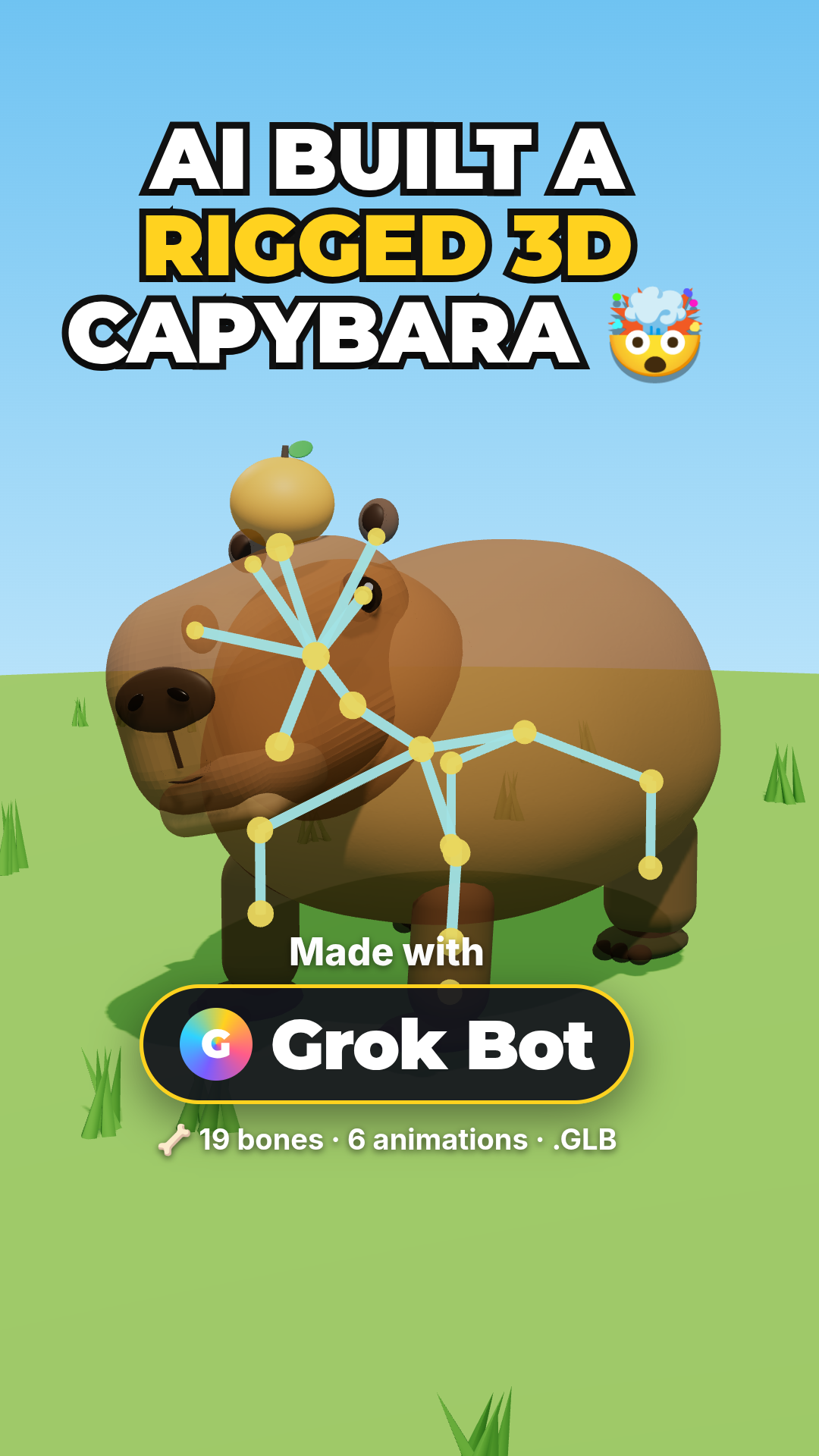
Go from a text prompt to a rigged, animated 3D capybara walking in Three.js — using Grok Bot to generate the model, with no modeling and no code. A full step-by-step walkthrough with a live demo.