EXPLORING INTERACTIVE
PARTICLE SYSTEMS
By Shane Brumback · · Updated · Free Three.js tutorial · Level 1
To make particles collide with the mouse in Three.js, raycast the pointer onto a plane to place a sphere collider, then every frame check each particle distance to the sphere center. If it is inside, push it back to the surface and reflect its velocity along the surface normal. Here 1,800 colorful balls rain down, bounce off your dark blue sphere and settle on a neon floor.
A beginner walkthrough of InstancedMesh particles, typed-array physics, gravity, sphere collision detection and velocity reflection in Three.js. The particle rain behind this page is the scene you build; launch the Live Demo to control it.
LIVE DEMO
The particle rain behind this page is a live Three.js scene. On the page the sphere drifts on its own. Launch the full-screen demo to move the dark blue sphere with your mouse or one finger, drag or use two fingers to orbit and zoom, and watch 1,800 particles bounce off it. Launch asks for a free Google sign-in first. Press Esc or Exit to return.
Free Google sign-in · Move the sphere with mouse or touch · Esc to exit
What Collision Detection Means for Particles
Collision detection is just a question asked over and over: is this thing inside that thing? For a sphere the answer is easy. Measure the distance from the particle to the sphere center. If it is smaller than the sphere radius plus the particle radius, they are touching.
Knowing they touch is half the job. The other half is the response. We move the particle back out to the surface along the line from the center (the normal), then flip the part of its speed that was heading into the sphere, keeping 55 percent of it as bounce. That is the same reflection math used for balls hitting walls in games.
Why InstancedMesh and Typed Arrays?
Drawing 1,800 separate meshes means 1,800 draw calls, which is slow. An InstancedMesh draws one sphere shape 1,800 times in a single call, each with its own matrix and color. Positions and velocities live in plain Float32Arrays, which JavaScript loops through very fast.
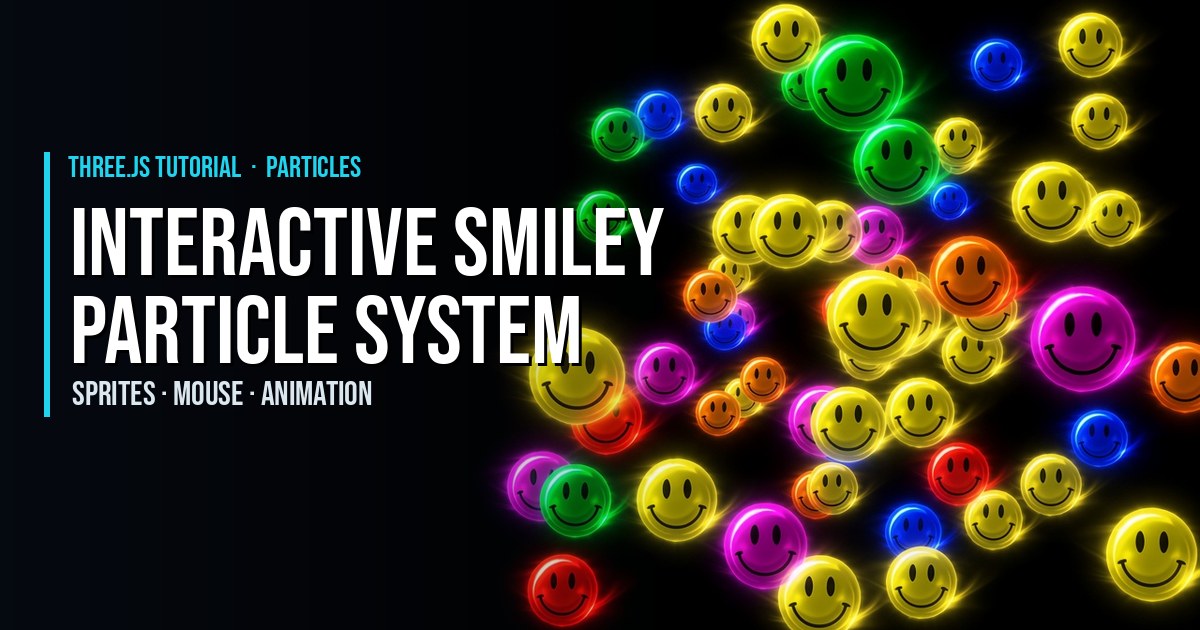
We also split each frame into two smaller physics steps so fast particles do not tunnel through the sphere. For a gentler start, try the fun interactive smiley particle system, or ball-to-ball physics in 3D spheres with collision events.
Step-by-Step Code Breakdown
Every excerpt below is copied exactly from the full code further down.
1. Set up the scene, camera, renderer and lights
In plain words: we make a nearly black world, point a camera at the middle, and add soft and direct light so the balls look round. Create a Scene, a PerspectiveCamera looking at the center, a WebGLRenderer, a HemisphereLight and a DirectionalLight.
const scene = new THREE.Scene();
scene.background = new THREE.Color(0x030308);
const camera = new THREE.PerspectiveCamera(55, innerWidth / innerHeight, 0.1, 200);
camera.position.set(0, 5, 17);
camera.lookAt(0, 3.5, 0);

const renderer = new THREE.WebGLRenderer({ antialias: true });
renderer.setPixelRatio(Math.min(devicePixelRatio, 2));
renderer.setSize(innerWidth, innerHeight);
document.body.style.margin = '0';
document.body.appendChild(renderer.domElement);

scene.add(new THREE.HemisphereLight(0xffffff, 0x222244, 1.2));
const key = new THREE.DirectionalLight(0xffffff, 2);
key.position.set(4, 10, 8);
scene.add(key);
2. Create the particles with one InstancedMesh
In plain words: we make one small sphere shape and ask the GPU to draw it 1,800 times, each in a random bright color. Build an InstancedMesh from a low-poly SphereGeometry and a MeshStandardMaterial, mark its matrices as dynamic, and give every instance a random HSL color with setColorAt.
const COUNT = isMobile ? 700 : 1800;
const RADIUS = 0.16;
const balls = new THREE.InstancedMesh(
  new THREE.SphereGeometry(RADIUS, 12, 8),
  new THREE.MeshStandardMaterial({ roughness: 0.35, metalness: 0.1 }),
  COUNT
);
balls.instanceMatrix.setUsage(THREE.DynamicDrawUsage);
scene.add(balls);
const color = new THREE.Color();
for (let i = 0; i < COUNT; i++) {
  balls.setColorAt(i, color.setHSL(Math.random(), 0.85, 0.55));
}
3. Store positions and velocities and spawn particles
In plain words: two long lists hold where every ball is and how fast it moves, and a spawn function drops a ball from the sky. Allocate Float32Arrays for position and velocity, write a spawn function that places a particle high above the center with a small random speed, and spread the first wave over different heights.
const pos = new Float32Array(COUNT * 3);
const vel = new Float32Array(COUNT * 3);
function spawn(i) {
  pos[i * 3] = (Math.random() - 0.5) * 2.5;
  pos[i * 3 + 1] = 11 + Math.random() * 8;
  pos[i * 3 + 2] = (Math.random() - 0.5) * 2.5;
  vel[i * 3] = (Math.random() - 0.5) * 1.5;
  vel[i * 3 + 1] = -Math.random() * 2;
  vel[i * 3 + 2] = (Math.random() - 0.5) * 1.5;
}
for (let i = 0; i < COUNT; i++) {
  spawn(i);
  pos[i * 3 + 1] = Math.random() * 20;
}
4. Add the sphere collider and the floor
In plain words: we add a solid dark blue ball that will block the rain, plus a round floor with a polar grid. Create a solid dark blue SphereGeometry collider with a target position and radius, a CircleGeometry floor and a PolarGridHelper.
const collider = new THREE.Mesh(
  new THREE.SphereGeometry(1.6, 48, 32),
  new THREE.MeshStandardMaterial({ color: 0x10306b, emissive: 0x0b1e4a, emissiveIntensity: 0.6, roughness: 0.4, metalness: 0.3 })
);
collider.position.set(0, 4, 0);
scene.add(collider);
const colliderTarget = collider.position.clone();
const COLLIDER_RADIUS = 1.6;

const floor = new THREE.Mesh(new THREE.CircleGeometry(9, 64), new THREE.MeshStandardMaterial({ color: 0x0a0b16, roughness: 0.6 }));
floor.rotation.x = -Math.PI / 2;
scene.add(floor);
const grid = new THREE.PolarGridHelper(9, 16, 8, 64, 0x2ad1d6, 0x1a2244);
grid.position.y = 0.01;
scene.add(grid);
5. Move the collider and orbit the camera
In plain words: hover the mouse (or slide one finger) and the sphere follows; drag (or use two fingers) to orbit and zoom the camera. Add OrbitControls with damping, give one-finger touch to the sphere and two-finger touch to orbit and pinch zoom, then convert pointer moves to normalized device coordinates, raycast onto a plane facing the camera through the orbit target, clamp the hit to the play area and store it as the collider target. On this page the background scene stays passive and the sphere drifts on its own; pointer control and orbiting switch on only inside the launched Live Demo.
const pointer = new THREE.Vector2();
const raycaster = new THREE.Raycaster();
const plane = new THREE.Plane();
const hit = new THREE.Vector3();
const camDir = new THREE.Vector3();
let interactive = true;
let lastMove = -10;

// Drag (or two fingers) orbits and zooms; hover (or one finger) moves the sphere.
const controls = new OrbitControls(camera, renderer.domElement);
controls.target.set(0, 3.5, 0);
controls.enableDamping = true;
controls.enablePan = false;
controls.minDistance = 6;
controls.maxDistance = 40;
controls.maxPolarAngle = Math.PI * 0.49;
controls.touches = { ONE: null, TWO: THREE.TOUCH.DOLLY_ROTATE };
controls.update();
renderer.domElement.style.touchAction = 'none';

const touches = new Set();
function moveCollider(e) {
  if (!interactive) return;
  if (e.pointerType === 'touch' ? touches.size !== 1 : e.buttons !== 0) return;
  pointer.set((e.clientX / innerWidth) * 2 - 1, -(e.clientY / innerHeight) * 2 + 1);
  raycaster.setFromCamera(pointer, camera);
  plane.setFromNormalAndCoplanarPoint(camera.getWorldDirection(camDir), controls.target);
  if (raycaster.ray.intersectPlane(plane, hit)) {
    colliderTarget.set(
      THREE.MathUtils.clamp(hit.x, -6, 6),
      THREE.MathUtils.clamp(hit.y, 1.6, 10),
      THREE.MathUtils.clamp(hit.z, -6, 6)
    );
    lastMove = clock.elapsedTime;
  }
}
renderer.domElement.addEventListener('pointerdown', (e) => {
  if (e.pointerType === 'touch') { touches.add(e.pointerId); moveCollider(e); }
});
addEventListener('pointerup', (e) => touches.delete(e.pointerId));
addEventListener('pointercancel', (e) => touches.delete(e.pointerId));
renderer.domElement.addEventListener('pointermove', moveCollider);
6. Detect and resolve collisions
In plain words: each ball falls with gravity; if it is inside the sphere we push it out and bounce it away, if it hits the floor it bounces lower, and resting balls respawn at the top. Add gravity and integrate position, compare squared distance to the collider with the summed radii, move overlapping particles to the surface, reflect the inward velocity with a restitution of 0.55, bounce on the floor with friction, and respawn particles that leave the floor or come to rest.
const GRAVITY = -9.8, BOUNCE = 0.55;
function step(dt) {
  const cx = collider.position.x, cy = collider.position.y, cz = collider.position.z;
  const minDist = COLLIDER_RADIUS + RADIUS;
  for (let i = 0; i < COUNT; i++) {
    const ix = i * 3, iy = ix + 1, iz = ix + 2;
    vel[iy] += GRAVITY * dt;
    pos[ix] += vel[ix] * dt;
    pos[iy] += vel[iy] * dt;
    pos[iz] += vel[iz] * dt;

    const dx = pos[ix] - cx, dy = pos[iy] - cy, dz = pos[iz] - cz;
    const d2 = dx * dx + dy * dy + dz * dz;
    if (d2 < minDist * minDist) {
      const d = Math.sqrt(d2) || 0.0001;
      const nx = dx / d, ny = dy / d, nz = dz / d;
      pos[ix] = cx + nx * minDist;
      pos[iy] = cy + ny * minDist;
      pos[iz] = cz + nz * minDist;
      const vn = vel[ix] * nx + vel[iy] * ny + vel[iz] * nz;
      if (vn < 0) {
        vel[ix] -= (1 + BOUNCE) * vn * nx;
        vel[iy] -= (1 + BOUNCE) * vn * ny;
        vel[iz] -= (1 + BOUNCE) * vn * nz;
      }
    }

    if (pos[iy] < RADIUS) {
      pos[iy] = RADIUS;
      vel[iy] = -vel[iy] * BOUNCE;
      vel[ix] *= 0.9;
      vel[iz] *= 0.9;
    }
    if (pos[ix] * pos[ix] + pos[iz] * pos[iz] > 81 || (pos[iy] <= RADIUS + 0.01 && Math.abs(vel[iy]) < 0.3 && Math.random() < 0.02)) spawn(i);
  }
}
7. Write instance matrices and run the loop
In plain words: every frame we copy the new positions into the GPU list, glide the sphere toward its target, run physics twice and draw. Write each position into a dummy Object3D matrix with setMatrixAt, flag instanceMatrix.needsUpdate, lerp the collider, wander it when idle, run two half steps of physics and render.
const dummy = new THREE.Object3D();
function writeInstances() {
  for (let i = 0; i < COUNT; i++) {
    dummy.position.set(pos[i * 3], pos[i * 3 + 1], pos[i * 3 + 2]);
    dummy.updateMatrix();
    balls.setMatrixAt(i, dummy.matrix);
  }
  balls.instanceMatrix.needsUpdate = true;
}

const clock = new THREE.Clock();
function render() {
  requestAnimationFrame(render);
  const dt = Math.min(clock.getDelta(), 1 / 30);
  const t = clock.elapsedTime;
  if (t - lastMove > 4) colliderTarget.set(Math.sin(t * 0.6) * 2.2, 4 + Math.sin(t * 0.9) * 1.2, 0);
  collider.position.lerp(colliderTarget, 1 - Math.exp(-8 * dt));
  collider.rotation.y += dt * 0.4;
  step(dt / 2);
  step(dt / 2);
  writeInstances();
  controls.update();
  renderer.render(scene, camera);
}
render();

addEventListener('resize', () => {
  camera.aspect = innerWidth / innerHeight;
  camera.updateProjectionMatrix();
  renderer.setSize(innerWidth, innerHeight);
});
Comparing squared distances avoids a square root for the thousands of particles that are not touching the sphere. Only the few that collide pay for Math.sqrt.
The Full Code
Paste this module into a page with the same import map as this one (Three.js 0.160 from unpkg). No models or images to download.
import * as THREE from 'three';
import { OrbitControls } from 'three/addons/controls/OrbitControls.js';

const isMobile = matchMedia('(max-width: 768px)').matches;

const scene = new THREE.Scene();
scene.background = new THREE.Color(0x030308);
const camera = new THREE.PerspectiveCamera(55, innerWidth / innerHeight, 0.1, 200);
camera.position.set(0, 5, 17);
camera.lookAt(0, 3.5, 0);

const renderer = new THREE.WebGLRenderer({ antialias: true });
renderer.setPixelRatio(Math.min(devicePixelRatio, 2));
renderer.setSize(innerWidth, innerHeight);
document.body.style.margin = '0';
document.body.appendChild(renderer.domElement);

scene.add(new THREE.HemisphereLight(0xffffff, 0x222244, 1.2));
const key = new THREE.DirectionalLight(0xffffff, 2);
key.position.set(4, 10, 8);
scene.add(key);

const COUNT = isMobile ? 700 : 1800;
const RADIUS = 0.16;
const balls = new THREE.InstancedMesh(
  new THREE.SphereGeometry(RADIUS, 12, 8),
  new THREE.MeshStandardMaterial({ roughness: 0.35, metalness: 0.1 }),
  COUNT
);
balls.instanceMatrix.setUsage(THREE.DynamicDrawUsage);
scene.add(balls);
const color = new THREE.Color();
for (let i = 0; i < COUNT; i++) {
  balls.setColorAt(i, color.setHSL(Math.random(), 0.85, 0.55));
}

const pos = new Float32Array(COUNT * 3);
const vel = new Float32Array(COUNT * 3);
function spawn(i) {
  pos[i * 3] = (Math.random() - 0.5) * 2.5;
  pos[i * 3 + 1] = 11 + Math.random() * 8;
  pos[i * 3 + 2] = (Math.random() - 0.5) * 2.5;
  vel[i * 3] = (Math.random() - 0.5) * 1.5;
  vel[i * 3 + 1] = -Math.random() * 2;
  vel[i * 3 + 2] = (Math.random() - 0.5) * 1.5;
}
for (let i = 0; i < COUNT; i++) {
  spawn(i);
  pos[i * 3 + 1] = Math.random() * 20;
}

const collider = new THREE.Mesh(
  new THREE.SphereGeometry(1.6, 48, 32),
  new THREE.MeshStandardMaterial({ color: 0x10306b, emissive: 0x0b1e4a, emissiveIntensity: 0.6, roughness: 0.4, metalness: 0.3 })
);
collider.position.set(0, 4, 0);
scene.add(collider);
const colliderTarget = collider.position.clone();
const COLLIDER_RADIUS = 1.6;

const floor = new THREE.Mesh(new THREE.CircleGeometry(9, 64), new THREE.MeshStandardMaterial({ color: 0x0a0b16, roughness: 0.6 }));
floor.rotation.x = -Math.PI / 2;
scene.add(floor);
const grid = new THREE.PolarGridHelper(9, 16, 8, 64, 0x2ad1d6, 0x1a2244);
grid.position.y = 0.01;
scene.add(grid);

const pointer = new THREE.Vector2();
const raycaster = new THREE.Raycaster();
const plane = new THREE.Plane();
const hit = new THREE.Vector3();
const camDir = new THREE.Vector3();
let interactive = true;
let lastMove = -10;

// Drag (or two fingers) orbits and zooms; hover (or one finger) moves the sphere.
const controls = new OrbitControls(camera, renderer.domElement);
controls.target.set(0, 3.5, 0);
controls.enableDamping = true;
controls.enablePan = false;
controls.minDistance = 6;
controls.maxDistance = 40;
controls.maxPolarAngle = Math.PI * 0.49;
controls.touches = { ONE: null, TWO: THREE.TOUCH.DOLLY_ROTATE };
controls.update();
renderer.domElement.style.touchAction = 'none';

const touches = new Set();
function moveCollider(e) {
  if (!interactive) return;
  if (e.pointerType === 'touch' ? touches.size !== 1 : e.buttons !== 0) return;
  pointer.set((e.clientX / innerWidth) * 2 - 1, -(e.clientY / innerHeight) * 2 + 1);
  raycaster.setFromCamera(pointer, camera);
  plane.setFromNormalAndCoplanarPoint(camera.getWorldDirection(camDir), controls.target);
  if (raycaster.ray.intersectPlane(plane, hit)) {
    colliderTarget.set(
      THREE.MathUtils.clamp(hit.x, -6, 6),
      THREE.MathUtils.clamp(hit.y, 1.6, 10),
      THREE.MathUtils.clamp(hit.z, -6, 6)
    );
    lastMove = clock.elapsedTime;
  }
}
renderer.domElement.addEventListener('pointerdown', (e) => {
  if (e.pointerType === 'touch') { touches.add(e.pointerId); moveCollider(e); }
});
addEventListener('pointerup', (e) => touches.delete(e.pointerId));
addEventListener('pointercancel', (e) => touches.delete(e.pointerId));
renderer.domElement.addEventListener('pointermove', moveCollider);

const GRAVITY = -9.8, BOUNCE = 0.55;
function step(dt) {
  const cx = collider.position.x, cy = collider.position.y, cz = collider.position.z;
  const minDist = COLLIDER_RADIUS + RADIUS;
  for (let i = 0; i < COUNT; i++) {
    const ix = i * 3, iy = ix + 1, iz = ix + 2;
    vel[iy] += GRAVITY * dt;
    pos[ix] += vel[ix] * dt;
    pos[iy] += vel[iy] * dt;
    pos[iz] += vel[iz] * dt;

    const dx = pos[ix] - cx, dy = pos[iy] - cy, dz = pos[iz] - cz;
    const d2 = dx * dx + dy * dy + dz * dz;
    if (d2 < minDist * minDist) {
      const d = Math.sqrt(d2) || 0.0001;
      const nx = dx / d, ny = dy / d, nz = dz / d;
      pos[ix] = cx + nx * minDist;
      pos[iy] = cy + ny * minDist;
      pos[iz] = cz + nz * minDist;
      const vn = vel[ix] * nx + vel[iy] * ny + vel[iz] * nz;
      if (vn < 0) {
        vel[ix] -= (1 + BOUNCE) * vn * nx;
        vel[iy] -= (1 + BOUNCE) * vn * ny;
        vel[iz] -= (1 + BOUNCE) * vn * nz;
      }
    }

    if (pos[iy] < RADIUS) {
      pos[iy] = RADIUS;
      vel[iy] = -vel[iy] * BOUNCE;
      vel[ix] *= 0.9;
      vel[iz] *= 0.9;
    }
    if (pos[ix] * pos[ix] + pos[iz] * pos[iz] > 81 || (pos[iy] <= RADIUS + 0.01 && Math.abs(vel[iy]) < 0.3 && Math.random() < 0.02)) spawn(i);
  }
}

const dummy = new THREE.Object3D();
function writeInstances() {
  for (let i = 0; i < COUNT; i++) {
    dummy.position.set(pos[i * 3], pos[i * 3 + 1], pos[i * 3 + 2]);
    dummy.updateMatrix();
    balls.setMatrixAt(i, dummy.matrix);
  }
  balls.instanceMatrix.needsUpdate = true;
}

const clock = new THREE.Clock();
function render() {
  requestAnimationFrame(render);
  const dt = Math.min(clock.getDelta(), 1 / 30);
  const t = clock.elapsedTime;
  if (t - lastMove > 4) colliderTarget.set(Math.sin(t * 0.6) * 2.2, 4 + Math.sin(t * 0.9) * 1.2, 0);
  collider.position.lerp(colliderTarget, 1 - Math.exp(-8 * dt));
  collider.rotation.y += dt * 0.4;
  step(dt / 2);
  step(dt / 2);
  writeInstances();
  controls.update();
  renderer.render(scene, camera);
}
render();

addEventListener('resize', () => {
  camera.aspect = innerWidth / innerHeight;
  camera.updateProjectionMatrix();
  renderer.setSize(innerWidth, innerHeight);
});
Frequently Asked Questions
How do you detect particle collisions in Three.js?
Three.js has no built-in physics, so you check it yourself. For a sphere collider, compute the squared distance from each particle to the sphere center and compare it with the squared sum of their radii. If it is smaller, the particle is inside and needs to be pushed out.
How do you bounce a particle off a sphere?
Find the normal, the direction from the sphere center to the particle. Move the particle onto the surface along that normal, then subtract (1 + bounce) times the velocity component along the normal. That reflects the motion and keeps a fraction of the speed.
How do I make particles follow or react to the mouse in 3D?
Convert the pointer to normalized device coordinates, call raycaster.setFromCamera, and intersect the ray with a Plane to get a world position. Move a collider or attractor to that point.
Why use InstancedMesh for particles?
InstancedMesh draws many copies of one geometry in a single draw call, each with its own matrix and color, so thousands of 3D particles stay fast. Points is even cheaper but draws flat squares instead of lit spheres.
Do the particles collide with each other?
Not in this demo. Particle to particle checks grow with the square of the count, so they need a spatial grid or a physics engine. Particles colliding with one moving sphere and a floor is enough for a fun interactive effect.
Why do I need to sign in to launch the live demo?
The tutorial and its full code are free to read. The full-screen Live Demo asks for a free Google sign-in first, the same gate used across the site.
Play It and Keep Learning
Instanced particles and hand-written collision checks keep the effects fast in Super Soldier Battle, a free Three.js browser game. Browse every Three.js tutorial, read the articles, or search the site.
Need Three.js or WebGL work for your site or game? I take freelance and contract work: contact me.
Play Game