Instructional game
FPS GAME STARTER:
LEARN TO BUILD A THREE.JS SHOOTER
The FPS Game Starter is a playable Three.js first person shooter you can learn from. Play the live demo, then build it step by step in the free tutorial.
· Game overview
What Is FPS Game Starter?
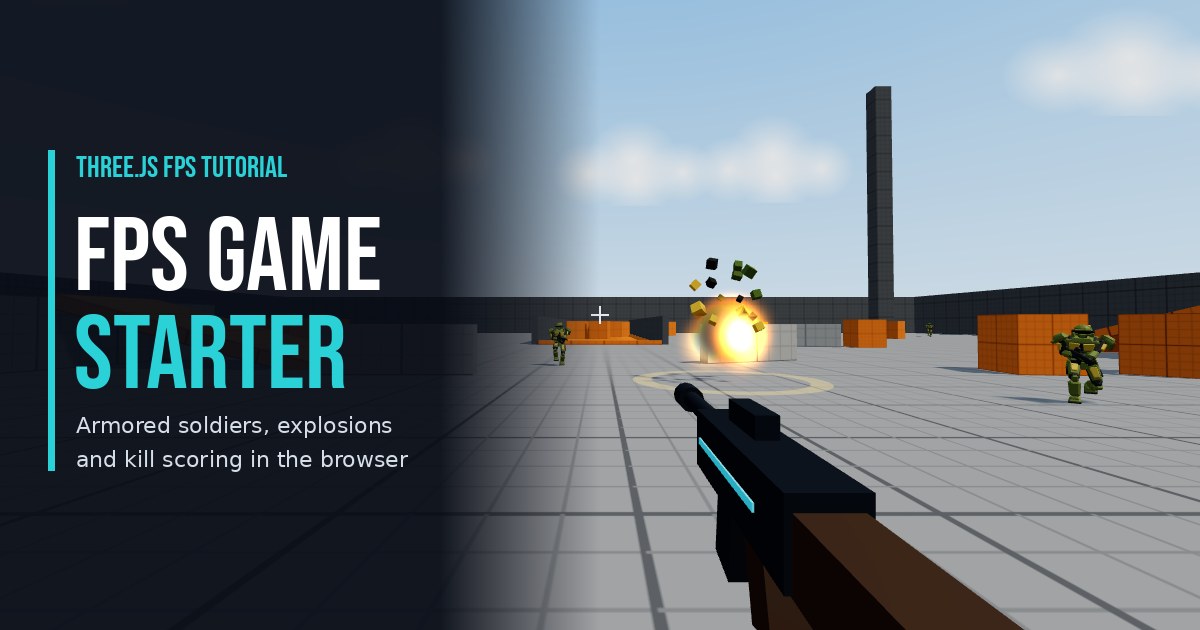
FPS Game Starter is a small, complete first person shooter built with Three.js, made to learn from. You get mouse look, WASD movement, jumping, shooting, soldiers that fight back, explosions, lives, a floating spawn pad and a game over screen, all in one page.
How to Play
Play the live demo first: click START GAME, look with the mouse, move with WASD, jump with Space and click to shoot. Then open the tutorial and build the same game step by step, with the code for every step explained.
The full step-by-step guide is the First Person Shooter Game Starter tutorial.
Frequently Asked Questions
What is the FPS Game Starter?
It is a small, complete first person shooter built with Three.js, made to learn from: mouse look, WASD movement, jumping, shooting, soldiers that fight back, explosions, lives, a floating spawn pad and a game over screen, all in one page.
Is the FPS Game Starter free?
Yes. The live demo is free and runs in your browser with no download, and the step-by-step tutorial is free to read.
What are the controls?
Click START GAME, look with the mouse, move with WASD, jump with Space and click to shoot.
How do I learn to build it?
Play the live demo first, then open the First Person Shooter Game Starter tutorial, which builds the same game step by step with the code for every step explained.
What library is it built with?
It is built with Three.js and runs as WebGL in a modern browser.
What should I read next?
Try Three.js FPS Controls or Load and Control a Rigged Character.
Is FPS Game Starter built with Three.js?
Yes. FPS Game Starter is a Three.js 3D browser game rendered with WebGL, so it runs in any modern web browser on desktop or mobile with no download or install.